



When you think about online forms, you might picture a long, daunting page filled with fields that seem to stretch on forever. Multi-step forms, however, break this mold by dividing the information-gathering process into manageable sections. This approach not only makes the experience less overwhelming for users but also allows you to collect data in a more organized manner.
By presenting questions in a step-by-step format, you can guide users through the process, ensuring they remain engaged and focused on completing the form. As you navigate through multi-step forms, you’ll notice that they often employ a progress indicator, which serves as a visual cue for users. This feature reassures them that they are making progress and helps to reduce anxiety about the length of the form.
By understanding the structure and purpose of multi-step forms, you can appreciate how they enhance user interaction and improve completion rates. The key is to create a seamless flow that encourages users to move from one step to the next without feeling overwhelmed.
Key Takeaways
- Multi-step forms break down complex forms into manageable sections, improving user engagement.
- Conditional logic customizes form flow based on user responses, enhancing relevance and experience.
- Best practices include clear navigation, progress indicators, and minimizing user input to reduce drop-offs.
- Avoid common mistakes like overcomplicating logic or causing confusion with unclear instructions.
- Testing and using specialized tools ensure effective integration and optimal performance of multi-step forms.
Benefits of Using Multi-Step Forms
One of the primary benefits of multi-step forms is their ability to increase conversion rates. When users are presented with a lengthy form all at once, they may feel discouraged and abandon the process altogether. By breaking the form into smaller sections, you can significantly reduce this risk.
Users are more likely to complete a form when they perceive it as manageable, and multi-step forms capitalize on this psychological principle. Additionally, multi-step forms allow for better data collection. By segmenting questions into logical groups, you can gather more relevant information without overwhelming users.
This targeted approach not only improves the quality of the data collected but also enables you to tailor your follow-up communications based on the specific responses provided. Ultimately, this leads to a more personalized experience for your users, fostering a stronger connection between them and your brand.
Implementing Conditional Logic in Forms


Conditional logic is a powerful feature that allows you to customize the user experience based on their responses. By implementing this functionality in your multi-step forms, you can create a dynamic flow that adapts to each user’s input. For instance, if a user selects “Yes” to a specific question, you can present them with additional questions relevant to that choice, while those who select “No” can skip ahead to the next section.
This tailored approach not only streamlines the process but also ensures that users only provide information that is pertinent to them. To effectively implement conditional logic in your forms, you need to carefully plan out the pathways based on potential user responses. This requires a deep understanding of your audience and their needs.
By mapping out these pathways in advance, you can create a more intuitive experience that guides users through the form without confusion. The result is a more efficient data collection process that respects users’ time and preferences.
How Conditional Logic Enhances User Experience
| Form Completion Rate | 65% | 85% | +20% |
| Average Time to Complete Task | 4 minutes 30 seconds | 2 minutes 15 seconds | 50% faster |
| User Error Rate | 15% | 5% | Reduced by 10% |
| User Satisfaction Score (out of 10) | 6.8 | 8.9 | +2.1 points |
| Number of Support Requests | 120 per month | 45 per month | Reduced by 62.5% |
The integration of conditional logic into multi-step forms significantly enhances user experience by creating a more personalized interaction. When users feel that their responses are valued and taken into account, they are more likely to engage with your content and complete the form. This sense of personalization fosters trust and encourages users to share more information, ultimately benefiting your data collection efforts.
Moreover, conditional logic helps eliminate unnecessary questions that may frustrate users. By tailoring the questions based on previous answers, you can ensure that users are only presented with relevant inquiries. This not only streamlines the process but also reduces cognitive load, allowing users to focus on providing accurate responses rather than feeling overwhelmed by irrelevant options.
In this way, conditional logic transforms a standard form into an engaging dialogue between your brand and its audience.
Best Practices for Designing Multi-Step Forms
When designing multi-step forms, it’s essential to keep user experience at the forefront of your mind. Start by ensuring that each step is clear and concise, with straightforward instructions guiding users through the process. Avoid jargon or overly complex language; instead, opt for simple terms that everyone can understand.
This clarity will help users feel more comfortable as they navigate through each section of the form. Another best practice is to limit the number of fields in each step. Too many questions at once can lead to frustration and abandonment.
Aim for a balance between gathering necessary information and maintaining user engagement. Additionally, consider incorporating visual elements such as progress bars or indicators that show users how far along they are in the process. This not only motivates them to continue but also provides reassurance that they are making progress toward completion.
Tips for Creating User-Friendly Multi-Step Forms
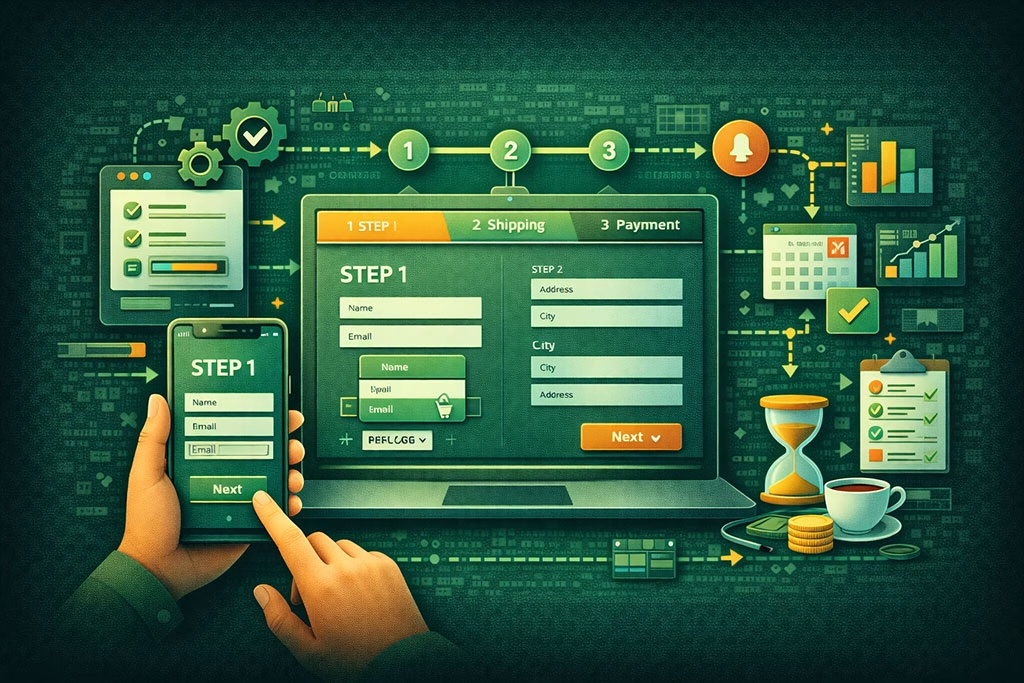
Creating user-friendly multi-step forms involves several key strategies that prioritize user comfort and engagement. First and foremost, ensure that your forms are mobile-responsive. With an increasing number of users accessing websites via mobile devices, it’s crucial that your forms are easy to navigate on smaller screens.
Test your forms across various devices to ensure a seamless experience for all users. Another tip is to provide clear feedback after each step is completed. A simple message confirming that their input has been received can go a long way in reassuring users and encouraging them to proceed to the next step.
Additionally, consider using tooltips or help icons next to complex questions to provide further clarification without cluttering the form itself. These small touches can significantly enhance user satisfaction and increase completion rates.
Common Mistakes to Avoid When Using Conditional Logic
While conditional logic can greatly enhance your multi-step forms, there are common pitfalls you should be aware of to avoid undermining its effectiveness. One major mistake is overcomplicating the logic pathways. If users encounter too many branches or confusing options based on their responses, they may become frustrated and abandon the form altogether.
Keep your logic simple and intuitive to ensure a smooth user experience.
Another mistake is failing to test your conditional logic thoroughly before launching the form. It’s essential to simulate various user scenarios to ensure that all pathways function as intended.
Overlooking this step can lead to broken links or irrelevant questions being presented to users, which can damage their trust in your brand. By conducting thorough testing, you can identify and rectify any issues before they impact real users.
Tools and Plugins for Building Multi-Step Forms with Conditional Logic
There are numerous tools and plugins available that can help you create multi-step forms with conditional logic seamlessly. Platforms like Typeform and JotForm offer user-friendly interfaces that allow you to design engaging forms without extensive coding knowledge. These tools often come equipped with built-in conditional logic features, enabling you to customize user experiences effortlessly.
If you’re using WordPress, plugins like Gravity Forms or WPForms provide robust options for building multi-step forms with conditional logic capabilities. These plugins offer drag-and-drop functionality, making it easy for you to create complex forms while maintaining an intuitive design. By leveraging these tools, you can streamline your form-building process and focus on creating an exceptional user experience.
Testing and Analyzing the Performance of Multi-Step Forms
Once you’ve implemented your multi-step forms with conditional logic, it’s crucial to test and analyze their performance regularly. Start by monitoring completion rates; if you notice a significant drop-off at any particular step, it may indicate confusion or frustration among users. Use analytics tools to track user behavior and identify patterns that could inform improvements.
A/B testing is another effective method for evaluating different versions of your forms. By comparing variations in design or question order, you can determine which elements resonate best with your audience. Gathering feedback directly from users through surveys or usability tests can also provide valuable insights into their experiences with your forms, allowing you to make informed adjustments for optimal performance.
Integrating Multi-Step Forms with Conditional Logic into Your Website
Integrating multi-step forms with conditional logic into your website requires careful planning and execution. Start by ensuring that the forms align with your overall website design and branding for a cohesive user experience. Consistency in colors, fonts, and styles will help reinforce your brand identity while making the forms feel like a natural part of your site.
Additionally, consider where these forms will be placed on your website for maximum visibility and engagement. Whether embedded within landing pages or linked from call-to-action buttons, strategic placement can significantly impact completion rates. Ensure that loading times are optimized so that users don’t encounter delays when accessing the forms; slow-loading pages can lead to frustration and abandonment.
Case Studies: Successful Implementation of Multi-Step Forms with Conditional Logic
Examining case studies of successful implementations of multi-step forms with conditional logic can provide valuable insights into best practices and innovative strategies. For instance, an e-commerce company may have seen a significant increase in cart completions after introducing a multi-step checkout process that utilized conditional logic to streamline shipping options based on user location. Another example could involve a service-based business that implemented a multi-step inquiry form tailored by conditional logic based on user needs—resulting in higher engagement rates and more qualified leads.
By analyzing these real-world applications, you can glean inspiration for your own projects while understanding how effective design choices can lead to tangible results in user engagement and satisfaction. In conclusion, multi-step forms with conditional logic represent a powerful tool for enhancing user experience and improving data collection processes on your website. By understanding their structure and benefits, implementing best practices, avoiding common pitfalls, and leveraging available tools, you can create engaging forms that resonate with your audience while driving conversions effectively.
In the quest to enhance user experience and combat form fatigue, understanding the broader context of digital engagement is crucial. For instance, the article on io/2025/11/07/the-art-of-relationship-marketing-in-the-digital-age/’>the art of relationship marketing in the digital age delves into strategies that can complement the use of multi-step forms and conditional logic by fostering deeper connections with users.
By integrating these marketing principles, businesses can create more personalized and engaging interactions, ultimately reducing fatigue and improving conversion rates.
FAQs
What is form fatigue?
Form fatigue occurs when users become tired or overwhelmed by long or complex forms, leading to incomplete submissions or abandonment.
How can multi-step forms help reduce form fatigue?
Multi-step forms break a long form into smaller, manageable sections, making the process feel less daunting and improving user engagement and completion rates.
What is conditional logic in forms?
Conditional logic allows forms to dynamically show or hide questions based on previous answers, ensuring users only see relevant fields and reducing unnecessary input.
Why is conditional logic effective in fighting form fatigue?
By tailoring the form experience to each user, conditional logic minimizes the number of questions they need to answer, making the form shorter and more relevant.
Can multi-step forms and conditional logic be used together?
Yes, combining multi-step forms with conditional logic creates a streamlined and personalized form experience that can significantly reduce form fatigue.
Are there any best practices for designing multi-step forms?
Best practices include clearly indicating progress, keeping each step focused, minimizing required fields, and providing clear navigation options.
What types of forms benefit most from multi-step design and conditional logic?
Complex forms such as surveys, applications, registrations, and checkout processes benefit greatly from these techniques to improve user experience and completion rates.
Do multi-step forms and conditional logic affect form analytics?
Yes, they can provide more detailed insights into user behavior at each step and help identify where users drop off, enabling better optimization.
Is it necessary to test forms with multi-step and conditional logic?
Absolutely. Testing ensures that the form flows correctly, conditional rules work as intended, and the user experience is smooth across devices.
Can these techniques be implemented without coding?
Many modern form builders offer drag-and-drop interfaces with built-in multi-step and conditional logic features, allowing implementation without coding knowledge.