


Mobile-first email design has become essential in contemporary digital marketing due to fundamental changes in consumer behavior. Statistical data indicates that over 50% of email opens now occur on mobile devices, representing a significant shift from desktop-based email consumption patterns. This behavioral change necessitates that businesses and marketers prioritize mobile-optimized email designs to ensure effective message delivery across all devices.
Research demonstrates that mobile-first email designs directly impact user engagement metrics and conversion rates. Emails optimized for mobile devices typically generate higher click-through rates, increased purchase conversions, and improved content sharing compared to non-optimized emails. The enhanced readability and functionality of mobile-optimized emails on smaller screens creates superior user experiences that translate into measurable business outcomes.
The adoption of mobile-first email design represents a strategic imperative rather than a temporary trend. Consumer interaction patterns with digital content have permanently shifted toward mobile-centric consumption, making mobile optimization a fundamental requirement for effective email marketing campaigns. Organizations that implement mobile-first design principles position themselves to better reach and engage their target audiences in the current digital environment.
Key Takeaways
- Mobile-first email design is crucial for engaging users on their primary devices.
- Cross-device compatibility ensures emails display correctly on various screen sizes.
- Responsive design techniques adapt email layouts dynamically for optimal viewing.
- Mobile-friendly call-to-actions improve user interaction and conversion rates.
- Regular testing across devices guarantees consistent user experience and functionality.
Designing for Cross-Device Compatibility
As you embark on the journey of creating effective email campaigns, one of the key considerations is cross-device compatibility. Your audience accesses their emails from various devices, including smartphones, tablets, and desktops. Each device has its own screen size and resolution, which can dramatically affect how your email appears.
To ensure that your message is conveyed consistently across all platforms, you must design with flexibility in mind. This means using scalable images, fluid layouts, and adaptable text sizes that can adjust to different screen dimensions. In addition to visual elements, you should also consider how interactive features function across devices.
For instance, buttons and links should be easily clickable on touchscreens without requiring precision that can be difficult on smaller devices. By testing your emails on multiple devices before sending them out, you can identify any issues that may arise and make necessary adjustments. This proactive approach not only enhances the user experience but also reinforces your brand’s professionalism and attention to detail.
Utilizing Responsive Design Techniques
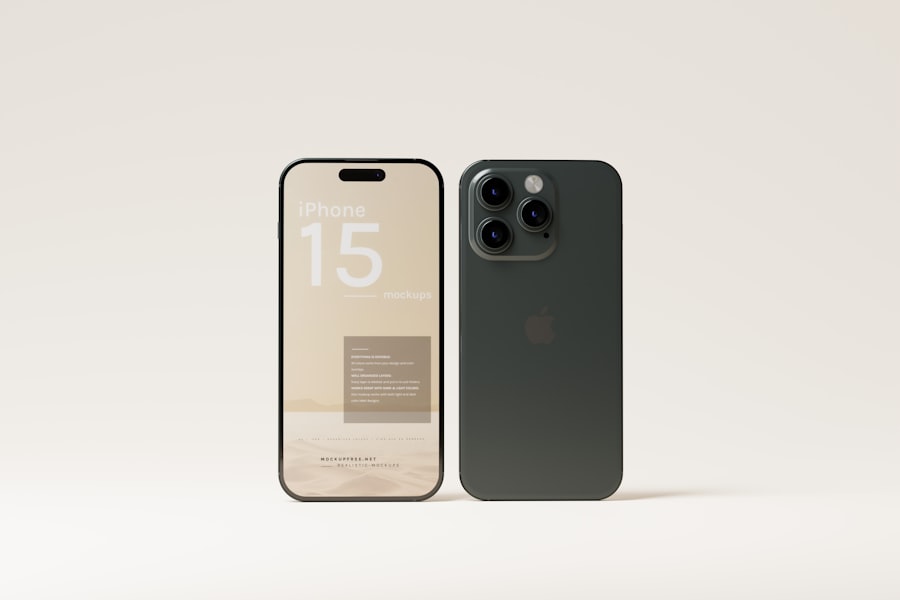

Responsive design techniques are essential for creating emails that look great on any device. When you utilize responsive design, you create a single email template that automatically adjusts its layout based on the screen size of the device being used. This means that whether your audience opens your email on a smartphone or a desktop computer, they will have a consistent experience.
To achieve this, you can use CSS media queries to define different styles for various screen sizes, ensuring that your content is displayed optimally. Incorporating responsive design also allows you to maintain brand consistency across all platforms. You can ensure that your logos, colors, and fonts remain uniform, reinforcing your brand identity regardless of how your audience accesses your emails.
Additionally, responsive design can improve load times, as it often requires fewer resources than creating separate templates for each device type. By embracing these techniques, you not only enhance the visual appeal of your emails but also improve their functionality and accessibility.
Optimizing Content for Mobile Viewing
When it comes to mobile email design, content optimization is just as important as visual elements. You need to consider how your audience consumes information on smaller screens. Long paragraphs and dense blocks of text can be overwhelming and may lead to disengagement.
Instead, aim for concise messaging that gets straight to the point. Use bullet points or numbered lists to break up information and make it easier for readers to digest. Additionally, consider the hierarchy of information in your emails.
Place the most critical content at the top so that it captures attention immediately. Use headings and subheadings to guide readers through the email and highlight key points. Images should also be optimized for mobile viewing; ensure they are appropriately sized and compressed to reduce loading times without sacrificing quality.
By focusing on content optimization, you create a more enjoyable reading experience that encourages interaction and drives conversions.
Testing and Quality Assurance for Different Devices
| Metric | Description | Recommended Value/Practice |
|---|---|---|
| Viewport Width | Width of the email viewport on mobile devices | Set to 320-480 pixels using meta viewport tag |
| Font Size | Text size for readability on small screens | Minimum 14px for body text |
| Button Size | Touch target size for clickable buttons | At least 44×44 pixels |
| Image Width | Maximum width of images to fit mobile screens | 100% width with max-width of 600px |
| Line Height | Spacing between lines of text for readability | 1.4 to 1.6 times the font size |
| Content Width | Overall width of email content area | 600px max for desktop, fluid for mobile |
| Use of Media Queries | CSS technique to adapt layout on different devices | Include media queries targeting max-width 600px |
| Preheader Text Length | Length of preview text shown in inboxes | 40-90 characters for mobile visibility |
| Load Time | Time taken for email to fully load on mobile | Under 3 seconds recommended |
| Alt Text for Images | Text shown if images do not load | Always include descriptive alt text |
Before launching any email campaign, thorough testing and quality assurance are vital steps in the process. You want to ensure that your emails render correctly across various devices and email clients. This means checking how your emails appear on popular platforms like Gmail, Outlook, and Apple Mail, as well as testing them on different operating systems such as iOS and Android.
By conducting these tests, you can identify any formatting issues or broken links that could hinder user engagement. In addition to visual testing, consider sending test emails to yourself or a small group of colleagues before the official launch. This allows you to experience the email as your audience would and catch any last-minute errors or inconsistencies.
Pay attention to how the email looks in both portrait and landscape orientations on mobile devices. By investing time in testing and quality assurance, you can ensure that your emails deliver a polished and professional appearance that reflects positively on your brand.
Implementing Mobile-Friendly Call-to-Actions

Call-to-actions (CTAs) are crucial elements of any email campaign, guiding readers toward desired actions such as making a purchase or signing up for a newsletter. However, when designing CTAs for mobile emails, there are specific considerations to keep in mind. First and foremost, ensure that your CTAs are prominently displayed and easily clickable on smaller screens.
Use larger buttons with ample padding around them to prevent accidental clicks on adjacent links. Additionally, consider the wording of your CTAs. Use action-oriented language that creates a sense of urgency or excitement.
Phrases like “Shop Now,” “Get Started,” or “Claim Your Offer” can motivate readers to take immediate action. It’s also beneficial to limit the number of CTAs in each email; too many options can overwhelm readers and dilute their focus. By implementing mobile-friendly CTAs effectively, you can significantly increase engagement rates and drive conversions.
Considering User Experience on Different Devices
User experience (UX) plays a pivotal role in the success of your email campaigns. As you design for different devices, think about how users interact with their screens and what they expect from their email experience. For instance, mobile users often prefer quick access to information without excessive scrolling or zooming in on text.
Therefore, prioritize simplicity in your design by using clear layouts and straightforward navigation.
Moreover, consider the context in which users are accessing their emails. Mobile users may be on-the-go or multitasking, so they may not have the time or patience for lengthy content or complex designs.
Tailor your emails to accommodate these behaviors by providing easily digestible information and clear pathways for action. By prioritizing user experience across devices, you create a more engaging environment that encourages interaction and fosters loyalty.
Keeping Up with Mobile Design Trends and Best Practices
The world of mobile design is constantly evolving, with new trends and best practices emerging regularly. To stay ahead of the curve, it’s essential to keep yourself informed about the latest developments in mobile email design. Follow industry blogs, attend webinars, and participate in online forums where professionals share insights and experiences related to mobile marketing strategies.
Additionally, don’t hesitate to experiment with new techniques in your own campaigns. Whether it’s incorporating animated elements or utilizing dark mode compatibility, being open to innovation can set your emails apart from competitors. Regularly reviewing analytics from past campaigns will also provide valuable insights into what works best for your audience.
By staying current with trends and continuously refining your approach based on data-driven decisions, you can ensure that your mobile email designs remain effective and engaging over time. In conclusion, embracing mobile-first email design is no longer optional; it is essential for reaching today’s audience effectively. By understanding the importance of mobile compatibility, utilizing responsive design techniques, optimizing content for mobile viewing, conducting thorough testing, implementing user-friendly CTAs, considering user experience across devices, and keeping up with trends, you position yourself for success in an increasingly mobile-centric world.
As you move forward with your email marketing efforts, remember that every detail counts in creating an engaging experience that resonates with your audience.
In the realm of digital marketing, ensuring that your emails are visually appealing across all devices is crucial, and this is where mobile-first design comes into play.
For those looking to enhance their email strategies further, you might find the article on