



In the dynamic field of digital communication, the SmartMails API emerges as an essential resource for developers seeking to enhance email functionality in their applications. This API provides a comprehensive platform for programmatic email management, including sending, receiving, and administration capabilities that integrate seamlessly with various applications. The SmartMails API serves diverse implementation needs, from marketing platforms and customer relationship management systems to automated email communication workflows.
The SmartMails API combines versatility with user-friendly implementation.
Its structured interface and detailed documentation enable developers to fully utilize email communication features. The API supports advanced functionalities including bulk email distribution, message personalization, template management, and delivery tracking.
This resource will outline the fundamental steps for integrating the SmartMails API into Python applications, enabling optimal utilization of its features.
Key Takeaways
- SmartMails API enables seamless email sending and management through programmable interfaces.
- Setting up the development environment and understanding API documentation are crucial first steps.
- Authentication and proper handling of API requests and responses ensure secure and effective communication.
- Managing email templates and handling errors improve email customization and reliability.
- Following best practices enhances integration efficiency and prepares for scalable email solutions.
Setting up the Development Environment
Before diving into the intricacies of the SmartMails API, it is crucial to set up your development environment properly. This initial step lays the foundation for a smooth integration process. You will need to ensure that you have Python installed on your machine, along with any necessary libraries that facilitate API interactions.
If you haven’t already done so, download and install Python from the official website, and consider using a virtual environment to manage your project dependencies effectively. Once Python is installed, you can proceed to install the required libraries. The most commonly used library for making HTTP requests in Python is `requests`.
You can easily install it using pip by running the command `pip install requests` in your terminal. Additionally, if you plan to work with JSON data, which is often the format used by APIs, ensure that you have a basic understanding of how to handle JSON in Python. With your environment set up and libraries installed, you are now ready to explore the SmartMails API.
Understanding the SmartMails API Documentation


A thorough understanding of the SmartMails API documentation is essential for successful integration. The documentation serves as your roadmap, providing detailed information about endpoints, request methods, parameters, and response formats. Familiarizing yourself with this resource will save you time and effort as you navigate through various functionalities offered by the API.
As you delve into the documentation, pay close attention to the authentication process, as this is a critical aspect of making successful API requests. Additionally, take note of any rate limits or usage guidelines specified in the documentation. Understanding these constraints will help you design your application in a way that adheres to best practices and avoids potential pitfalls.
By investing time in comprehending the documentation, you will equip yourself with the knowledge needed to leverage the full power of the SmartMails API.
Making API Requests in Python
With your development environment set up and a solid grasp of the documentation, you can begin making API requests in Python. The `requests` library simplifies this process significantly. To initiate a request, you will typically use one of the HTTP methods such as GET, POST, PUT, or DELETE, depending on the action you wish to perform.
For instance, if you want to send an email using the SmartMails API, you would use a POST request directed at the appropriate endpoint. When crafting your request, ensure that you include all necessary headers and parameters as specified in the documentation. This may include content type headers and any required authentication tokens.
Once your request is structured correctly, you can execute it and capture the response returned by the API. This response will provide valuable information about the success or failure of your request and may include additional data relevant to your operation.
Authenticating API Requests
| API Endpoint | Base URL for SmartMails API requests | https://api.smartmails.com/v1/ |
| Authentication Method | Type of authentication used to access the API | Bearer Token (API Key) |
| Request Format | Data format for sending requests | JSON |
| Response Format | Data format for API responses | JSON |
| Common HTTP Methods | Methods used for API operations | GET, POST, PUT, DELETE |
| Rate Limit | Maximum number of API calls per minute | 60 requests/minute |
| Python Library | Recommended Python package for integration | requests |
| Sample Code Snippet | Basic example to send an email via API |
import requests

url = "https://api.smartmails.com/v1/send"
headers = {
    "Authorization": "Bearer YOUR_API_KEY",
    "Content-Type": "application/json"
}
payload = {
    "to": "recipient@example.com",
    "subject": "Hello from SmartMails",
    "body": "This is a test email."
}
response = requests.post(url, json=payload, headers=headers)
print(response.json())
|
| Error Handling | Common HTTP status codes and their meaning |
|
| Documentation URL | Official API documentation link | https://docs.smartmails.com/api/python-integration |
Authentication is a fundamental aspect of working with APIs, and the SmartMails API is no exception. To authenticate your requests, you will typically need an API key or token provided by SmartMails upon registration. This key acts as a unique identifier for your application and ensures that only authorized users can access the API’s functionalities.
To include your authentication token in your requests, you can add it as a header or as part of the query parameters, depending on what the documentation specifies. It is crucial to keep this token secure and not expose it in public repositories or client-side code. By following best practices for authentication, you can safeguard your application against unauthorized access while ensuring smooth interactions with the SmartMails API.
Handling API Responses
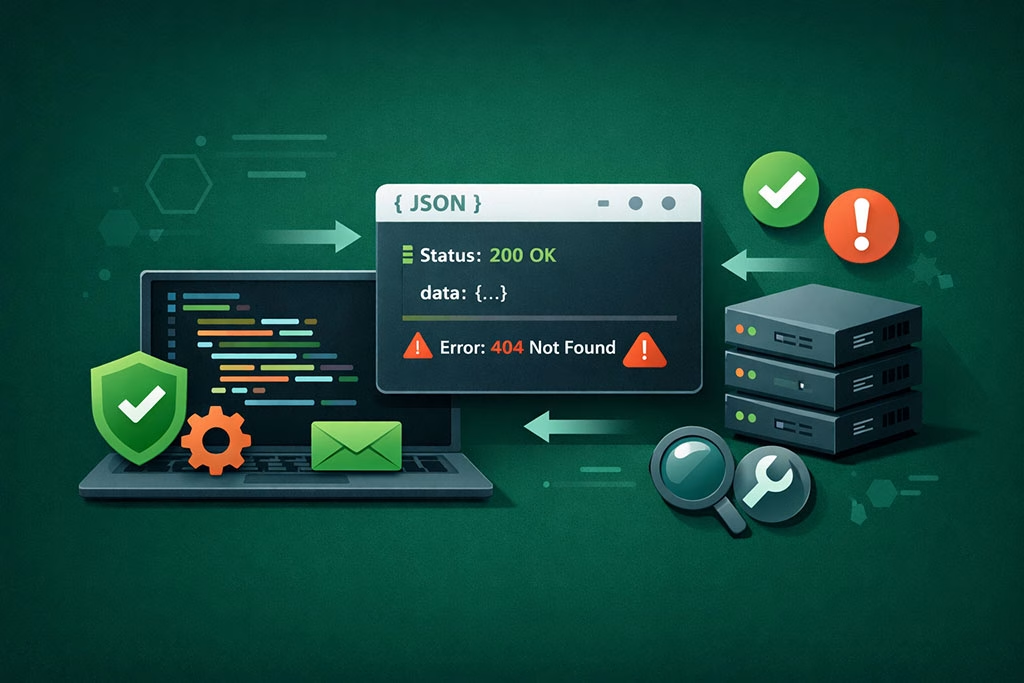
Once you’ve made an API request, handling the response effectively is key to building a robust application. The response from the SmartMails API will typically be in JSON format, containing information about the success of your request and any relevant data returned by the server. To process this response in Python, you can use the `json()` method provided by the `requests` library.
When examining the response data, look for status codes that indicate whether your request was successful or if there were any errors. A status code of 200 generally signifies success, while codes in the 400s or 500s indicate client or server errors respectively. By implementing error handling mechanisms in your code, such as try-except blocks, you can gracefully manage any issues that arise during API interactions and provide meaningful feedback to users.
Sending Email with SmartMails API
One of the primary functionalities of the SmartMails API is sending emails programmatically. To do this effectively, you’ll need to construct a well-defined request that includes all necessary parameters such as recipient addresses, subject lines, and message bodies. The documentation will guide you on how to format these parameters correctly.
When sending emails through the SmartMails API, consider incorporating personalization features that enhance user engagement. This could involve using dynamic fields within your email content that are replaced with specific user information at runtime. By leveraging these capabilities, you can create tailored experiences for your recipients while maximizing the impact of your email campaigns.
Managing Email Templates
In addition to sending individual emails, managing email templates is another powerful feature offered by the SmartMails API. Templates allow you to create standardized email formats that can be reused across multiple campaigns or communications. This not only saves time but also ensures consistency in branding and messaging.
To manage templates effectively through the SmartMails API, familiarize yourself with endpoints related to template creation, updating, and deletion. You can define various templates for different purposes—such as promotional emails, transactional messages, or newsletters—and easily retrieve them when needed. By organizing your templates efficiently, you can streamline your email marketing efforts and maintain a professional appearance in all communications.
Handling Errors and Exceptions
As with any software development process, encountering errors and exceptions is inevitable when working with APIs. The SmartMails API may return various error codes based on different scenarios—such as invalid input data or authentication failures. It is essential to implement robust error handling mechanisms in your application to address these issues gracefully.
Utilizing try-except blocks allows you to catch exceptions that may arise during API requests and handle them appropriately. You can log error messages for debugging purposes or provide user-friendly feedback indicating what went wrong and how they might resolve it. By proactively managing errors and exceptions, you enhance user experience and build trust in your application’s reliability.
Best Practices for Integrating SmartMails API into Python
To ensure a successful integration of the SmartMails API into your Python applications, adhering to best practices is crucial. First and foremost, always refer back to the official documentation for guidance on endpoints and parameters; this will help prevent common mistakes that could lead to failed requests. Additionally, consider implementing rate limiting in your application to avoid exceeding usage limits imposed by the SmartMails API.
This involves monitoring how many requests you’re making within a given timeframe and adjusting accordingly. Furthermore, maintain clean and organized code by structuring your functions logically and using descriptive variable names; this will make it easier for others (or yourself) to understand and maintain your code in the future.
Conclusion and Next Steps
In conclusion, integrating the SmartMails API into your Python applications opens up a world of possibilities for enhancing email communication capabilities. From sending personalized emails to managing templates efficiently, this powerful tool equips developers with everything they need to create robust email solutions. As you move forward with your integration journey, continue exploring advanced features offered by the SmartMails API and stay updated with any changes in their documentation or functionalities.
Consider experimenting with different use cases and building prototypes that showcase what you’ve learned. By doing so, you’ll not only solidify your understanding but also unlock new opportunities for innovation within your projects.
Embrace this journey with enthusiasm; there’s much more to discover!
For developers looking to enhance their email marketing strategies, the article on crafting authentic email campaigns with behavioral segmentation provides valuable insights. This resource complements the Developer Guide to Integrating SmartMails API into Python Apps by offering practical tips on how to tailor email content based on user behavior, ultimately improving engagement and conversion rates.
FAQs
What is the SmartMails API?
The SmartMails API is a set of programming interfaces that allow developers to integrate SmartMails’ email marketing and automation services into their applications. It enables sending emails, managing contacts, and tracking campaign performance programmatically.
Which Python libraries are recommended for integrating with the SmartMails API?
Commonly used Python libraries for API integration include `requests` for making HTTP requests and `json` for handling JSON data. These libraries facilitate communication with the SmartMails API endpoints.
How do I authenticate requests to the SmartMails API in Python?
Authentication typically involves using an API key or token provided by SmartMails. This key is included in the HTTP headers of your requests, often as a Bearer token or in a custom header, to authorize access to the API.
Can I send bulk emails using the SmartMails API through a Python application?
Yes, the SmartMails API supports sending bulk emails. You can create and manage email campaigns, add recipients, and trigger bulk sends programmatically using Python.
Is there a limit to the number of API requests I can make to SmartMails?
API rate limits vary depending on your SmartMails subscription plan. It is important to consult the SmartMails API documentation or your account details to understand any restrictions on request frequency.
How do I handle errors when using the SmartMails API in Python?
Error handling involves checking the HTTP response status codes and parsing error messages returned by the API. Implementing try-except blocks and validating responses helps ensure your application can gracefully handle issues.
Can I track email campaign performance using the SmartMails API?
Yes, the API provides endpoints to retrieve analytics and performance metrics such as open rates, click-through rates, and delivery status, which can be accessed and processed within your Python application.
Is it necessary to have prior experience with REST APIs to use the SmartMails API?
While prior experience with REST APIs is helpful, the SmartMails API is designed to be straightforward. The developer guide typically includes examples and explanations to assist developers new to API integration.
Where can I find the official documentation for the SmartMails API?
The official SmartMails API documentation is usually available on the SmartMails website or developer portal. It contains detailed information on endpoints, authentication, request formats, and code examples.
Can I use the SmartMails API with Python frameworks like Django or Flask?
Yes, the SmartMails API can be integrated into any Python application, including those built with frameworks like Django or Flask, by making HTTP requests to the API endpoints within your application code.