



In the digital age, email remains a fundamental communication tool for both personal and professional purposes. However, email communication faces several challenges, including delivery failures, spam filtering, and security threats. Email header analysis addresses these issues by providing detailed information about an email’s transmission path from sender to recipient.
Examining email headers enables users to diagnose delivery problems and verify that messages reach their intended destinations. Email headers contain technical data that facilitates troubleshooting and improves email deliverability. They document information about the sender, recipient, mail servers involved in transmission, and authentication protocols used during delivery.
By analyzing this data, users can identify delivery obstacles and implement solutions to address them. For marketing professionals seeking to enhance campaign performance and IT specialists managing secure communications, email header analysis is a critical skill for optimizing email operations.
Key Takeaways
- Email header analysis is crucial for diagnosing delivery issues and ensuring email security.
- Step-by-step decoding of headers helps identify routing paths, authentication results, and potential problems.
- Authentication protocols like SPF, DKIM, and DMARC in headers reveal sender legitimacy and prevent spoofing.
- Header analysis tools streamline troubleshooting of bounce-backs, delays, and spam/phishing detection.
- Applying best practices in header analysis optimizes email deliverability and enhances overall email performance.
Decoding Email Headers: A Step-by-Step Guide
To effectively analyze email headers, you first need to know how to access them. Most email clients allow you to view headers by selecting an option like “Show Original” or “View Source.” Once you have the headers in front of you, the next step is to familiarize yourself with their structure. Email headers are composed of various fields, each serving a specific purpose.
Key fields include “From,” “To,” “Subject,” “Date,” and “Message-ID,” among others. After identifying the key components, you can begin to decode the information contained within. Start with the “Received” fields, which show the path an email took from sender to recipient.
Each server that handles the email adds its own “Received” line, creating a chronological trail. By following this trail, you can pinpoint where delays or issues may have occurred. Additionally, pay attention to timestamps in these fields; they can help you understand how long it took for the email to travel through different servers.
Identifying Common Delivery Issues through Email Headers

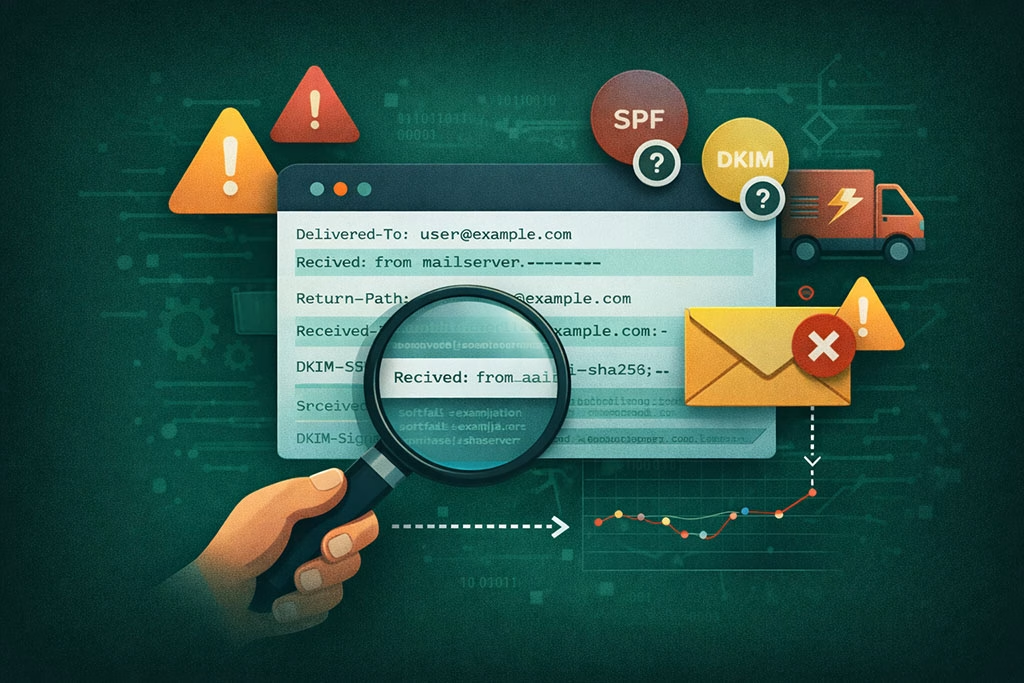
One of the primary benefits of analyzing email headers is your ability to identify common delivery issues. For instance, if an email is marked as undeliverable, the headers may contain error messages or codes that explain why it failed to reach its destination. These codes can range from simple typos in the recipient’s address to more complex issues like server misconfigurations or blacklisting.
Moreover, headers can reveal whether your emails are being filtered as spam. If you notice that your emails are consistently landing in recipients’ spam folders, examining the headers can provide clues about why this is happening. Look for signs of poor sender reputation or authentication failures that could trigger spam filters.
By understanding these issues, you can take proactive steps to improve your email deliverability and ensure that your messages are seen by your audience.
Utilizing Email Header Analysis Tools for Troubleshooting
While manual analysis of email headers can be insightful, utilizing specialized tools can streamline the process and enhance your troubleshooting efforts. Various online tools and software applications are designed to parse email headers and present the information in a more digestible format. These tools can automatically identify key elements and highlight potential issues, saving you time and effort.
For example, some tools can provide a visual representation of the email’s routing path, making it easier for you to spot delays or bottlenecks. Others may offer insights into sender reputation scores or authentication results. By leveraging these tools, you can quickly diagnose problems and implement solutions without getting bogged down in technical details.
This efficiency is particularly beneficial for businesses that rely heavily on email communication for marketing and customer engagement.
Interpreting SPF, DKIM, and DMARC Authentication Results in Email Headers
| Header Field | Description | Common Issues Indicated | Troubleshooting Tips |
|---|---|---|---|
| Received | Shows the path the email took from sender to recipient, including servers involved and timestamps. | Delays, loops, or unexpected servers in the path. | Check for unusual or repeated servers; verify timestamps to identify delays or loops. |
| Return-Path | Indicates the bounce address where undeliverable messages are sent. | Incorrect or missing return path can cause bounce issues. | Verify the return-path matches the sending domain and is valid. |
| Message-ID | Unique identifier for the email message. | Missing or duplicate IDs can cause filtering or threading problems. | Ensure the sending server generates unique Message-IDs. |
| From | Displays the sender’s email address. | Mismatch with SPF/DKIM can cause authentication failures. | Confirm the From address aligns with SPF and DKIM records. |
| SPF (Sender Policy Framework) | Indicates if the sending server is authorized to send on behalf of the domain. | Fail or softfail can cause delivery rejection or spam filtering. | Check SPF record and ensure sending IP is included. |
| DKIM (DomainKeys Identified Mail) | Shows if the email’s signature is valid and unaltered. | Invalid or missing DKIM signature can reduce trust. | Verify DKIM signature and DNS public key configuration. |
| DMARC (Domain-based Message Authentication, Reporting & Conformance) | Policy that uses SPF and DKIM results to determine message handling. | Failing DMARC can cause rejection or quarantine. | Review DMARC policy and alignment with SPF/DKIM. |
| Content-Type | Specifies the format of the email content. | Incorrect content type can cause display issues or spam filtering. | Ensure content type matches the actual message format. |
| Authentication-Results | Shows the results of SPF, DKIM, and DMARC checks performed by the receiving server. | Failures here indicate authentication problems. | Use these results to pinpoint which authentication failed. |
| Message Size | Indicates the size of the email message. | Oversized messages may be rejected or delayed. | Check size limits of recipient server and reduce attachments if needed. |
Authentication protocols like SPF (Sender Policy Framework), DKIM (DomainKeys Identified Mail), and DMARC (Domain-based Message Authentication, Reporting & Conformance) play a crucial role in ensuring that your emails are legitimate and trustworthy. When analyzing email headers, it’s essential to check the results of these authentication methods. They provide insights into whether your emails are being properly authenticated and if they are likely to be accepted by recipient servers.
The SPF record indicates whether the sending server is authorized to send emails on behalf of your domain. If the SPF check fails, it could lead to delivery issues or spam filtering. Similarly, DKIM adds a digital signature to your emails, allowing recipients to verify that the message has not been altered during transit.
A failed DKIM check raises red flags about the integrity of your message. Lastly, DMARC combines both SPF and DKIM results to provide a comprehensive view of your email’s authenticity. Understanding these authentication results is vital for maintaining a positive sender reputation and ensuring successful email delivery.
Uncovering Sender Reputation and Authentication Failures in Email Headers


Your sender reputation significantly impacts your email deliverability rates. Analyzing email headers can help you uncover potential issues related to your reputation and identify authentication failures that may be affecting it. Many email service providers use reputation scores to determine whether to accept or filter incoming messages.
If your emails are frequently marked as spam or rejected altogether, it’s crucial to investigate why this is happening. Look for specific indicators in the headers that may suggest authentication failures or poor reputation scores. For instance, if you see multiple failed SPF or DKIM checks in your headers, this could signal that your domain is not properly configured for sending emails.
Additionally, if your emails are being flagged by spam filters due to high bounce rates or complaints from recipients, this information will often be reflected in the headers as well. By addressing these issues proactively, you can work towards improving your sender reputation and ensuring better deliverability.
Analyzing Email Routing and Delivery Path through Headers
Understanding the routing and delivery path of an email is essential for diagnosing delivery issues effectively. The “Received” fields in the email headers provide a chronological account of each server that processed the message along its journey from sender to recipient. By analyzing this information, you can identify where delays occurred or if any servers encountered problems during transmission.
For example, if an email took an unusually long time to reach its destination, examining the timestamps in the “Received” fields can help you pinpoint which server caused the delay. Additionally, if you notice that an email was routed through multiple servers before reaching its final destination, it may indicate potential issues with network configurations or server performance. Understanding these routing details allows you to take corrective actions and optimize your email delivery processes.
Recognizing Spam and Phishing Indicators in Email Headers
In today’s digital landscape, spam and phishing attacks are prevalent threats that can compromise both personal and organizational security. Analyzing email headers can help you recognize indicators of spam or phishing attempts before they reach your inbox. Certain patterns in the headers may raise red flags about the legitimacy of an email.
For instance, if you notice discrepancies between the “From” address and the actual sending server’s IP address, this could indicate a phishing attempt.
Additionally, look for unusual routing paths or multiple “Received” lines from suspicious servers that may suggest malicious intent. By being vigilant about these indicators in email headers, you can protect yourself from falling victim to scams and ensure that only legitimate communications make it through.
Troubleshooting Email Bounce-backs and Delivery Delays with Header Analysis
Email bounce-backs and delivery delays can be frustrating experiences for both senders and recipients alike. Fortunately, analyzing email headers provides valuable insights into these issues and helps you troubleshoot effectively. When an email bounces back, the returned message often contains error codes or messages that explain why delivery failed.
By examining these codes within the headers, you can determine whether the issue lies with a typo in the recipient’s address, a full mailbox, or a server configuration problem on either end. Similarly, if you’re experiencing delivery delays, analyzing timestamps in the “Received” fields can help you identify where bottlenecks occurred during transmission. Armed with this information, you can take appropriate actions to resolve bounce-backs and improve overall delivery efficiency.
Leveraging Email Header Analysis for Email Deliverability Optimization
Optimizing your email deliverability is essential for ensuring that your messages reach their intended audience effectively. Email header analysis plays a pivotal role in this optimization process by providing insights into various factors that influence deliverability rates. By regularly reviewing your email headers, you can identify areas for improvement and implement strategies to enhance performance.
For instance, if you notice consistent authentication failures in your headers, addressing these issues by properly configuring SPF, DKIM, and DMARC records will significantly improve your chances of successful delivery. Additionally, monitoring sender reputation scores through header analysis allows you to make informed decisions about your sending practices and adjust them as needed to maintain a positive reputation with ISPs.
Best Practices for Email Header Analysis and Troubleshooting Strategies
To maximize the benefits of email header analysis, it’s essential to adopt best practices that streamline your troubleshooting efforts. First and foremost, make it a habit to regularly review your email headers for any anomalies or patterns that may indicate underlying issues. Keeping track of common problems will help you develop a proactive approach to troubleshooting.
Additionally, consider using automated tools for header analysis whenever possible; they can save time while providing valuable insights into potential issues. Finally, stay informed about industry best practices regarding authentication protocols and sender reputation management; this knowledge will empower you to make informed decisions that enhance your overall email strategy. In conclusion, mastering email header analysis is crucial for anyone involved in email communication—whether you’re a marketer seeking better deliverability rates or an IT professional ensuring secure communications.
By understanding how to decode headers and recognize common issues, you can troubleshoot effectively and optimize your email practices for success.
If you’re looking to enhance your email troubleshooting skills, you might find it helpful to explore the article on the power of a well-managed email list. This resource delves into how maintaining a clean and organized email list can significantly impact your email deliverability and overall marketing success, complementing the insights gained from understanding email headers.
FAQs
What are email headers?
Email headers are lines of metadata attached to an email message that provide detailed information about the email’s journey from the sender to the recipient. They include data such as the sender’s and recipient’s email addresses, the servers the email passed through, timestamps, and technical details used for routing and authentication.
Why is it important to read email headers?
Reading email headers is important for troubleshooting delivery issues, verifying the authenticity of an email, identifying spam or phishing attempts, and understanding delays or failures in email transmission. Headers help diagnose where a problem occurred in the email delivery process.
How can I view email headers in my email client?
Most email clients allow you to view headers by selecting options like “View Source,” “Show Original,” or “View Message Details.” The exact method varies by client; for example, in Gmail, you can click on the three dots next to the reply button and select “Show original,” while in Outlook, you can open the message and select “File” > “Properties” to see the headers.
What key information should I look for in email headers when troubleshooting?
Key information includes the “Received” lines that show the path the email took, timestamps indicating when the email was processed by each server, the “From” and “Return-Path” addresses, SPF, DKIM, and DMARC authentication results, and any error messages or status codes that indicate delivery problems.
Can email headers help identify if an email is spam or phishing?
Yes, email headers can reveal discrepancies such as mismatched sender domains, failed authentication checks (SPF, DKIM, DMARC), unusual routing paths, or suspicious IP addresses, which are common indicators of spam or phishing emails.
What are SPF, DKIM, and DMARC in email headers?
SPF (Sender Policy Framework), DKIM (DomainKeys Identified Mail), and DMARC (Domain-based Message Authentication, Reporting & Conformance) are email authentication protocols. They help verify that the email is sent from an authorized server and has not been tampered with, reducing the risk of spoofing and phishing.
Is it possible to fix email delivery issues by analyzing headers?
Analyzing headers can help identify the cause of delivery issues, such as server misconfigurations, authentication failures, or spam filtering. While headers provide diagnostic information, fixing the issue may require changes to server settings, DNS records, or email client configurations.
Are email headers the same across all email services?
While the basic structure and key fields of email headers are standardized by internet protocols, the exact format and additional fields can vary slightly between email services and servers. However, the essential information needed for troubleshooting is generally present in all headers.
Can email headers be forged or altered?
Yes, email headers can be forged or altered by malicious actors to disguise the origin of an email. However, authentication protocols like SPF, DKIM, and DMARC help detect such tampering by verifying the legitimacy of the sender and the integrity of the message.
Where can I learn more about interpreting email headers?
You can learn more about email headers from official documentation of email protocols (such as RFC 5322), email service provider support pages, cybersecurity resources, and online tutorials that explain how to read and analyze headers for troubleshooting and security purposes.