



You’re sending emails. You’ve integrated your application with an email service provider (ESP), and you’re confident your emails are reaching your audience. But how do you know what’s happening to those emails after they leave your server? This is where webhooks become your indispensable tool for email event tracking. Think of webhooks as the eyes and ears of your email campaigns, diligently reporting back the state and fate of every message you dispatch. Without them, you’re essentially flying blind, hoping for the best rather than understanding the reality.
This article will serve as your guide to effectively leveraging webhooks for robust email event tracking. We’ll demystify the concept, explore its practical applications, and illustrate how you can harness this technology to gain granular insights into your email delivery, engagement, and potential issues.
At their core, webhooks are automated messages sent from one application to another when something happens. In the context of email, your ESP is the sender, and your application is the receiver. When a specific event occurs concerning an email – such as it being delivered, opened, clicked, bounced, or marked as spam – the ESP triggers a webhook. This webhook is essentially an HTTP POST request, containing a payload of data detailing the event, which is then sent to a predetermined URL you’ve configured in your ESP’s settings.
The Analogy: A Postman’s Report
Imagine you’re sending packages via a postal service. You hand them over at the post office, and from there, their journey is largely invisible to you. You might assume they’ve arrived, but you have no concrete proof. Now, envision a system where the post office agent, upon successful delivery, drops a pre-filled postcard into a special mailbox at your doorstep summarizing the delivery. That postcard is remarkably similar to a webhook. It’s a proactive notification, delivered automatically, detailing a specific outcome.
The Building Blocks: HTTP and Payload
The foundation of webhook communication lies in the Hypertext Transfer Protocol (HTTP). When an event occurs, your ESP constructs an HTTP POST request. This request contains a payload, which is typically a structured block of data (often in JSON format) describing the event. This payload acts as the “postcard” – it’s the information you need to understand what transpired.
The Anatomy of a Payload
A typical email event payload might include details such as:
- Event Type: This is the crucial piece of information, specifying what happened (e.g.,
delivered,opened,clicked,bounce,spamComplaint). - Timestamp: The exact time the event occurred. This is vital for analyzing temporal trends and identifying delivery delays.
- Email Address: The recipient’s email address involved in the event.
- Message ID: A unique identifier assigned to the email by the ESP. This allows you to correlate webhook events with specific emails sent from your system.
- Recipient IP Address (sometimes): For delivery events, this can offer insights into network conditions.
- User Agent (for opens/clicks): When a recipient opens an email or clicks a link, their browser details (user agent) might be included, offering clues about their device and environment.
- Link URL (for clicks): For click events, the specific URL that was clicked is typically provided.
The Receiver’s Role: Your Endpoint
Your application needs to be ready to receive these incoming HTTP POST requests. This involves setting up a dedicated URL within your application, often referred to as a webhook endpoint. This endpoint acts as the “mailbox” where your ESP will deposit the event notifications. Your application code will then parse the incoming payload and process the data accordingly.
Choosing the Right Endpoint
The choice of your webhook endpoint’s URL is significant. It should be publicly accessible so your ESP can reach it, but also secured to prevent unauthorized access or malicious attacks. Many developers use a dedicated API route within their web framework to handle webhook requests.
In addition to exploring the benefits of using webhooks for email event tracking, you may find it helpful to read the article on streamlining your email marketing efforts by maintaining clean email lists. This resource provides valuable insights into the importance of list hygiene and how it can enhance your overall email deliverability and engagement rates. For more information, check out the article here: Streamline, Suppress, Succeed: A Guide to Clean Email Lists.
Essential Email Events to Track via Webhooks
While ESPs often provide a plethora of event types, focusing on a core set can provide the most actionable insights for your email programs. Prioritizing these will give you a solid foundation for understanding your email performance.
Delivery Success and Failures
Knowing whether your emails are reaching their intended destinations is the most fundamental aspect of email tracking.
The delivered Event
This event signifies that the recipient’s mail server has accepted the email. It’s a positive confirmation that your email has made it past the initial gateway. However, it doesn’t guarantee the recipient will see it in their inbox; it might still end up in spam.
The bounce Event
A bounce indicates that an email could not be delivered. There are two primary types of bounces:
- Hard Bounces: These are permanent delivery failures, typically due to an invalid or non-existent email address. Repeatedly sending to hard-bounced addresses can harm your sender reputation. Your system should immediately stop sending to these addresses.
- Soft Bounces: These are temporary delivery failures, such as a full inbox, server issues, or an unusually large message. Your ESP will usually retry sending soft-bounced emails. Monitoring soft bounces can help identify temporary issues with specific recipients or mail servers.
Recipient Engagement
Beyond mere delivery, understanding how recipients interact with your emails is crucial for assessing their relevance and effectiveness.
The open Event
This event fires when a recipient opens your email. Most ESPs track opens using a tiny, invisible image embedded within the email. When the recipient’s email client loads the images, the request to load this tiny image is registered as an “open.”
Limitations of Open Tracking: You need to be aware that open tracking is not 100% accurate. Some users have image loading disabled by default, and others may view emails without loading images. Therefore, treat open rates as strong indicators rather than absolute metrics.
The click Event
This event fires when a recipient clicks on a link within your email. This is a more definitive engagement metric than an open, indicating a clear intent to learn more or take action. Your ESP typically tracks clicks by re-routing links through their own servers, allowing them to record the click before redirecting the user to the intended destination.
Analyzing Click-Through Rates (CTRs): Higher CTRs generally signal that your email content is compelling and relevant to your audience. You can analyze which links are most popular to refine your content strategy.
Negative Feedback
These events signal that your emails are not being well-received and are potentially causing a negative experience for the recipient.
The spamComplaint Event
This event occurs when a recipient explicitly marks your email as spam. This is a critical signal of a problem. Receiving spam complaints significantly damages your sender reputation, making it more likely that your future emails will be delivered to spam folders or rejected outright.
Immediate Action Required: Upon receiving a spamComplaint event, you must immediately add the recipient’s email address to your suppression list and cease all future communications with them.
The unsubscribe Event
This event is triggered when a recipient clicks the unsubscribe link in your email and opts out of future communications. This is a healthy part of email marketing; it allows users to control their inbox and signals a desire for less communication.
Data for List Hygiene: While an unsubscribe is an opt-out, it’s still valuable data for list hygiene. It indicates that a recipient was receiving your emails but no longer wishes to.
Setting Up Your Webhook Endpoint: The Technical Blueprint

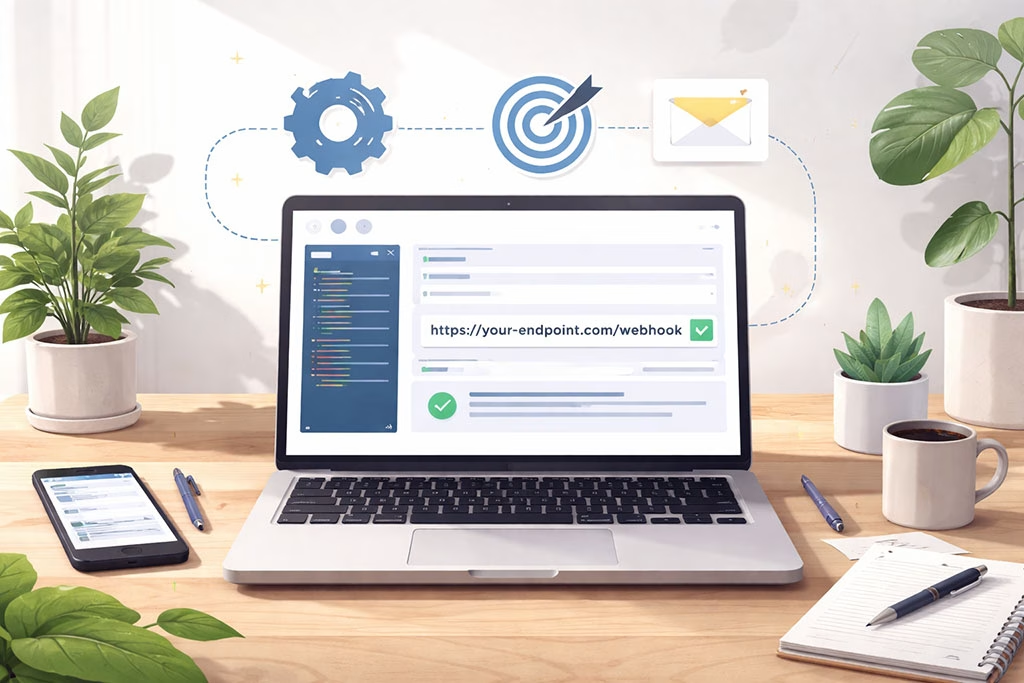
Implementing webhook tracking requires technical development. You’ll be building a small piece of infrastructure within your application to receive and process these event notifications.
Creating a Dedicated URL (Endpoint)
Your first step is to define a URL within your application that will serve as the destination for your ESP’s webhook requests. This URL should be specific and not overlap with existing application routes if possible, to easily distinguish webhook traffic.
Example: A RESTful API Endpoint
In a typical web framework, this might look like a route defined as follows:
“`python
Example in Flask (Python)
from flask import Flask, request, jsonify
app = Flask(__name__)
@app.route(‘/webhooks/email-events’, methods=[‘POST’])
def email_webhook():
data = request.get_json()
Process the incoming webhook data here
print(data)
return jsonify({“status”: “success”}), 200
“`
This simple example shows how you would define a POST route at /webhooks/email-events that expects JSON data.
Registering the Endpoint with Your ESP
Once you have your endpoint ready, you need to inform your ESP where to send the webhook data. This is typically done within the settings or API configuration section of your ESP’s dashboard. You’ll provide the full URL of your endpoint.
ESP-Specific Configurations
Each ESP has its own unique interface for managing webhooks. You’ll need to consult your ESP’s documentation to find the correct section. Common terms include “Webhooks,” “Event Webhooks,” “API Integrations,” or “Notification URLs.”
Securing Your Endpoint: A Crucial Step
Exposing a public URL to receive data requires careful consideration of security. Unsecured endpoints are vulnerable to abuse.
Signature Verification
Many ESPs provide a way to sign webhook requests, allowing you to verify that the incoming request actually originated from the ESP and was not tampered with. This often involves a secret key that you share with your ESP. Your application can then use this key to recalculate the signature of the incoming request and compare it with the signature provided in the webhook headers.
IP Whitelisting
Some ESPs allow you to whitelist their IP addresses. If your endpoint is only accessible to a known set of IP addresses, this can add another layer of security. However, IP addresses can change, making signature verification a more robust long-term solution.
Using HTTPS
Always ensure your webhook endpoint uses HTTPS to encrypt the data in transit, protecting it from eavesdropping.
Processing Incoming Data: The Heart of the System
This is where your application logic comes into play. When a webhook request arrives, your endpoint needs to:
- Authenticate and Verify: Ensure the request is legitimate (e.g., through signature verification).
- Parse the Payload: Extract the relevant data from the JSON payload.
- Store the Data: Persist the event information in your database.
- Trigger Actions: Based on the event, initiate appropriate follow-up actions within your application.
Storing Event Data
You’ll likely want to store this data in your database for analysis and auditing. This might involve creating new tables or columns to store event type, timestamp, recipient email, message ID, and any other pertinent details.
Implementing Business Logic
This is where the true power of webhooks is realized. For example:
- Delivery Failure: If a
bounceevent occurs, you might flag the email address in your user profile as undeliverable and prevent future emails from being sent to it. - High Engagement: If a user repeatedly
opensandclickson your emails, you might categorize them as highly engaged leads and trigger a notification to your sales team. - Spam Complaint: If a
spamComplaintevent is received, immediately add the user to a global suppression list.
Leveraging Webhook Data: From Raw Events to Actionable Insights

Raw webhook data is like raw ingredients; it needs to be processed and cooked to become a meal. The real value lies in transforming this stream of events into actionable insights that drive better decision-making.
Monitoring Delivery Rates and Deliverability
By tracking delivered and bounce events, you gain a clear picture of your email deliverability.
Identifying Problematic Recipients
A high rate of hard bounces for a specific domain or email provider can indicate an issue with that particular mail server or that you’re acquiring low-quality email addresses.
Analyzing Bounce Reasons
If your ESP provides detailed bounce codes, you can investigate recurring soft bounce reasons to understand if there are widespread issues (e.g., recipient mailboxes are full).
Gauging Recipient Engagement Metrics
The open and click events are your primary metrics for understanding how well your emails are resonating with your audience.
Understanding Content Effectiveness
If a particular email campaign has a significantly higher click-through rate, it suggests the content and call-to-action were effective. Conversely, low engagement might prompt a review of your subject lines, content, or audience segmentation.
Personalization and Segmentation Impact
By analyzing engagement metrics for different segments of your audience or for emails with varying levels of personalization, you can refine your targeting strategies.
Enhancing Sender Reputation Management
Your sender reputation is your passport to the inbox. Negative events like spamComplaint can severely damage it.
Proactive Complaint Handling
Implementing immediate suppression for users who mark your emails as spam is paramount to preserving your sender reputation.
Identifying Engagement Drop-offs
A sudden drop in opens or clicks for a previously engaged audience segment might indicate that your content has become less relevant, or that you’re sending too frequently.
Optimizing Email Workflows and Automation
Webhook data can be the trigger for sophisticated automated workflows.
Triggering Drip Campaigns
If a user clicks a specific link in a welcome email, you could automatically enroll them in a targeted product information drip campaign.
Re-engagement Campaigns
If a user hasn’t opened an email in a while, you could trigger a re-engagement campaign with a special offer or a survey to understand their preferences.
Using webhooks for email event tracking can significantly enhance your email marketing strategy by providing real-time updates on user interactions. For those looking to further improve their campaigns, understanding how to maximize email personalization is crucial. A related article that delves into this topic is available here, where you can explore techniques such as spintags and strategies for avoiding spam filters. By integrating these insights with webhook data, marketers can create more targeted and effective email communications.
Advanced Strategies and Best Practices
| Metric | Description | Typical Values | Importance |
|---|---|---|---|
| Event Type | Type of email event received via webhook (e.g., delivered, opened, clicked, bounced, spam report) | Delivered, Opened, Clicked, Bounced, Complained | High – Identifies user interaction and email status |
| Timestamp | Time when the event occurred | ISO 8601 format (e.g., 2024-06-01T12:34:56Z) | High – Enables event sequencing and timing analysis |
| Email Address | Recipient’s email address associated with the event | user@example.com | High – Used for user-level tracking and segmentation |
| Message ID | Unique identifier for the sent email message | abc123xyz | High – Correlates events to specific emails |
| Event Count | Number of times a particular event has occurred for an email | 1-10+ | Medium – Useful for frequency analysis |
| Webhook Response Time | Time taken to receive and process webhook event | Milliseconds to seconds | Medium – Affects real-time tracking accuracy |
| Delivery Status | Status of email delivery (success, failed, deferred) | Success, Failed, Deferred | High – Critical for deliverability monitoring |
| Spam Complaint Rate | Percentage of emails marked as spam by recipients | Typically | High – Impacts sender reputation |
| Bounce Rate | Percentage of emails that bounced back | Typically | High – Indicates list quality and deliverability issues |
| Click-Through Rate (CTR) | Percentage of recipients who clicked links in the email | Varies by campaign, often 2-10% | High – Measures engagement |
Once you’ve mastered the basics of webhook implementation, you can explore more advanced techniques to maximize their utility.
Granular Event Tracking and Attribution

Focusing on specific event types and how they relate to each other can provide deeper insights.
Multi-Touch Attribution
If a user makes a purchase after engaging with multiple emails, webhooks can help you attribute that conversion not just to the last email, but to the entire sequence of interactions.
Link-Level Analysis
For campaigns with multiple links, tracking clicks on each individual link allows you to understand which specific calls-to-action are performing best.
Real-time Data Processing and Alerting
For critical events, real-time processing and alerts can be invaluable.
Instant Bounce Alerts
You might set up alerts for hard bounces so your system can immediately stop sending to those addresses, minimizing negative impact on your sender reputation.
High-Click Rate Alerts
If an email generates an unusually high number of clicks in a short period, it could indicate viral success or a potential phishing attempt masquerading as your email (if the clicks are malicious).
Integrating with Other Systems
Webhook data isn’t always meant to stay within your email marketing infrastructure.
CRM Integration
Pushing email engagement data into your Customer Relationship Management (CRM) system provides your sales and support teams with a comprehensive view of customer interactions. For example, a user who frequently clicks on product-related links in marketing emails might be a prime candidate for a sales follow-up.
Analytics Platforms
Sending webhook event data to your analytics platform (e.g., Google Analytics, Mixpanel) allows for richer reporting and cross-channel analysis. You can correlate email engagement with website behavior and other user actions.
Handling High Volumes and Scalability
As your email sending volume grows, your webhook processing infrastructure must scale accordingly.
Asynchronous Processing
Instead of processing webhook events synchronously within your web server, consider sending them to a message queue (like RabbitMQ or AWS SQS). Worker processes can then consume these messages asynchronously, preventing your main application from being bogged down and ensuring no data is lost.
Database Optimization
Ensure your database schema for storing event data is optimized for writes and queries, especially if you’re dealing with millions of events. Indexing relevant columns (like timestamp, email address, and message ID) is crucial.
Using webhooks for email event tracking can significantly enhance your ability to monitor user interactions and improve engagement strategies. For those looking to deepen their understanding of data integration, a related article on data mapping provides valuable insights on perfectly matching custom fields during the import process. You can explore this topic further in the article data mapping 101, which complements the knowledge gained from implementing webhooks effectively.
Conclusion: The Unseen Architects of Email Success
Webhooks are more than just a technical feature; they are the unseen architects of successful email campaigns. They are the silent messengers that bridge the gap between your sending intentions and the recipient’s reality. By implementing and effectively leveraging webhooks, you transform your email strategy from a hopeful endeavor into an informed, data-driven operation. You gain the power to understand, adapt, and optimize, ensuring your messages not only reach their destination but also resonate with your audience, driving meaningful engagement and ultimately, achieving your communication goals. The effort you invest in setting up and managing your webhook infrastructure will pay dividends in improved deliverability, higher engagement, and a healthier sender reputation, ultimately leading to more effective and impactful email marketing.
FAQs
What are webhooks in the context of email event tracking?
Webhooks are automated messages sent from an email service provider to a specified URL in real-time, notifying you about specific email events such as deliveries, opens, clicks, bounces, and unsubscribes.
How do webhooks improve email event tracking?
Webhooks provide immediate and automated updates on email events, allowing for real-time data collection and faster response times compared to traditional polling methods, which improves accuracy and efficiency in tracking email campaign performance.
What types of email events can be tracked using webhooks?
Common email events tracked via webhooks include email deliveries, opens, clicks on links, bounces (both soft and hard), spam complaints, and unsubscribe requests.
How do I set up webhooks for email event tracking?
To set up webhooks, you typically configure your email service provider to send event data to a specific URL endpoint on your server. This involves creating a webhook listener that can receive and process the incoming JSON or XML payloads containing event information.
Are there any security considerations when using webhooks for email event tracking?
Yes, security best practices include validating the source of webhook requests, using HTTPS to encrypt data in transit, implementing authentication mechanisms such as secret tokens or signatures, and ensuring your webhook endpoint is protected against unauthorized access and attacks.