



You’re sending emails, right? Whether you’re a burgeoning startup firing off your first marketing blitz, an established enterprise communicating with your customer base, or even an individual keeping in touch with colleagues, email remains a cornerstone of communication. Yet, have you ever stopped to consider what happens after you press send? Why do some emails land triumphantly in the inbox, while others vanish into the spam abyss? Why do you occasionally see a warning about a sender not being verified?
The answer, you’ll discover, lies in a trio of often-misunderstood technologies: SPF, DKIM, and DMARC. These aren’t arcane secrets whispered by IT wizards; they are fundamental guardrails designed to protect your recipients, your brand reputation, and crucially, yourself from the scourge of email spoofing and phishing. Ignoring them is akin to sending out important documents with no return address in a world prone to mail theft. You wouldn’t do that. So, let’s demystify these essential email sending components and understand why they are critical for your email operations.
You send an email. It appears to arrive. Simple enough, you think. However, as you scale your email outreach, you’ll encounter scenarios where this simple transaction breaks down. Inboxes are flooded, and email providers are bombarded with an unprecedented volume of messages. To cope, they employ sophisticated systems to filter out unwanted content, and at the heart of these systems are methods to authenticate the sender. Without such authentication, any malicious actor could impersonate your domain, sending phishing emails that damage your reputation and compromise your users.
The Shadowy World of Email Spoofing
Imagine your business sending out important invoices, only for recipients to receive identical-looking emails from a spoofed version of your domain, asking for payment to a fraudulent account. This is email spoofing in action. It’s a deceptive practice where an attacker forges the sender’s address to make an email appear as though it originated from a trusted source.
- The Impact on Your Brand: When your domain is spoofed, your brand’s credibility is directly attacked. Recipients who fall victim to these fraudulent emails will associate that negative experience with your legitimate business. This erosive effect can take years to repair.
- The Financial and Legal Repercussions: Beyond reputational damage, spoofing can lead to direct financial losses for both your company and your customers. Furthermore, depending on the nature of the fraudulent activity, you could face legal liabilities.
- The User Experience Compromised: For your legitimate recipients, being bombarded with phishing emails originating from your domain creates confusion and erodes their trust in all communications they receive from you, even the genuine ones.
The Rising Tide of Phishing and Malware
Spoofing is often the precursor to more insidious attacks. Phishing emails are designed to trick recipients into revealing sensitive information, such as login credentials, credit card details, or personal identifiable information. Malware can be delivered through malicious attachments or links embedded in these deceptive emails.
- The Sophistication of Attacks: Attackers are constantly evolving their tactics. Phishing attempts are becoming increasingly sophisticated, mimicking legitimate communications with uncanny accuracy. They leverage social engineering techniques to exploit human vulnerability.
- The Global Scale of the Problem: Email-borne threats are a global epidemic. Billions of emails are sent daily, and a significant fraction of them are malicious in intent. Email providers are on the front lines, constantly developing and refining their defenses.
- Your Role in the Defense: As an email sender, you are not a passive observer. You have a responsibility to help protect the internet ecosystem from these threats. By implementing SPF, DKIM, and DMARC, you actively contribute to a more secure email environment.
Understanding SPF, DKIM, and DMARC is crucial for ensuring the security and deliverability of your email communications. For those looking to enhance their email marketing strategies, a related article that delves into optimizing your marketing technology stack is available at Unlock Your Martech Stack Using the Smartmails API Key. This resource provides valuable insights on how to effectively integrate various tools and improve your overall email performance.
SPF: Your Domain’s Stamp of Authenticity
Let’s begin with Sender Policy Framework, or SPF. Think of SPF as a whitelist for your domain’s email servers. It’s a DNS record that you publish, specifying which IP addresses are authorized to send emails on behalf of your domain. When an email arrives, the recipient’s mail server checks this SPF record. If the sending IP address isn’t on your approved list, the email might be treated with suspicion.
How SPF Works: The DNS Record Explained
At its core, SPF involves adding a specific TXT record to your domain’s DNS (Domain Name System) settings. This record contains a set of rules that define the authorized sending servers.
- The Anatomy of an SPF Record: An SPF record is a string of text. For example, you might see something like:
v=spf1 ip4:192.168.1.1 include:_spf.google.com ~all. v=spf1: This indicates the version of SPF being used.ip4:192.168.1.1: This explicitly authorizes the IP address 192.168.1.1. You can list multiple IP addresses or ranges.include:_spf.google.com: This directs the receiving server to check another SPF record found at the_spf.google.comdomain. This is crucial for using third-party email services like Google Workspace, Microsoft 365, or marketing platforms.~all(Softfail): This means that if the sender isn’t explicitly authorized, the email should be treated with suspicion, but not necessarily rejected outright.-all(Hardfail): This indicates that if the sender isn’t authorized, the email should be rejected. This is the most restrictive and recommended setting for strong security.?all(Neutral): This means the SPF record provides no information about whether the sender is authorized. It’s generally not recommended for security purposes.
Implementing SPF: A Practical Guide
Implementing SPF involves a few key steps, primarily managed through your domain registrar or DNS hosting provider.
- Identifying Your Sending Sources: The first step is to identify all the servers and services that send email on behalf of your domain. This includes your own mail servers, your website’s contact forms, and any third-party email marketing services you use.
- Constructing Your SPF Record: Based on your identified sources, you’ll construct your SPF record. This often involves using
includemechanisms to incorporate the SPF records of services like Google Workspace, Microsoft 365, Mailchimp, SendGrid, etc. For example, if you use Google Workspace and SendGrid, your SPF record might look something like:v=spf1 include:_spf.google.com include:sendgrid.net -all. - Publishing the SPF Record: You’ll add this record as a TXT entry in your domain’s DNS zone file. The exact interface varies depending on your DNS provider.
- Testing Your SPF Record: Before enforcing a strict policy (
-all), it’s wise to test your record. Many online SPF checkers can validate your record’s syntax and analyze its effectiveness. You can also send test emails to services that report on SPF results.
The Limitations of SPF
While SPF is a vital first step, it’s not a complete solution on its own. It primarily authenticates the sending server, not necessarily the domain in the “From” address. This is where other technologies come into play.
- The “Real” Sender Problem: A sophisticated attacker could potentially send an email from an authorized IP address but still forge the visible “From” address to appear as your domain. SPF validates the source of the email, not the identity presented to the end-user.
- The Bounce Address Problem: SPF checks the “Return-Path” (or bounce address), which is often hidden from the end-user. If this address differs from the visible “From” address, and the attacker controls the authorized sender for the Return-Path, SPF might pass even if the displayed sender is spoofed.
DKIM: Your Digital Signature for Email Integrity

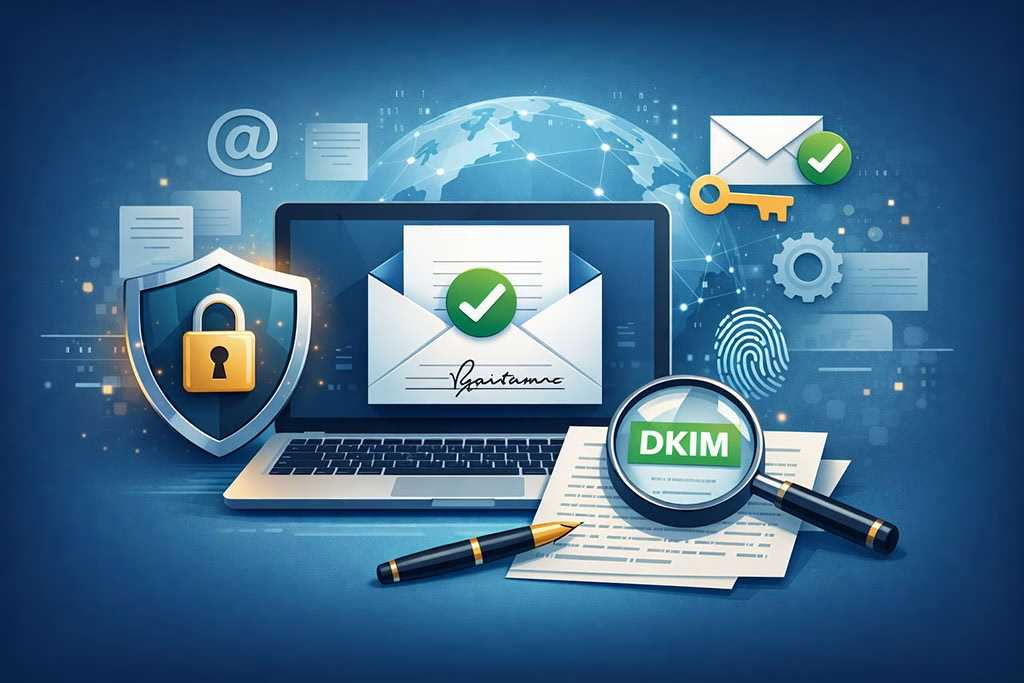
Enter DKIM, or DomainKeys Identified Mail. If SPF is like the return address on a package, DKIM is like a tamper-evident seal with a unique serial number. It allows you to digitally sign outgoing emails with a cryptographic key, enabling the recipient’s server to verify that the email hasn’t been altered in transit and that it truly originated from your domain.
The Mechanics of DKIM: Public-Key Cryptography
DKIM relies on public-key cryptography. You generate a pair of keys: a private key (kept secret) and a public key (published in your DNS). When you send an email, your mail server uses your private key to create a digital signature.
- The Signing Process: Your mail server attaches this signature to the email’s headers. The signature is generated based on the content of the email (headers and body).
- The Verification Process: When the recipient’s mail server receives the email, it extracts the DKIM signature from the headers. It then retrieves your public key from your DNS records. Using this public key, it verifies the signature. If the signature is valid, it means the email originated from a server with your private key and that the email content remains unchanged since it was signed.
Setting Up DKIM: A Step-by-Step Approach
Implementing DKIM typically involves your email service provider or a dedicated DKIM tool.
- Key Generation: You’ll need to generate a DKIM key pair. Many email service providers, like Google Workspace and Microsoft 365, offer built-in DKIM signing capabilities where they handle key generation and management. If you’re managing your own mail server, you might use tools like OpenSSL to generate these keys.
- DNS Record Creation: Once you have your public key, you’ll create a TXT record in your domain’s DNS. This record will contain your public key and a selector (a unique identifier for your DKIM key for that domain). The format generally looks like
selector._domainkey.yourdomain.com. - Enabling DKIM Signing: You’ll then configure your mail sending systems (your mail server or your email service provider’s platform) to use your private key to sign outgoing emails using the specified selector.
- Testing and Verification: After setup, it’s crucial to test your DKIM implementation. Send emails to reputable email analysis services (like Gmail, Outlook.com, or dedicated email testing tools) and examine the message headers to ensure the DKIM signature is present and valid.
The Advantages of DKIM
DKIM provides stronger assurance of email authenticity compared to SPF alone.
- Message Integrity: It guarantees that the email content has not been tampered with since it was signed. This is vital for preventing content manipulation by malicious actors.
- Domain Authentication: It directly links the email to your domain, even if the visible “From” address is manipulated to some extent. It validates that the domain owner authorized the sending of this particular email.
- Improved Deliverability: Many email providers factor in DKIM validation when deciding whether to deliver an email to the inbox. A valid DKIM signature can significantly improve your email’s chances of reaching its intended destination.
DKIM’s Reliance on SPF
While powerful, DKIM also has its nuances. It verifies that the email was signed by the domain owner. However, it doesn’t inherently tell the recipient’s server which IP address the email came from. This is where SPF plays a complementary role. For comprehensive protection, both are generally recommended.
DMARC: The Policy Enforcer for SPF and DKIM
Now, let’s introduce DMARC, or Domain-based Message Authentication, Reporting, and Conformance. If SPF and DKIM are the tools for authentication, DMARC is the set of instructions, the policy, that tells email providers what to do if SPF and DKIM checks fail, and importantly, it provides feedback. It leverages the authentication results from SPF and DKIM to provide a unified policy.
How DMARC Orchestrates Authentication
DMARC is also published as a DNS TXT record, similar to SPF. However, it contains a policy statement that dictates the actions to be taken.
- The DMARC Record Structure: A DMARC record specifies how an email server should treat emails that fail SPF and/or DKIM checks, and importantly, it includes reporting mechanisms. For example, a record might look like this:
v=DMARC1; p=quarantine; rua=mailto:dmarc_reports@yourdomain.com;
v=DMARC1: Specifies the DMARC version.p=none: This is the monitoring mode. No action is taken on failing emails, but you receive reports. This is an excellent starting point.p=quarantine: This tells the receiving server to place failing emails into the recipient’s spam or junk folder.p=reject: This is the most restrictive policy, instructing the receiving server to reject failing emails entirely.rua=mailto:dmarc_reports@yourdomain.com: This specifies an email address where aggregated reports (summaries of authentication results) should be sent.ruf=mailto:forensic_reports@yourdomain.com: This specifies an email address where detailed forensic reports (individual failing emails) should be sent. While useful for troubleshooting, forensic reports can contain sensitive information and may not be supported by all receivers.
The DMARC Alignment Principle
A crucial aspect of DMARC is the concept of alignment. For DMARC to pass, the domain that is authenticated by SPF and the domain that is authenticated by DKIM must align with the “From” address domain.
- SPF Alignment: The domain declared in the “Return-Path” (authenticated by SPF) must be the same as, or a subdomain of, the domain listed in the “From” address.
- DKIM Alignment: The domain that published the DKIM signature (authenticated by DKIM) must be the same as, or a subdomain of, the domain listed in the “From” address.
- The Importance of Alignment: If your SPF record is correct, and your DKIM signature is valid, but the domains don’t align with your “From” address, DMARC will treat the email as failing. This is a key mechanism to prevent sophisticated spoofing where an attacker might leverage a legitimate sender for the “Return-Path” or DKIM signature but still display a fraudulent “From” address.
Implementing DMARC: A Strategic Rollout
DMARC implementation should be a gradual process to avoid unintended consequences.
- Start with Monitoring (
p=none): Initially, set your DMARC policy top=none. Send all authentication reports to a dedicated email address. This allows you to observe how your legitimate emails are being authenticated and identify any potential issues with your SPF and DKIM configurations without impacting deliverability. - Analyze Reports: Regularly review the aggregate reports. They will tell you which emails are passing and failing DMARC as well as a breakdown of SPF and DKIM results. This is your opportunity to fine-tune your SPF and DKIM records.
- Gradually Enforce Policy: Once you are confident that your legitimate email traffic is passing DMARC checks, you can gradually move to a more restrictive policy.
- Transition to
p=quarantine: This moves failing emails to the spam folder, giving you a softer enforcement while still protecting recipients from fraudulent messages. Continue monitoring reports. - Enforce
p=reject: This is the final step, where failing emails are outright rejected. This provides the strongest protection against spoofing and phishing. - Consider Reporting Tools: For complex email infrastructures, manually analyzing DMARC reports can be challenging. Numerous third-party DMARC reporting services can process and visualize this data, making it easier to understand and act upon.
Understanding SPF, DKIM, and DMARC is crucial for anyone involved in email marketing, as these protocols play a significant role in ensuring email deliverability and protecting against phishing attacks. For those looking to enhance their email strategies, exploring the importance of a well-managed email list can provide valuable insights. You can read more about this in the article The Power of a Well-Managed Email List: Your Top Business Asset, which highlights how maintaining a quality email list can significantly impact your overall email marketing success.
The Synergy: SPF, DKIM, and DMARC Working Together
| Term | Definition | Importance |
|---|---|---|
| SPF (Sender Policy Framework) | A validation system that verifies the sender’s IP address is authorized to send emails on behalf of a specific domain. | Prevents email spoofing and helps in reducing spam and phishing attacks. |
| DKIM (DomainKeys Identified Mail) | An email authentication method that adds a digital signature to the email header, allowing the receiver to verify the sender’s identity. | Enhances email security and helps in preventing email tampering and impersonation. |
| DMARC (Domain-based Message Authentication, Reporting, and Conformance) | A policy that specifies how email receivers should handle emails that fail SPF and DKIM authentication. | Provides visibility and control over email authentication, helps in protecting the domain from email spoofing, and improves email deliverability. |
It’s important to emphasize that these technologies are not mutually exclusive; they are designed to work in concert, providing layered security for your email communications. Viewing them as a triumvirate, rather than isolated fixes, is key to achieving robust email authentication.
SPF: The First Line of Defense
SPF acts as a gatekeeper, confirming that the email originated from an authorized IP address. It’s a quick and efficient check for basic sender verification.
DKIM: The Digital Seal of Guarantee
DKIM adds a layer of trust by cryptographically signing the email, ensuring message integrity and confirming the domain owner’s intent for sending.
DMARC: The Orchestrator and Policy Maker

DMARC acts as the conductor of this orchestra. It takes the results from SPF and DKIM and applies your pre-defined policy. Furthermore, its reporting capabilities provide invaluable insights into your email ecosystem and any potential abuse.
- Addressing SPF’s Weaknesses: DMARC’s alignment requirement helps overcome SPF’s limitation of only verifying the “Return-Path” and not necessarily the visible “From” address.
- Reinforcing DKIM’s Domain Authentication: DMARC ensures that the DKIM-signed domain aligns with the “From” address, eliminating scenarios where an attacker might sign an email with a valid key but display a different sender domain.
- Unified Reporting and Policy: DMARC consolidates authentication results and provides a single point for policy enforcement and reporting, simplifying the management of email security.
Understanding the intricacies of email authentication is crucial for ensuring successful email delivery and maintaining a positive sender reputation. For those looking to delve deeper into related topics, the article on understanding subscriber behavior with tracking pixels offers valuable insights into how engagement metrics can influence email strategies. You can read more about it in this informative piece. By combining knowledge of SPF, DKIM, and DMARC with subscriber behavior analysis, marketers can enhance their email campaigns significantly.
Practical Benefits and Future-Proofing Your Email
Implementing SPF, DKIM, and DMARC isn’t just about technical compliance; it translates into tangible benefits for your organization and its recipients. Properly configured, these protocols can significantly improve your email deliverability, protect your brand reputation, and enhance the security posture of your entire communication infrastructure.
Enhanced Email Deliverability and Inbox Placement
Email service providers, such as Gmail, Outlook.com, and Yahoo, actively use SPF, DKIM, and DMARC results to determine whether to deliver an email to the inbox or send it to the spam folder.
- Trust Signals: Passing authentication checks signals to receiving mail servers that your emails are legitimate and not the product of malicious actors. This builds trust and increases the likelihood of your emails landing in the primary inbox.
- Reduced Spam Complaints: By preventing spoofing and phishing, you reduce the chances of recipients marking your emails as spam, which has a direct negative impact on your sender reputation and future deliverability.
- Improved Engagement: When your emails consistently reach the inbox, your open rates and click-through rates are likely to improve, leading to better engagement with your audience.
Fortifying Your Brand Reputation
Your domain name is a valuable asset. When it’s used by spammers or phishers, your brand’s reputation takes a significant hit.
- Preventing Brand Erosion: By implementing DMARC with a
rejectpolicy, you effectively prevent unauthorized use of your domain in email communications, safeguarding your brand from being associated with malicious activities. - Building Recipient Confidence: When recipients know that emails originating from your domain are securely authenticated, they are more likely to trust and engage with your communications. This builds long-term brand loyalty and confidence.
- Standing Out from the Crowd: In an environment where email security is paramount, demonstrating to your customers and partners that you take email authentication seriously sets you apart and reinforces your commitment to security and integrity.
Future-Proofing Your Email Communications
The landscape of email security is constantly evolving. Adopting SPF, DKIM, and DMARC now puts you on solid ground and prepares you for future advancements and tighter security standards.
- Meeting Industry Standards: These protocols are becoming the de facto standard for email authentication. Embracing them now ensures you are compliant with current best practices.
- Adapting to Evolving Threats: As attackers become more sophisticated, the need for strong authentication will only grow. Setting up these foundational technologies makes it easier to adapt to future security recommendations and potential mandates.
- A Proactive Security Stance: Rather than reacting to security incidents, implementing SPF, DKIM, and DMARC represents a proactive approach to securing your email communications. It’s an investment in the long-term health and trustworthiness of your digital interactions.
In conclusion, SPF, DKIM, and DMARC are not optional extras; they are essential components of modern email sending. By understanding how they work and implementing them correctly, you not only protect your recipients from harm but also secure your brand’s reputation and ensure that your important messages reach their intended audience, reliably and securely. Don’t let your emails get lost in the void; empower them with authenticated legitimacy.
FAQs
1. What is SPF, and why does it matter for email sending?
SPF, or Sender Policy Framework, is an email authentication method that helps prevent email spoofing and phishing by verifying that the sender’s domain is authorized to send emails. It matters for email sending because it helps improve email deliverability and protects the sender’s domain reputation.
2. What is DKIM, and why does it matter for email sending?
DKIM, or DomainKeys Identified Mail, is an email authentication method that adds a digital signature to the email message, allowing the recipient’s email server to verify that the message was not altered in transit and that it originated from the specified domain. It matters for email sending because it helps prevent email tampering and enhances email security.
3. What is DMARC, and why does it matter for email sending?
DMARC, or Domain-based Message Authentication, Reporting, and Conformance, is an email authentication protocol that builds on SPF and DKIM to provide a policy framework for email senders and receivers. It matters for email sending because it helps prevent email spoofing, improves email deliverability, and allows senders to monitor and enforce email authentication policies.
4. How do SPF, DKIM, and DMARC work together to improve email security?
SPF, DKIM, and DMARC work together to authenticate the sender’s identity, verify the integrity of the email message, and enforce email authentication policies. SPF specifies which IP addresses are allowed to send emails on behalf of a domain, DKIM adds a digital signature to the email message, and DMARC provides a policy framework for email authentication.
5. Why do SPF, DKIM, and DMARC matter for businesses and organizations?
SPF, DKIM, and DMARC matter for businesses and organizations because they help protect their brand reputation, enhance email security, and improve email deliverability. Implementing these email authentication methods can help prevent email fraud, phishing attacks, and unauthorized use of the organization’s domain for malicious purposes.