


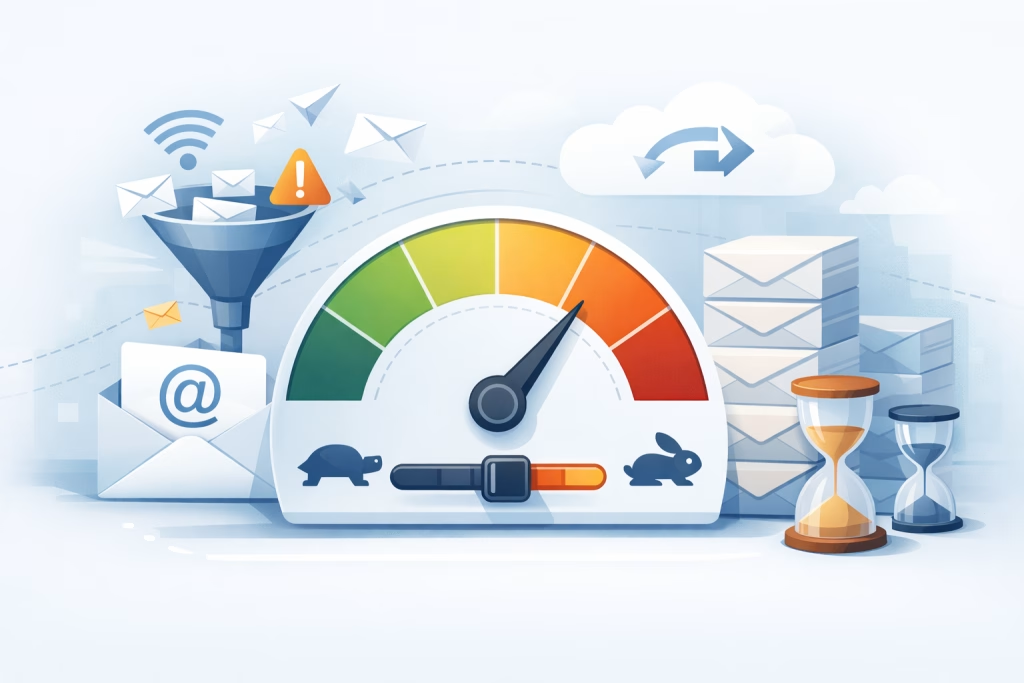
You’re an email marketer, a sender of messages, a bridge between your organization and its audience. You craft compelling subject lines, weave engaging copy, and meticulously plan your campaigns. Yet, sometimes, your perfectly formed messages seem to vanish into the ether, or worse, land with a thud in the spam folder. You wonder why. The answer, more often than not, lies in the unseen, unacknowledged force of email throttling.
What is Email Throttling?
Email throttling is a deliberate limitation imposed by Internet Service Providers (ISPs) and mailbox providers (like Gmail, Outlook.com, Yahoo, etc.) on the volume of emails a sender can deliver within a specific timeframe. Think of it as a digital traffic cop, regulating the flow of messages to prevent the network from becoming overloaded and to protect their users from an influx of unwanted or malicious content. It’s not a permanent ban, but rather a temporary pause or slowdown, designed to maintain network stability and user experience.
The ISP’s Perspective: Why Throttling Exists
ISPs and mailbox providers operate vast networks that handle billions of emails daily. Without some form of control, a single sender with a poorly managed or malicious campaign could overwhelm their servers, leading to service degradation for all their users. Throttling serves several critical functions from their standpoint:
Preventing Network Congestion
Imagine a highway during rush hour. If everyone suddenly tried to merge onto the same lane at once, traffic would grind to a halt. The same principle applies to email servers. Throttling ensures that the rate of incoming mail doesn’t exceed the capacity of the infrastructure, preventing system slowdowns and ensuring reliable service for legitimate users.
Combating Spam and Malicious Activity
Spammers and malicious actors often attempt to send massive volumes of emails in short bursts to overwhelm defenses and maximize their reach before being detected. Throttling acts as an early warning system and a deterrent. By slowing down high-volume senders, providers give their spam filters more time to analyze the content, sender reputation, and delivery patterns, increasing the chances of identifying and blocking fraudulent or unwanted messages.
Maintaining Sender Reputation
A sender’s reputation is built on a history of sending non-intrusive, desired emails and engaging with recipients. If a sender suddenly starts sending a huge volume of emails without established sending patterns, or if a significant portion of those emails are marked as spam, it negatively impacts their reputation. Throttling is a consequence of a dropping reputation or a sudden, unexplained spike in volume, signaling to the provider that something might be amiss.
Email throttling is a crucial aspect of email marketing that directly impacts deliverability rates. For those looking to enhance their understanding of related topics, the article on lightning-fast landing pages provides valuable insights into optimizing user experience and engagement. You can read more about it in this article: Speed Kills: Lightning-Fast Landing Pages in SmartMails.
How Throttling Manifests
You won’t always receive a direct notification that you’ve been throttled. It’s often a silent, insidious process that impacts your email deliverability in subtle yet significant ways. Understanding these manifestations is crucial for diagnosing and addressing the problem.
Delayed Deliveries
The most common symptom is a noticeable delay in your emails reaching their intended inboxes. What was once a near-instantaneous delivery can now take hours, or even days. This delay can be frustrating for both you and your recipients, especially if timely communication is critical.
Queuing and Batching
When a mailbox provider throttles your sending, they essentially place your outgoing emails into a queue. They then release these emails in smaller batches over a period of time, rather than all at once. This allows them to monitor the flow and assess the content and recipient engagement of each batch.
Impact on Real-Time Communications
For businesses that rely on transactional emails (order confirmations, password resets, shipping notifications), delays can be disastrous. Customers expect immediate confirmation, and if it doesn’t arrive promptly, it can lead to frustration, duplicate orders, or customer service inquiries, all of which impact the customer experience.
Bounce Rates and Temporary Failures
Throttling can sometimes be accompanied by an increase in temporary bounce messages, often with error codes indicating that the server is busy or has reached its limit. While these are not permanent rejections, they still signify a problem with your ability to deliver emails.
“4xx” Error Codes
You might encounter error codes like “421 4.7.0 [IP address] … Service temporarily unavailable” or similar messages. These are generally temporary issues, but a persistent stream of them indicates an ongoing throttling situation.
Accumulation of Undelivered Mail
If your emails are repeatedly failing to deliver due to throttling, they can accumulate in your sending queue, potentially leading to further issues with your email service provider (ESP) or even your own mail servers.
Increased Spam Complaints
When emails arrive late, or in dribs and drabs, recipients might forget they subscribed or find the delayed relevance frustrating. This can, in turn, lead to an increase in spam complaints, which are a direct and severe blow to your sender reputation.
Loss of Recipient Interest
If an email arrives days after its intended purpose, the recipient is less likely to engage with it. This decreased engagement signals to mailbox providers that the content is no longer relevant or desired, even if the initial opt-in was valid.
Accidental Marking as Spam
A frustrated recipient, accustomed to timely communication, might mistakenly or out of annoyance mark your delayed email as spam, further damaging your sender reputation.
Factors Influencing Throttling
Email throttling isn’t arbitrary. It’s a system governed by a complex set of metrics and behaviors. Understanding these factors allows you to proactively manage your sending practices and avoid triggering these limitations.
Sending Volume and Velocity
The sheer number of emails you send and the speed at which you send them are primary drivers of throttling. Sudden, unexplained spikes in volume are particularly suspect.
High-Volume Send Patterns
If you suddenly go from sending 1,000 emails per day to 100,000 in a single day without a pre-established ramp-up period, mailbox providers will likely view this as a red flag. This pattern is often associated with mass spam campaigns.
Gradual Ramp-Up Strategy
To mitigate this, it’s crucial to implement a gradual ramp-up strategy when increasing your sending volume. Start with a small volume to engaged recipients and incrementally increase it over days and weeks, monitoring your deliverability metrics closely at each stage.
Sender Reputation and History
Your past sending behavior is a critical determinant of how mailbox providers treat your current mail. A clean history of good engagement and low complaint rates builds trust.
IP Address Reputation
The IP address from which you send emails has its own reputation. If that IP has a history of sending spam or engaging in other malicious activities, it will face stricter throttling, even if your current campaign is legitimate. Using dedicated IP addresses, if your volume warrants it, can give you more control over your reputation.
Domain Reputation
Similarly, your sending domain’s reputation matters. This is influenced by the IP address, but also by the content of your emails, your list hygiene, and recipient engagement associated with that domain.
Engagement Metrics
Metrics like open rates, click-through rates, and importantly, the lack of spam complaints or hard bounces are strong indicators of a healthy sender reputation. Low engagement or high complaint rates will invariably lead to throttling.
List Quality and Management
A clean, well-maintained email list is paramount. Sending to purchased lists, inactive subscribers, or people who didn’t explicitly opt-in is a direct path to throttling and spam complaints.
Opt-In Practices
Ensure you have clear and verifiable opt-in mechanisms for all your subscribers. Double opt-in, where users must confirm their subscription via a link in an email, is the gold standard for list quality.
List Hygiene and Segmentation
Regularly clean your email lists by removing inactive subscribers, invalid email addresses, and those who haven’t engaged in a significant period. Segmenting your list based on engagement and preferences allows you to send more targeted and relevant emails, improving engagement and reducing the likelihood of being marked as spam.
Email Content and Technical Setup
The actual content of your emails and the technical configuration of your sending infrastructure also play a role.
Spam Trigger Words and Formatting
Certain words, phrases, or excessive use of capital letters and exclamation points can inadvertently trigger spam filters and, by extension, throttling.
Authentication Protocols (SPF, DKIM, DMARC)
Properly configuring Sender Policy Framework (SPF), DomainKeys Identified Mail (DKIM), and Domain-based Message Authentication, Reporting, and Conformance (DMARC) records is crucial for authenticating your emails. Failure to do so makes your emails appear less trustworthy and can lead to them being throttled or rejected.
Mitigating Email Throttling
Understanding throttling is the first step; actively mitigating it is the next. By implementing best practices and continuously monitoring your sending, you can significantly improve your email deliverability.
Implementing a Gradual Sending Ramp-Up
As mentioned, this is perhaps the most critical strategy for new senders or those significantly increasing their volume.
Starting Small and Scaling
Begin sending to a small segment of your most engaged subscribers. Monitor their engagement and bounce rates closely for a few days to a week.
Incremental Increases
If engagement is good and bounce rates are low, gradually increase the volume by a small percentage each day or couple of days. Continue monitoring. This allows mailbox providers to establish your sending patterns and build trust.
Testing Against Different Providers
When ramping up, pay attention to how your emails are being received by different mailbox providers. Some may be more sensitive to volume changes than others.
Maintaining High Sender Reputation
Proactive reputation management is an ongoing process.
Focus on Recipient Engagement
Encourage opens and clicks by sending valuable, relevant content. Make it easy for users to update their preferences or unsubscribe if they no longer wish to receive your emails.
Promptly Address Spam Complaints
If you receive a spam complaint, investigate the cause immediately. Ensure the sender is removed from your list and take steps to prevent similar complaints in the future.
Monitor Bounce Rates Daily
Keep a close eye on both hard and soft bounces. High bounce rates, especially hard bounces, indicate issues with your list quality, which will negatively impact your reputation.
Practicing Excellent List Hygiene
A clean list is a fundamental pillar of good deliverability.
Regular List Cleaning Schedules
Schedule regular list cleaning (e.g., monthly or quarterly) to remove inactive or invalid addresses. Consider implementing re-engagement campaigns for inactive subscribers before removing them entirely.
Using Double Opt-In for New Subscriptions
This ensures that every subscriber has actively confirmed their desire to receive your emails, significantly reducing the likelihood of spam complaints.
Segmenting Your Audience
Sending targeted content to specific segments of your list leads to higher engagement and reduces the chances of recipients feeling overwhelmed or receiving irrelevant messages.
Ensuring Technical Best Practices
The technical foundation of your email sending matters more than you might think.
Verifying and Validating DNS Records
Regularly check that your SPF, DKIM, and DMARC records are correctly configured and properly resolving.
Using a Reputable Email Service Provider (ESP)
A good ESP will have robust infrastructure, established relationships with mailbox providers, and tools to help you monitor your deliverability and reputation. They also often manage IP warming and sender reputation on your behalf.
Monitoring Your Sending IP and Domain Reputation
Many ESPs provide tools to monitor your sender reputation. Pay attention to any signals of decline and investigate the root cause.
Understanding email throttling is crucial for improving your email deliverability, and if you’re looking to enhance your email marketing strategy further, you might find it beneficial to explore the prominent features of SmartMails. This article provides insights into tools that can help optimize your campaigns and ensure better engagement with your audience. For more information, check out the article on SmartMails’ features.
The Long-Term Impact of Throttling on Your Business
Email throttling isn’t just a technical inconvenience; it has tangible consequences for your business’s bottom line and its relationship with its customers.
Eroding Customer Trust and Loyalty
When customers don’t receive timely and consistent communication, their trust in your brand can erode. Missed order confirmations, delayed notifications, or important updates that never arrive can lead to frustration and a perception of unreliability.
Impact on Customer Journey
Your email communications are often critical touchpoints in the customer journey. If these touchpoints are disrupted by throttling, it can lead to a fractured or negative customer experience, potentially driving customers to competitors.
Negative Brand Perception
A brand perceived as uncommunicative or unreliable due to email delivery issues can suffer from a damaged reputation in the long run, making it harder to acquire and retain customers.
Lost Revenue and Missed Opportunities
The direct impact of undelivered or delayed marketing emails is lost revenue. If promotional offers, product announcements, or flash sales don’t reach your audience on time, you miss out on potential sales and conversions.
Reduced Conversion Rates
Even if emails eventually arrive, the delay can render the offer less appealing or the information outdated, leading to lower conversion rates.
Inability to Respond to Market Changes
In fast-paced markets, timely communication is essential. Throttling can prevent you from quickly informing your audience about new opportunities, product updates, or urgent calls to action.
Increased Costs and Resource Drain
Dealing with the fallout of throttling can be resource-intensive.
Customer Service Overload
You’ll likely see an increase in customer inquiries about missing emails, leading to a strain on your customer service team.
Investigation and Remediation Efforts
Identifying the cause of throttling and implementing the necessary fixes requires time, expertise, and potentially the engagement of IT or marketing operations teams, diverting resources from other critical tasks.
In conclusion, email throttling is a fundamental aspect of modern email communication that you, as a sender, cannot afford to ignore. By understanding its mechanics, the factors that influence it, and implementing robust mitigation strategies, you can transform potential deliverability headaches into a consistent and effective channel for engaging your audience and driving business results. It’s a continuous effort, a commitment to best practices and proactive management, but one that will undoubtedly lead to stronger customer relationships and a healthier bottom line.
FAQs
What is email throttling?
Email throttling is the practice of limiting the number of emails sent to a particular domain or ISP over a specific period of time. This is done to manage and regulate the flow of emails in order to maintain a good sender reputation and ensure deliverability.
Why is email throttling important for deliverability?
Email throttling is important for deliverability because it helps prevent a sudden influx of emails from being flagged as spam by ISPs. By controlling the rate at which emails are sent, senders can maintain a positive reputation and increase the likelihood of their emails reaching recipients’ inboxes.
How does email throttling impact sender reputation?
Email throttling can impact sender reputation positively by demonstrating responsible sending behavior. By avoiding sending large volumes of emails in a short period of time, senders can avoid triggering spam filters and maintain a positive reputation with ISPs and email providers.
What are the common email throttling practices?
Common email throttling practices include setting limits on the number of emails sent per hour or per day, monitoring bounce rates and engagement metrics, and gradually increasing sending volumes over time. Some email service providers also offer built-in throttling features to help senders manage their email campaigns.
How can senders implement email throttling effectively?
Senders can implement email throttling effectively by monitoring their sending patterns, gradually increasing sending volumes, and paying attention to bounce rates and engagement metrics. It’s also important to stay informed about ISP policies and best practices for email deliverability.