



You’re scrolling through your inbox, a familiar ritual. Some emails you open immediately, others linger, and a few you might even ignore. But have you ever considered that your actions, the very act of opening an email, might be silently observed? This is where email tracking pixels, often lurking unseen, come into play. They are a subtle yet powerful tool, and understanding how they work is crucial for anyone who sends or receives emails, from individual users to businesses big and small.
The Invisible Sender: What Exactly is an Email Tracking Pixel?
At its core, an email tracking pixel is a tiny, usually 1×1 pixel image. Think of it as a microscopic piece of code embedded within an HTML email. It’s designed to be so small that it’s virtually invisible to the naked eye, often blending seamlessly into the background of an email’s design. When you open an email containing a tracking pixel, your email client downloads this tiny image. It’s this very act of downloading that signals to the sender that the email has been opened. It’s not about reading your content or seeing what you do within the email itself; it’s purely about registering the fact that the email reached your eyes.
The Mechanics of Detection: How the Pixel Reports Back
The magic, if you can call it that, happens in the background. When you open an email with an embedded tracking pixel, your email client makes a request to a server designated by the sender to load that image. This request is not just for the image itself; it carries with it valuable metadata. This metadata can include your IP address, the type of email client you’re using (e.g., Outlook, Gmail app, webmail), your operating system, and even the approximate geographic location derived from your IP address. The server then records this information, effectively creating a log entry for your email. This log entry is your “opens” statistic, a confirmation that your email has been viewed.
Beyond the Image: The Data Trail
It’s important to understand that the pixel itself is just the trigger. The real intelligence lies in the data collected by the server hosting the pixel. This server is typically managed by a marketing automation platform or an email service provider. When the pixel is downloaded, it’s not just a simple image retrieval; it’s an interaction that generates a data point. This data point is then associated with your email address and the specific campaign you received. This allows senders to build profiles of engagement, understanding not just if you opened an email, but also when and from where (in terms of device and network).
The “Invisible” Nature: Why You Don’t See It
The effectiveness of a tracking pixel relies heavily on its invisibility. If it were a large, obvious image, it would be easily spotted and potentially blocked by the recipient or their email provider. Developers go to great lengths to ensure the pixel is unobtrusive. This can involve setting its dimensions to the smallest possible value (1×1 pixel) and often giving it a transparent color so it doesn’t disrupt the visual flow of the email content. Furthermore, many email clients are configured to automatically download images for convenience, making the pixel’s work even easier.
If you’re interested in learning more about the implications of email tracking pixels, you might find the article on understanding subscriber behavior particularly insightful. It delves into how tracking pixels can provide valuable data on user engagement and preferences, enhancing your email marketing strategies. To read more, visit Understanding Subscriber Behavior with Tracking Pixels.
The Purpose Behind the Pixel: Why Senders Track Opens


The allure of tracking pixels for senders is undeniable, primarily stemming from the desire to measure the effectiveness of their communication strategies. For businesses, especially in marketing and sales, understanding engagement is paramount. It’s not enough to simply send out emails; they need to know if their messages are resonating with their audience. Tracking pixels provide a quantifiable metric for this engagement.
Gauging Campaign Performance: The Metrics That Matter
The most immediate benefit of email tracking pixels is their ability to provide open rates. This is a fundamental metric for evaluating the success of an email campaign. A high open rate suggests that the subject line was compelling, the sender was recognized, and the audience was interested enough to engage. Conversely, a low open rate might indicate issues with the subject line, sending times, list segmentation, or even deliverability. Beyond just raw numbers, tracking pixels allow for A/B testing of subject lines, where different versions are sent to segments of a list, and the open rates are compared to determine which performs better.
Audience Segmentation and Personalization: Tailoring the Message
Understanding who opens your emails and when can also be a powerful tool for audience segmentation and personalization. If a particular segment of your audience consistently opens your emails, they might be more receptive to offers or further engagement. Conversely, if another segment rarely opens them, they might need a different approach or perhaps are not the right audience for certain communications. This data can inform how a sender segments their email list for future campaigns, allowing for more targeted and personalized messages. For instance, if you know someone opens emails about a specific product category, you can send them more targeted content about those products.
Understanding Engagement Patterns: Beyond the Initial Open
While the primary function is to track opens, the data gleaned from tracking pixels can also contribute to a broader understanding of engagement patterns. While a pixel doesn’t track clicks within the email itself (that usually requires separate tracking links), a pattern of opens over time might suggest continued interest. Some sophisticated systems can even correlate opening times with specific user behaviors on a website. This data helps refine sending schedules, ensuring emails are sent when recipients are most likely to be active and receptive.
Refining Deliverability and List Hygiene: Keeping Your Inbox Clean
Tracking pixels can also indirectly contribute to maintaining a healthy email list. By identifying email addresses that consistently do not open emails, even after multiple attempts, senders can infer that those addresses might be invalid, inactive, or even causing deliverability issues. Regularly cleaning these “dead” addresses from a mailing list can improve the overall sender reputation, leading to better deliverability rates for active subscribers. This is a form of “list hygiene” that is crucial for long-term email marketing success.
How Tracking Pixels Are Implemented: The Technical Backbone
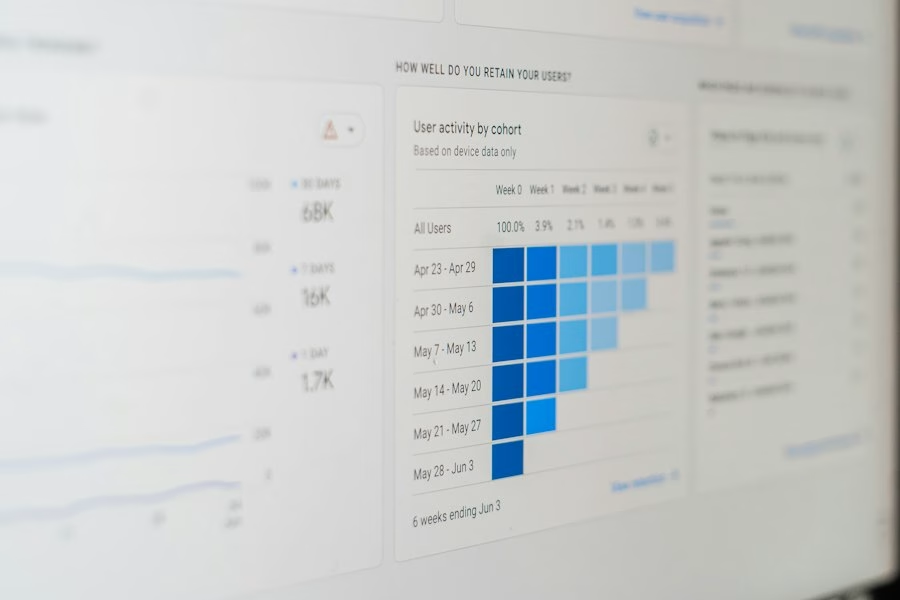
The implementation of email tracking pixels involves a combination of HTML, server-side logic, and specific email service provider features. It’s not something you typically do by manually coding an image into every email you send. Instead, it’s usually facilitated by the tools you use for email communication.
HTML and Image Tags: The Code in Action
The core of a tracking pixel is an HTML tag. However, instead of pointing to a local image file on a server, the src attribute of this tag points to a URL on the tracking server. This URL is often dynamically generated, containing unique identifiers for the recipient, the campaign, and the sender. So, an example might look something like this:

Server-Side Processing: The Data Collection Hub
When the tracking server receives a request for the image, it doesn’t actually serve an image in the traditional sense. Instead, its primary job is to log the incoming request. This log entry captures all the associated data: the IP address, the user agent string (which identifies the email client and operating system), the timestamp of the request, and any unique identifiers passed in the URL. This is the crucial step where your opening action is recorded. After logging the data, the server might then serve a tiny, often invisible, image or a redirect to prevent further unnecessary requests, ensuring the process is efficient.
Email Service Providers (ESPs) and Marketing Automation Tools: The Simplifiers
For most users, the technical details of implementing tracking pixels are abstracted away by their Email Service Provider (ESP) or marketing automation platform. When you create an email campaign within these platforms, there’s usually a checkbox or setting that says something like “Track opens” or “Enable engagement tracking.” By default, these platforms embed a unique tracking pixel for each email sent to each recipient. They manage the creation of the tracking URLs, the hosting of the tracking servers, and the subsequent collection and presentation of the open rate data within your campaign reports. You don’t need to write the HTML; the platform does it for you.
The Role of Plain Text Emails: A Bypass for Privacy
It’s important to note that tracking pixels only work in HTML emails. If you send an email in plain text format, there’s no HTML for the tracking pixel to be embedded within. Therefore, plain text emails cannot be tracked using this method. This is a key reason why some users opt for plain text if they are concerned about being tracked, or why some senders might offer a plain text version of their newsletter as an option.
Ethical Considerations and Privacy: Navigating the Gray Areas
The ability to track user behavior, even something as seemingly innocuous as opening an email, raises significant ethical and privacy concerns. While often used for legitimate business purposes, the potential for misuse or the feeling of being constantly monitored can be unsettling for recipients.
Transparency and Consent: The Cornerstone of Trust
The most significant ethical debate surrounding email tracking pixels revolves around transparency and consent. Are recipients fully aware that their email opens are being tracked? Have they explicitly consented to this tracking? In many jurisdictions, laws like GDPR (General Data Protection Regulation) and CCPA (California Consumer Privacy Act) require organizations to be transparent about their data collection practices and obtain consent, especially for marketing-related activities. This means that senders should ideally inform recipients about their tracking practices, often through a privacy policy, and provide opt-out mechanisms.
The “Creepy” Factor: User Perception and Annoyance
Beyond legal requirements, there’s the “creepy” factor. Many users feel uncomfortable knowing that their every email interaction is being logged. The feeling of being constantly observed can lead to distrust and a negative perception of the sender. While senders may see it as essential data, recipients may see it as an invasion of their privacy. This perception can damage brand loyalty and lead to unsubscribes, even if the tracking is technically compliant.
Alternatives and Best Practices: A More Respectful Approach
Given these concerns, many forward-thinking companies and individuals are adopting more privacy-conscious approaches. This might involve:
- Limiting tracking: Only enabling tracking for specific campaigns where the data is truly essential for improvement.
- Anonymizing data: Aggregating open data rather than focusing on individual user tracking where possible.
- Clear opt-outs: Making it very easy for users to opt-out of tracking altogether, not just email communication.
- Prioritizing user experience: Focusing on providing valuable content that users want to open, rather than relying solely on tracking to understand engagement.
- Offering plain text options: Providing a plain text version of emails that cannot be tracked.
The Evolution of Tracking: Moving Towards More Privacy-Friendly Methods
The landscape of digital tracking is constantly evolving. As privacy concerns grow, so too do the efforts to develop more privacy-friendly alternatives. While tracking pixels remain prevalent, future trends may see a shift towards less intrusive methods that still provide valuable insights without compromising user privacy to the same extent. This could involve a greater reliance on aggregated data, consent-based tracking, or even entirely new paradigms for understanding audience engagement.
Understanding email tracking pixels can greatly enhance your email marketing strategy, and for those looking to delve deeper into optimizing their campaigns, the importance of message match is crucial. By ensuring that your email content aligns seamlessly with your landing page copy, you can significantly improve conversion rates. To explore this concept further, check out this insightful article on message match and learn how to create a cohesive experience for your audience.
Defending Your Inbox: How to Mitigate Email Tracking
| Metric | Description | Typical Value / Example |
|---|---|---|
| Pixel Size | Dimensions of the tracking pixel image | 1×1 pixel |
| File Type | Format of the tracking pixel image | GIF or PNG |
| Data Collected | Information gathered when pixel is loaded | IP address, timestamp, device type, email client, location |
| Load Trigger | Event that causes the pixel to load | Email open or preview |
| Tracking Accuracy | How reliably the pixel detects email opens | Approximately 70-90% (varies by email client) |
| Common Use Cases | Purposes for using email tracking pixels | Open rate measurement, user engagement, campaign optimization |
| Privacy Concerns | Issues related to user tracking without consent | Potential invasion of privacy, GDPR compliance issues |
| Blocking Methods | Ways users or email clients prevent pixel loading | Image blocking, disabling automatic image loading, privacy tools |
While you might not be able to eliminate all tracking pixels from your inbox, you can take steps to mitigate their impact and regain a greater sense of privacy. These methods range from simple settings adjustments within your email client to more robust browser extensions.
Email Client Settings: Your First Line of Defense
Most modern email clients offer settings that can help you control how images are displayed. Disabling automatic image loading is one of the most effective ways to prevent tracking pixels from firing.
Disabling Automatic Image Downloads
In popular email clients like Gmail, Outlook, and Apple Mail, you can typically find an option to “Ask before displaying external images” or a similar setting. When this is enabled, your email client will show you a prompt asking if you want to load images before actually downloading them. If you choose not to load the images, the tracking pixel will not be downloaded, and therefore, the sender will not be notified that you opened the email. This is a crucial step for anyone concerned about tracking.
The Trade-off: A Less Visually Rich Experience
It’s important to acknowledge that disabling automatic image downloads can make your email experience less visually rich. Emails with images will appear without them initially, and you’ll have to manually click to display them. This can be a minor inconvenience, but for many, the privacy benefits outweigh this drawback. You might need to make a judgment call on a per-sender basis, choosing to load images from trusted sources while holding back on others.
Browser Extensions and Email Add-ons: Enhanced Protection
Beyond your email client’s built-in features, a variety of browser extensions and email add-ons are designed to detect and block tracking pixels. These tools can automate the process of identifying and neutralizing tracking elements.
Identifying and Blocking Tracking Pixels
Several extensions are specifically designed to detect email tracking. These tools work by analyzing the content of incoming emails and identifying potential tracking pixels or other tracking mechanisms. Once detected, they can either block the download of the pixel or replace it with a blank image, effectively neutralizing its tracking capabilities. Some of these tools also provide notifications, informing you that a tracking pixel was detected and blocked.
Popular Tools and Their Functionality
Examples of such tools include Mailtrack (though it’s important to note Mailtrack itself uses tracking, so careful consideration is needed if avoiding all tracking is the goal, but it does offer insights into how you are being tracked), Ugly Email, and Leave Me Alone. These extensions often offer a range of features, from simple blocking to detailed reporting on the types of tracking detected. Researching and choosing an extension that aligns with your privacy preferences is key.
Being Mindful of Your Actions: Beyond Technology
While technical solutions are valuable, a mindful approach to your email habits can also contribute to reducing your digital footprint.
The Power of Plain Text
As mentioned earlier, plain text emails are inherently untrackable by pixels. Whenever possible, opting for or requesting plain text versions of newsletters and communications can be a simple yet effective privacy measure. Many email clients allow you to set a preference for reading emails in plain text by default.
Selective Engagement: Not Every Email Needs an Open
Sometimes, the most effective defense is simply not to engage. If an email looks suspicious, is from an unknown sender, or doesn’t seem relevant, you can choose not to open it at all. While this might mean missing out on potentially important information, it also prevents any tracking from occurring. For marketing emails you’re not interested in, marking them as spam or unsubscribing is also a good practice.
Understanding Your ESP’s Policies
If you use a particular ESP for your own email communications, it’s wise to understand their policies regarding tracking. Many ESPs offer opt-out options for tracking features, allowing you to send emails without tracking pixels if you prefer. Being informed about the tools you use can empower you to make more privacy-conscious decisions.
FAQs
What is an email tracking pixel?
An email tracking pixel is a small, invisible image embedded within an email that allows senders to track various metrics related to the email’s delivery and recipient interaction.
How do email tracking pixels work?
When an email is opened, the tracking pixel is loaded from a remote server, which then notifies the sender that the email has been opened. This allows senders to track open rates and gather data on recipient engagement.
What information can be tracked using email tracking pixels?
Email tracking pixels can provide information such as when an email was opened, how many times it was opened, the recipient’s IP address, the device used to open the email, and the recipient’s location.
Are email tracking pixels legal?
The use of email tracking pixels is a common practice in email marketing, but it is important for senders to comply with privacy regulations such as GDPR and CAN-SPAM. Recipients should be informed about the use of tracking pixels in emails.
How can I prevent email tracking pixels from tracking my activity?
To prevent email tracking pixels from tracking your activity, you can disable image loading in your email client, use email clients that block tracking pixels, or use browser extensions that block tracking pixels.