



Email delivery speed depends on multiple technical and infrastructure factors operating within the Simple Mail Transfer Protocol (SMTP) framework. SMTP serves as the standard protocol for transmitting emails across internet networks. Several key variables influence delivery times: email file size, recipient count, and sending server performance metrics.
Email transmission follows a multi-server routing path from origin to destination. Each message passes through intermediate mail servers, creating potential delay points throughout the delivery chain. Network congestion levels, server processing loads, and physical distance between sender and recipient locations directly affect transmission speed.
Technical factors that impact delivery speed include message size limitations, attachment processing requirements, spam filtering protocols, and DNS resolution times. Server infrastructure quality, bandwidth capacity, and routing efficiency also contribute to overall delivery performance.
Understanding these operational elements enables users to optimize email configurations for improved delivery speeds.
Key Takeaways
- Understanding and optimizing SMTP and email server settings are crucial for faster email delivery.
- Proper DNS configuration, authentication, and encryption protocols significantly improve delivery speed and security.
- Using dedicated IP addresses and leveraging CDNs can enhance email delivery performance.
- Monitoring delivery metrics, managing bounce rates, and handling complaints help maintain high deliverability.
- Employing reliable Email Service Providers (ESPs) and feedback loops ensures consistent and efficient email delivery.
Optimizing Email Content for Faster Delivery
The content of your email plays a crucial role in its delivery speed. Large attachments or overly complex HTML can slow down the sending process and may even trigger spam filters. To optimize your email content for faster delivery, consider keeping your messages concise and to the point.
Use plain text or simple HTML whenever possible, as this not only speeds up delivery but also improves readability across various devices and email clients. Additionally, be mindful of the images and attachments you include in your emails. While visuals can enhance engagement, they can also increase the size of your email significantly.
If you want to ensure faster delivery, consider hosting images on external servers and linking to them instead of embedding them directly in your emails. This approach reduces the overall size of your message and can lead to quicker transmission times.
Configuring DNS Records for Improved Delivery Speed
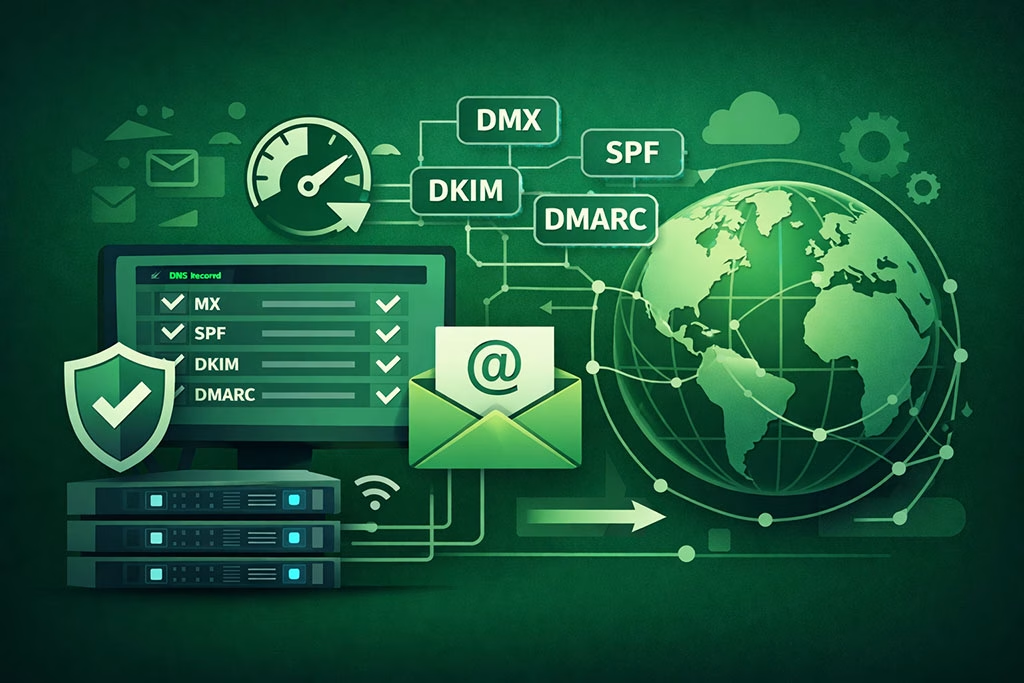
Your Domain Name System (DNS) records are critical for ensuring that your emails are delivered efficiently. Properly configured DNS records can significantly enhance your email delivery speed and reliability. Start by ensuring that your MX (Mail Exchange) records are correctly set up to point to your mail server.
This configuration allows other servers to know where to send emails addressed to your domain. In addition to MX records, consider implementing SPF (Sender Policy Framework) and DKIM (DomainKeys Identified Mail) records. These records help authenticate your emails and improve their chances of being delivered promptly.
When other mail servers see that your DNS records are properly configured, they are more likely to trust your emails, reducing the likelihood of delays caused by spam filters or other security measures.
Implementing Proper Authentication and Encryption Protocols
Authentication and encryption protocols are essential for ensuring that your emails are not only delivered quickly but also securely. Implementing protocols like SPF, DKIM, and DMARC (Domain-based Message Authentication, Reporting & Conformance) can help verify that your emails are legitimate and have not been tampered with during transmission. When you use these protocols effectively, you enhance your sender reputation, which can lead to faster delivery times.
Encryption protocols such as TLS (Transport Layer Security) also play a vital role in securing your emails during transit. By encrypting your messages, you protect sensitive information from being intercepted by malicious actors.
Additionally, many email providers prioritize encrypted messages, which can further improve delivery speed.
By focusing on both authentication and encryption, you create a robust framework that supports efficient and secure email delivery.
Utilizing Dedicated IP Addresses for Better Delivery Performance
| DNS Lookup Time | Time taken to resolve recipient domain’s MX records | 20-100 ms | High DNS latency increases total SMTP transaction time | Use local DNS caching and fast resolvers |
| TCP Connection Setup Time | Time to establish TCP connection with recipient server | 50-200 ms | Longer setup delays email transmission start | Maintain persistent connections where possible |
| SMTP Handshake Duration | Time for SMTP commands exchange before data transfer | 100-300 ms | Delays message sending if handshake is slow | Optimize SMTP server response and reduce unnecessary commands |
| Message Size | Size of the email message including attachments | 10 KB – 5 MB | Larger messages increase transmission time | Compress attachments and minimize message size |
| Queue Time | Time message waits in outbound queue before sending | 0-5 seconds | Long queue times add to overall latency | Optimize queue management and prioritize urgent emails |
| Recipient Server Response Time | Time recipient server takes to respond to SMTP commands | 50-500 ms | Slow responses increase total delivery time | Monitor recipient server health and retry on failures |
| Network Latency | Round-trip time between sending and receiving servers | 10-300 ms | Higher latency slows down SMTP command exchanges | Use geographically closer servers and optimize routing |
Using a dedicated IP address for your email campaigns can significantly enhance your delivery performance. When you share an IP address with other senders, your email reputation is influenced by their sending practices as well. If someone else on a shared IP engages in spammy behavior, it could negatively impact your ability to deliver emails promptly.
By utilizing a dedicated IP address, you have full control over your sending reputation, allowing you to build a positive track record over time. Moreover, a dedicated IP address can help you manage your sending volume more effectively. If you plan to send large volumes of emails regularly, having a dedicated IP allows you to warm it up gradually, which is crucial for maintaining a good sender reputation.
This gradual increase in sending volume helps establish trust with Internet Service Providers (ISPs), leading to improved delivery rates and faster processing times.
Monitoring and Analyzing Delivery Metrics

To optimize your email delivery speed continually, it’s essential to monitor and analyze key delivery metrics regularly. Metrics such as open rates, click-through rates, bounce rates, and spam complaints provide valuable insights into how well your emails are performing. By keeping an eye on these metrics, you can identify potential issues that may be affecting delivery speed.
For instance, if you notice a high bounce rate, it may indicate that your email list needs cleaning or that there are issues with your DNS configuration. Similarly, if spam complaints are rising, it could suggest that your content is not resonating with recipients or that you need to improve your authentication practices. By analyzing these metrics closely, you can make informed decisions that enhance both the speed and effectiveness of your email campaigns.
Managing Bounce Rates and Handling Email Errors
Bounce rates are a critical factor in determining the health of your email campaigns and their delivery speed. A high bounce rate can signal problems with your email list or sending practices, which can lead to delays in future deliveries. To manage bounce rates effectively, regularly clean your email list by removing invalid or inactive addresses.
This practice not only improves deliverability but also enhances engagement rates. In addition to managing bounce rates, it’s essential to have a system in place for handling email errors promptly. When an email bounces back due to a temporary issue (soft bounce), it’s crucial to monitor these instances closely and attempt to resend the message later.
On the other hand, hard bounces indicate permanent issues that require immediate attention. By addressing these errors proactively, you can maintain a healthy sender reputation and ensure faster delivery of future emails.
Leveraging Content Delivery Networks (CDNs) for Faster Email Delivery
Content Delivery Networks (CDNs) can play a significant role in enhancing email delivery speed, especially when it comes to large attachments or images included in your messages. CDNs work by distributing content across multiple servers located in various geographical locations. When you use a CDN for hosting images or files linked in your emails, recipients can access this content from a server closer to their location, resulting in faster load times.
By leveraging CDNs, you not only improve the speed at which recipients access content but also reduce the load on your own servers. This reduction in server load can lead to improved performance during peak sending times when many emails are being dispatched simultaneously. Ultimately, using a CDN can enhance both the user experience and the overall effectiveness of your email campaigns.
Implementing Feedback Loops and Complaint Handling Mechanisms
Establishing feedback loops with ISPs is an essential step in managing your email reputation and improving delivery speed. Feedback loops allow you to receive notifications when recipients mark your emails as spam or report issues with your messages. By implementing these mechanisms, you gain valuable insights into how recipients perceive your emails and can take corrective actions accordingly.
In addition to feedback loops, having a robust complaint handling process is crucial for maintaining a positive sender reputation. When complaints arise, addressing them promptly demonstrates that you value recipient feedback and are committed to improving their experience. By actively managing complaints and making necessary adjustments based on feedback, you can enhance both deliverability and engagement rates over time.
Using Email Service Providers (ESPs) for Enhanced Delivery Speed
Partnering with a reputable Email Service Provider (ESP) can significantly improve your email delivery speed and overall performance. ESPs specialize in managing email campaigns and have established relationships with ISPs that can facilitate faster deliveries. They often provide tools for optimizing content, managing lists, and analyzing metrics that can help streamline your email processes.
Moreover, ESPs typically offer features such as dedicated IP addresses, advanced authentication options, and automated bounce management systems that enhance deliverability. By leveraging these resources, you can focus on crafting compelling content while leaving the technical aspects of email delivery to experts who understand the intricacies of the process.
Fine-tuning Email Server Settings for Maximum Delivery Performance
Finally, fine-tuning your email server settings is crucial for achieving maximum delivery performance. This involves adjusting parameters such as connection timeouts, message size limits, and retry intervals for failed deliveries. By optimizing these settings based on best practices and industry standards, you can enhance the efficiency of your email server.
Additionally, regularly updating your server software ensures that you benefit from the latest security features and performance improvements. Keeping abreast of technological advancements in email delivery will help you maintain a competitive edge while ensuring that your messages reach their intended recipients quickly and reliably. In conclusion, achieving optimal SMTP delivery speed requires a multifaceted approach that encompasses various strategies ranging from content optimization to server configuration.
By understanding the intricacies of email delivery and implementing best practices across all aspects of your email campaigns, you can significantly enhance both the speed and effectiveness of your communications.
In addition to exploring the intricacies of reducing SMTP latency for faster email delivery, you may find valuable insights in the article on safeguarding your brand with dedicated IP pools. This piece discusses how dedicated IP addresses can enhance email deliverability and protect your brand’s reputation, making it a crucial read for marketers looking to optimize their email strategies.
FAQs
What is SMTP latency?
SMTP latency refers to the delay or time taken for an email to be processed and delivered through the Simple Mail Transfer Protocol (SMTP) from the sender’s server to the recipient’s server.
Why is reducing SMTP latency important?
Reducing SMTP latency is important because it ensures faster email delivery, improves user experience, enhances communication efficiency, and can prevent time-sensitive messages from being delayed.
What are common causes of SMTP latency?
Common causes include network congestion, server processing delays, DNS resolution issues, inefficient SMTP server configurations, and spam filtering or security checks that slow down email transmission.
How can SMTP server configuration affect latency?
Improper SMTP server settings, such as incorrect timeout values, lack of connection pooling, or inefficient queue management, can increase latency by causing delays in processing and sending emails.
What role does DNS play in SMTP latency?
DNS resolution is critical for locating recipient mail servers. Slow or unreliable DNS lookups can add significant delays to the SMTP transaction, increasing overall latency.
Can using multiple SMTP servers reduce latency?
Yes, distributing email load across multiple SMTP servers can reduce latency by balancing traffic, preventing server overload, and providing redundancy for faster delivery.
How does network infrastructure impact SMTP latency?
Network factors such as bandwidth limitations, high latency links, packet loss, and routing inefficiencies can slow down SMTP communication, increasing the time it takes for emails to be delivered.
Are there software tools to monitor and reduce SMTP latency?
Yes, there are monitoring tools and SMTP server software features that help identify bottlenecks, optimize configurations, and automate retries to reduce latency and improve delivery speed.
Does email size affect SMTP latency?
Larger email sizes can increase transmission time and processing delays, contributing to higher SMTP latency, especially on slower networks or servers with limited resources.
What best practices help minimize SMTP latency?
Best practices include optimizing server configurations, using reliable DNS services, implementing connection pooling, monitoring server performance, reducing email size, and ensuring robust network infrastructure.