



In today’s fast-paced digital landscape, the need for efficiency and seamless integration has never been more critical. Application Programming Interfaces, or APIs, serve as the backbone of modern software development, enabling different applications to communicate and share data effortlessly. As you navigate through various platforms and tools, understanding how APIs function can significantly enhance your ability to automate processes, streamline workflows, and ultimately drive productivity.
By leveraging the power of APIs, you can create a more cohesive environment where data flows freely between systems, reducing manual effort and minimizing errors. Automation, on the other hand, is the process of using technology to perform tasks with minimal human intervention. When combined with APIs, automation can transform the way you work, allowing you to focus on higher-level strategic initiatives rather than getting bogged down in repetitive tasks.
Whether you’re a developer looking to enhance your applications or a business professional seeking to optimize operations, understanding the synergy between APIs and automation is essential. This article will explore various tricks and best practices that can help you harness the full potential of API automation.
Key Takeaways
- APIs enable automation that streamlines and optimizes business processes.
- Batch processing and automated data synchronization significantly boost efficiency.
- Customized notifications and third-party integrations enhance workflow responsiveness.
- Dynamic data manipulation allows for flexible and tailored automation solutions.
- Following best practices and avoiding common pitfalls ensures successful API automation.
Leveraging APIs for Streamlined Processes
To truly appreciate the power of APIs in streamlining processes, consider how they facilitate communication between disparate systems. Imagine a scenario where you need to transfer data from a customer relationship management (CRM) system to an email marketing platform. Without APIs, this task would likely involve manual data entry, which is not only time-consuming but also prone to errors.
By utilizing APIs, you can automate this data transfer, ensuring that your marketing efforts are always based on the most up-to-date information available. Moreover, APIs allow for real-time data exchange, which is crucial in today’s business environment where timely decision-making can make all the difference. For instance, if your sales team updates a lead’s status in the CRM, an API can instantly reflect that change in your marketing platform.
This level of integration not only saves time but also enhances collaboration across departments. By leveraging APIs effectively, you can create a more agile organization that responds quickly to market changes and customer needs.
API Trick #1: Batch Processing for Efficiency

One of the most effective ways to enhance efficiency through API automation is by implementing batch processing. Instead of sending individual requests for each piece of data you need to transfer or manipulate, batch processing allows you to group multiple requests into a single call. This approach significantly reduces the number of API calls made, which can lead to faster processing times and lower resource consumption.
For example, if you’re working with a large dataset that needs to be uploaded to a database or an external service, consider batching those records into manageable chunks.
Not only does this reduce the load on your network and servers, but it also minimizes the risk of hitting rate limits imposed by many APIs.
By adopting batch processing as a standard practice in your API interactions, you can streamline operations and improve overall system performance.
API Trick #2: Automated Data Synchronization
| Sync Frequency | How often data synchronization occurs | 15 | minutes |
| Data Transfer Volume | Amount of data transferred per sync | 500 | MB |
| Sync Success Rate | Percentage of successful sync operations | 99.8 | % |
| Average Sync Duration | Time taken to complete one sync cycle | 45 | seconds |
| Error Rate | Percentage of sync operations that failed | 0.2 | % |
| Data Consistency | Accuracy of synchronized data across systems | 99.9 | % |
Another powerful trick in your API automation toolkit is automated data synchronization. In many organizations, data exists in silos across various systems, leading to inconsistencies and inefficiencies. By utilizing APIs for automated synchronization, you can ensure that all systems are updated in real-time or at scheduled intervals, depending on your needs.
Imagine having customer information that is stored in both your CRM and your billing system. If these systems are not synchronized, discrepancies can arise that may lead to billing errors or miscommunication with clients. By setting up automated synchronization through APIs, you can ensure that any changes made in one system are reflected in the other without manual intervention.
This not only saves time but also enhances data integrity and trustworthiness across your organization.
API Trick #3: Customized Notifications and Alerts
Incorporating customized notifications and alerts into your API automation strategy can significantly enhance your responsiveness to critical events. By setting up triggers within your API integrations, you can receive real-time notifications when specific conditions are met—such as when a new lead is generated or when inventory levels fall below a certain threshold. These notifications can be tailored to suit your preferences, whether you prefer email alerts, SMS messages, or even push notifications through a mobile app.
By staying informed about key developments in your business processes, you can take immediate action when necessary, ensuring that opportunities are not missed and issues are addressed promptly. This level of proactive management is essential for maintaining a competitive edge in today’s dynamic market.
API Trick #4: Integration with Third-Party Tools
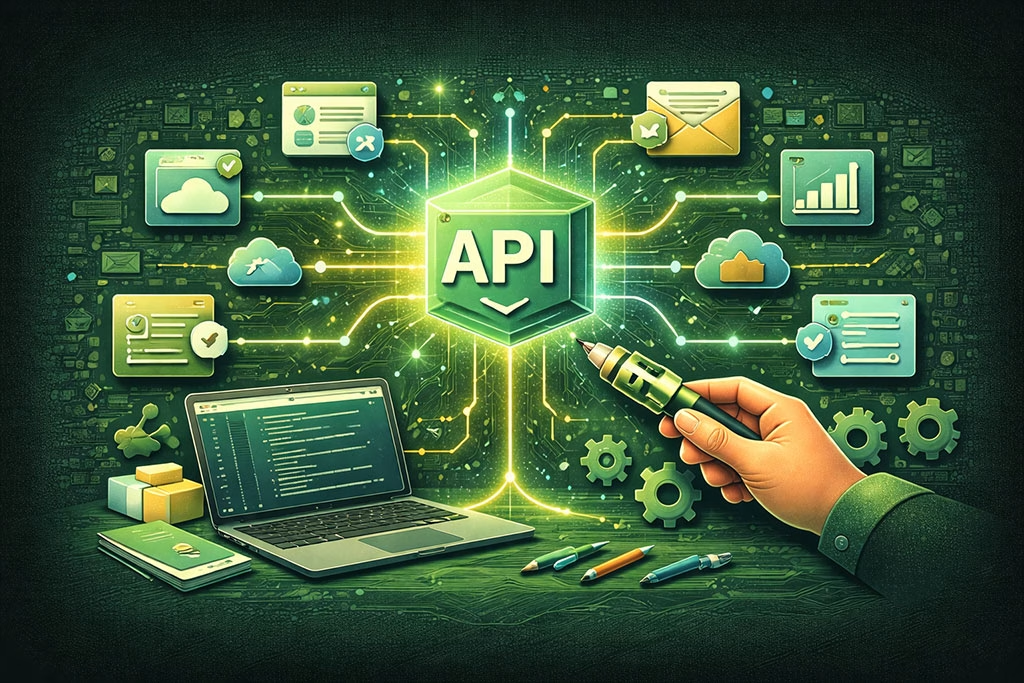
The ability to integrate with third-party tools is one of the most compelling advantages of using APIs for automation. Many businesses rely on a variety of software solutions to manage different aspects of their operations—be it project management tools, accounting software, or customer support platforms. By leveraging APIs to connect these tools, you can create a unified ecosystem that enhances collaboration and efficiency.
For instance, if you’re using a project management tool alongside a time-tracking application, integrating these systems through their respective APIs allows for seamless data flow between them. This means that when team members log hours on tasks in one system, those updates can automatically reflect in the project management tool without any manual input. Such integrations not only save time but also reduce the likelihood of errors that can occur during manual data entry.
API Trick #5: Dynamic Data Manipulation and Transformation
Dynamic data manipulation and transformation is another powerful trick that can elevate your API automation efforts. Often, the data retrieved from one system may not be in the format required by another system or application. By utilizing APIs that support data transformation capabilities, you can modify data on-the-fly as it moves between systems.
For example, if you’re pulling customer data from an API that returns information in JSON format but need it in XML for another application, you can use transformation tools within your API workflow to convert the data accordingly. This flexibility allows you to maintain compatibility between different systems without needing extensive manual intervention or complex coding efforts. Embracing dynamic data manipulation ensures that your automation processes remain efficient and adaptable to changing requirements.
Best Practices for API Automation
To maximize the benefits of API automation, it’s essential to follow best practices that ensure reliability and efficiency. First and foremost, always prioritize security when working with APIs. Implement authentication mechanisms such as OAuth or API keys to protect sensitive data and restrict access to authorized users only.
Additionally, thorough documentation is crucial for successful API integration. Ensure that you have clear documentation outlining how each API works, including endpoints, request formats, and response structures. This will not only facilitate smoother development but also make it easier for team members to understand and utilize the APIs effectively.
Another best practice is to monitor your API usage regularly.
Keeping track of performance metrics such as response times and error rates will help you identify potential issues before they escalate into significant problems.
By proactively managing your API integrations, you can maintain optimal performance and ensure that your automation efforts continue to deliver value.
Common Pitfalls to Avoid in API Automation
While there are numerous advantages to API automation, there are also common pitfalls that you should be aware of to avoid setbacks. One major pitfall is neglecting error handling within your API workflows. Failing to account for potential errors—such as timeouts or invalid responses—can lead to disruptions in your automated processes.
Always implement robust error handling mechanisms that allow for graceful recovery from failures. Another common mistake is underestimating the importance of versioning when working with APIs. As APIs evolve over time, changes may be introduced that could break existing integrations if not managed properly.
Always keep track of version updates and ensure that your integrations are compatible with the latest versions of the APIs you rely on.
Case Studies: Successful Implementation of API Tricks
To illustrate the effectiveness of these API tricks in real-world scenarios, consider the case of a mid-sized e-commerce company that struggled with inventory management across multiple sales channels. By implementing batch processing through their inventory management API, they were able to update stock levels across all platforms simultaneously rather than individually updating each one. This not only saved time but also reduced instances of overselling products.
In another example, a marketing agency utilized automated data synchronization between their CRM and email marketing platform through APIs. This integration ensured that any new leads captured during campaigns were immediately added to their email lists without manual input. As a result, their marketing efforts became more targeted and efficient, leading to increased engagement rates and higher conversion rates.
Embracing the Power of API Automation
As you explore the world of APIs and automation further, it’s clear that embracing these technologies can lead to significant improvements in efficiency and productivity within your organization. From batch processing and automated synchronization to customized notifications and third-party integrations, the tricks discussed in this article provide valuable tools for optimizing workflows. By following best practices and being mindful of common pitfalls, you can harness the full potential of API automation to create a more agile and responsive business environment.
As technology continues to evolve, staying ahead of the curve by leveraging APIs will empower you to adapt quickly and effectively meet the demands of an ever-changing marketplace. Embrace the power of API automation today and unlock new possibilities for growth and success in your endeavors.
In addition to exploring the various ways to utilize the API for customized automation in “Beyond the Dashboard: 5 Ways to Use the API for Customized Automation,” you may find it beneficial to read about the impact of user feedback in the article on review posts. This article discusses how to effectively leverage customer reviews to enhance your service offerings, which can complement the automation strategies outlined in the API piece. You can check it out here: Review Post Stars.
FAQs
What is an API and how does it relate to automation?
An API (Application Programming Interface) is a set of protocols and tools that allow different software applications to communicate with each other. In the context of automation, APIs enable users to programmatically control and customize workflows beyond what is possible through standard user interfaces like dashboards.
Why should I use an API instead of just the dashboard for automation?
Using an API allows for greater flexibility and customization in automation. While dashboards provide predefined options and limited customization, APIs enable you to create tailored workflows, integrate with other systems, automate repetitive tasks, and access data programmatically for more complex and scalable automation solutions.
What are some common ways to use APIs for customized automation?
Common uses of APIs for automation include: integrating with third-party applications, automating data retrieval and updates, triggering workflows based on specific events, customizing reporting and analytics, and managing user permissions or configurations programmatically.
Do I need programming skills to use APIs for automation?
Yes, some programming knowledge is typically required to use APIs effectively. Familiarity with languages such as Python, JavaScript, or others commonly used for scripting and automation will help you interact with APIs, handle data, and build customized automation workflows.
Are there any security considerations when using APIs for automation?
Absolutely. When using APIs, it is important to secure API keys or tokens, use encrypted connections (HTTPS), follow best practices for authentication and authorization, and limit access permissions to only what is necessary. Proper security measures help protect sensitive data and prevent unauthorized access.
Can I use APIs to automate tasks across multiple platforms?
Yes, APIs often allow integration across different platforms and services. By leveraging APIs from various tools, you can create automated workflows that span multiple systems, enabling seamless data exchange and coordinated actions across your technology stack.
Where can I find documentation to get started with using the API?
API documentation is usually provided by the service or platform offering the API. It includes details on available endpoints, authentication methods, request and response formats, and example code. Check the official website or developer portal of the platform for comprehensive API documentation and tutorials.