



You’ve crafted a compelling email, poured over the content, and pressed send, anticipating the positive reception it will receive. Yet, your carefully constructed message vanishes into the digital ether, never reaching its intended inbox. This frustrating scenario, a common plague for many who rely on email for communication and business, often stems from a fundamental, yet frequently overlooked, aspect of your online presence: your Domain Name System (DNS) configuration. Think of DNS as the internet’s grand postal service, and your email deliverability is directly tied to how efficiently and reliably the postal service can find your recipient’s address. Without proper DNS configuration, your emails are like letters sent without a clear return address or sender’s stamp; they are prone to being lost, misunderstood, or outright rejected. This article will delve into the critical role DNS plays in ensuring your emails land where they are meant to, exploring the various mechanisms and best practices that contribute to robust email deliverability.
Before diving into the specifics of deliverability, it’s crucial to understand the foundational role DNS plays in the entire email process. When you send an email, your mail server doesn’t directly know the physical location of the recipient’s mail server. Instead, it relies on a hierarchical system of servers (the DNS) to translate the human-readable domain name of the recipient’s email address (e.g., recipient@example.com) into a machine-readable IP address (e.g., 192.0.2.1). This IP address is the unique numerical identifier of the server hosting the recipient’s mailbox. Without DNS, the internet would be a chaotic mess of unresolvable addresses, akin to a city where every street sign has been removed.
The Domain Name System: A Decentralized Directory
The Domain Name System (DNS) is a distributed, hierarchical naming system for computers, services, or any resource connected to the Internet or a private network. It translates human-friendly domain names into the numerical IP addresses required for locating and identifying computer services and devices worldwide.
Name Servers: The Postal Workers of the Internet
DNS operates through a hierarchy of servers, each responsible for a specific zone of the internet’s naming structure. At the top are the root name servers, followed by Top-Level Domain (TLD) servers (like .com, .org, .net), and then authoritative name servers for individual domains. When your mail server needs to find recipient@example.com, it queries these servers in a specific order.
Resource Records: The Detailed Instructions
Within DNS, various types of resource records provide specific information. For email, the most crucial are:
- A Records (Address Records): These map a hostname to an IPv4 address. While not directly used for finding mail servers, they are fundamental for website functionality, which is often intertwined with email reputation.
- AAAA Records (IPv6 Address Records): Similar to A records, but mapping to IPv6 addresses.
- MX Records (Mail Exchanger Records): These are the linchpins of email routing. An MX record specifies the mail server responsible for receiving email on behalf of a domain name. It also includes a priority value, allowing for failover to secondary mail servers if the primary is unavailable.
- CNAME Records (Canonical Name Records): These records create aliases for other domain names. While not directly for mail routing, they can be used to point a mail-related subdomain to a different service provider.
The Journey of an Email: A DNS-Powered Expedition
When you send an email, your outgoing mail server initiates a series of DNS lookups.
Initiating the Lookup: The Recipient’s Domain
Your mail server first identifies the recipient’s domain name.
Querying the Postal Service: Finding the Mail Exchanger
The outgoing server then consults DNS to find the MX records for the recipient’s domain. This tells it which server (or servers) are designated to receive mail for that domain and in what order of preference.
Connecting with the Destination: The IP Address Resolution
Once the mail exchanger server is identified, your server performs another DNS lookup to resolve the hostname of the mail exchanger into its IP address. This IP address is the direct destination for your email.
Understanding the role of DNS configuration in email deliverability is crucial for ensuring that your emails reach their intended recipients. For further insights into optimizing your email strategies, you may find the article on crafting effective triggered emails particularly useful. This resource discusses various types of triggered emails, from welcome messages to post-purchase follow-ups, and how they can enhance engagement and conversion rates. To read more, visit the article here: Crafting Effective Triggered Emails.
The Crucial Role of MX Records in Email Deliverability
Mail Exchanger (MX) records are not just a technical detail; they are a critical signal to receiving mail servers about the legitimacy and professionalism of your domain’s email infrastructure. Misconfigurations or missing MX records can act as immediate red flags, leading to emails being rejected before they even have a chance to be scanned for spam.
The Importance of Accurate MX Configuration
Your MX records act as the signposts directing incoming mail to your designated mail server. If these signposts are pointing to the wrong location, or if they are missing altogether, your mail server will never receive the email. This is not unlike a courier trying to deliver a package to a street address that doesn’t exist.
Multiple MX Records and Prioritization: Building Resilience
Having multiple MX records with different priority values is a best practice for ensuring email resilience. A primary MX record is set with the lowest priority number (e.g., 10). Additional MX records are configured with higher priority numbers (e.g., 20, 30). If the primary mail server is down or unreachable, the sending server will attempt to deliver the email to the next available server based on the priority. This “failover” mechanism is crucial for preventing mail loss during temporary outages.
The Impact of Incorrect MX Records: Immediate Rejection
If a sending server queries your domain’s DNS for MX records and finds none, or finds records pointing to non-existent or unreachable servers, it will likely immediately bounce the email back to you with an error message. This is a swift and often unrecoverable delivery failure.
Subdomains and Mail Routing: Strategic Email Infrastructure
You might choose to use subdomains for your email services, for example, using mail.yourdomain.com or a third-party email provider’s subdomain. Proper DNS configuration is essential for correctly routing emails to these specific services.
CNAME for Third-Party Email Providers
If you are using a third-party email service provider (ESP) like Gmail, Outlook.com, or a dedicated marketing platform, they will often provide you with specific MX records to configure. These MX records will typically point to their infrastructure. In some cases, they might also instruct you to use CNAME records to alias your domain’s mail-related subdomains to their own. This ensures that emails sent to your domain are correctly handled by their system.
Internal Mail Servers and Dedicated Subdomains
For organizations with their own internal mail servers, dedicated subdomains can be used to manage mail flow. For instance, mail.yourcompany.com might house your internal email server. The MX records for yourcompany.com would then point to the IP address of this subdomain.
The Authentication Pillars: SPF, DKIM, and DMARC
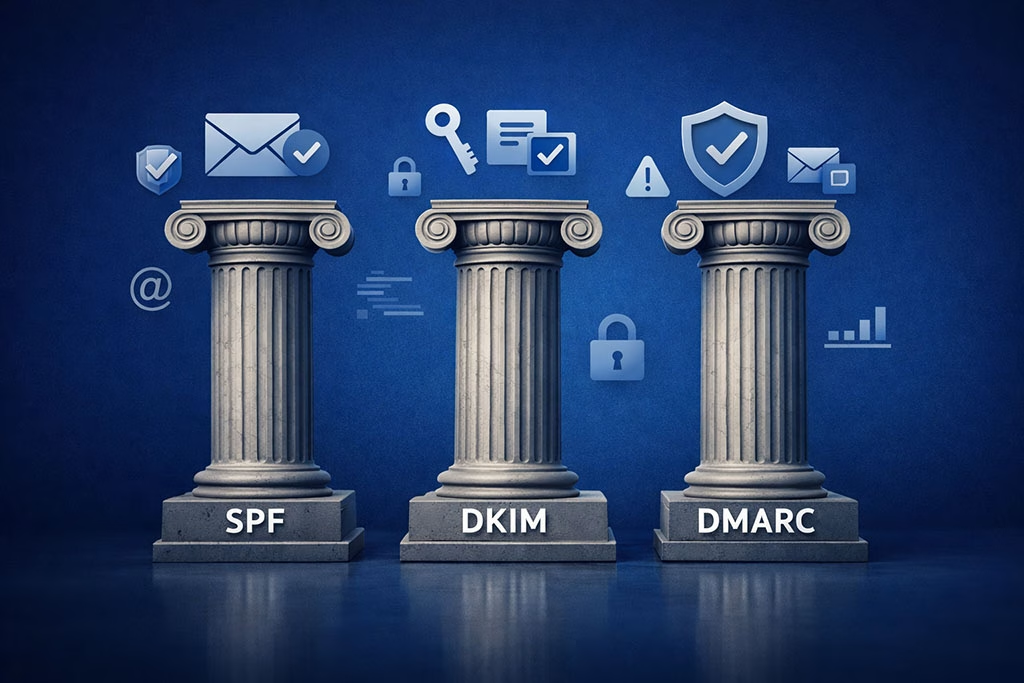
Beyond simply directing mail, DNS plays a vital role in authenticating the origin of your emails. Three key technologies, all configured via DNS records, are paramount for establishing trust and preventing your emails from being marked as spam or spoofed. These are Sender Policy Framework (SPF), DomainKeys Identified Mail (DKIM), and Domain-based Message Authentication, Reporting & Conformance (DMARC). Think of these as the security stamps and verification seals on your outgoing mail, assuring recipients of your legitimacy.
Sender Policy Framework (SPF): The List of Authorized Senders
SPF is a DNS TXT record that specifies which mail servers are authorized to send email on behalf of your domain. When a receiving mail server receives an email, it checks the SPF record of the sending domain to see if the sending IP address is on the authorized list.
Crafting an Effective SPF Record: Defining Your Mail Servers
An SPF record is a TXT record in your DNS that starts with v=spf1. It then lists the IP addresses or hostnames of the mail servers that are permitted to send email. For instance, v=spf1 include:_spf.google.com ~all authorizes Google’s mail servers to send on behalf of your domain. The ~all (softfail) or -all (hardfail) at the end dictates how to handle emails from unauthorized sources.
The Impact of SPF Misconfiguration: Unauthorized Sending
If your SPF record is missing or incorrectly configured, it can lead to several problems:
- Hard Fails: If a receiving server encounters an SPF record that explicitly disallows the sending IP address, it will likely reject the email outright.
- Soft Fails and Potential Spam Classification: With a softfail, the email might still be delivered, but it is more likely to be flagged as suspicious and sent to the spam folder.
- Spoofing Vulnerabilities: An incomplete SPF record leaves your domain vulnerable to spoofing, where spammers can send emails appearing to come from your domain, damaging your reputation.
DomainKeys Identified Mail (DKIM): The Digital Signature of Integrity
DKIM is a method of email authentication that uses public-key cryptography. It involves adding a digital signature to outgoing emails, which can be verified by the receiving server using a public key published in your domain’s DNS. This signature assures the recipient that the email has not been tampered with in transit.
Implementing DKIM: Key Generation and DNS Publishing
To implement DKIM, you typically generate a pair of cryptographic keys: a private key (kept secret by your mail server) and a public key (published in your DNS as a TXT record). When you send an email, your mail server uses the private key to sign certain headers of the email. The receiving mail server retrieves the public key from your DNS and uses it to verify the signature.
The Significance of a Valid DKIM Signature: Trust and Authenticity
A valid DKIM signature provides strong assurance of:
- Sender Authenticity: It confirms that the email originated from your domain and not a spoofed source.
- Message Integrity: It guarantees that the email content has not been altered since it was signed.
- Improved Deliverability: Many spam filters give preferential treatment to emails with valid DKIM signatures.
DMARC: The Policy for Handling Unauthenticated Mail
Domain-based Message Authentication, Reporting & Conformance (DMARC) is a policy mechanism that builds upon SPF and DKIM. It allows domain owners to specify how receiving mail servers should handle emails that fail SPF and/or DKIM checks, and it provides reporting on these checks.
Defining Your DMARC Policy: The Rules of Engagement
A DMARC policy is implemented as a TXT record in your DNS. It specifies what action should be taken if an email fails authentication checks (none, quarantine, or reject). Crucially, it also defines where reports of these checks should be sent.
The Benefits of a Robust DMARC Policy: Security and Reputation Management
Implementing DMARC offers significant advantages:
- Protection Against Spoofing: By enforcing policies on unauthenticated mail, you significantly reduce the risk of your domain being used for phishing and spam.
- Enhanced Reputation Management: Consistent authentication through SPF, DKIM, and DMARC strengthens your domain’s reputation with mail providers, leading to better inbox placement.
- Valuable Insights: DMARC reports provide invaluable data on who is sending email on behalf of your domain, helping you identify any unauthorized activity or misconfigurations.
DNS Records for Reputation Management: The “Invisible” Signals

Beyond the direct technical configurations, certain DNS records and practices indirectly influence your domain’s reputation, which is a crucial factor in email deliverability. These are less about direct routing and more about demonstrating your commitment to good email practices and being an identifiable entity online.
Reverse DNS (rDNS) Records: Mapping IPs Back to Hostnames
A Reverse DNS (rDNS) lookup, also known as a pointer (PTR) record, performs the opposite of a traditional DNS query. Instead of mapping a hostname to an IP address, it maps an IP address back to a hostname. Many receiving mail servers perform an rDNS lookup on the IP address of the sending server.
The Importance of a Valid rDNS Record: Verifying the Source
A valid rDNS record for your sending IP address should resolve to a hostname that is associated with your domain. If the rDNS lookup fails, or if it resolves to a generic or unrelated hostname, it can raise a red flag for receiving servers, suggesting that the email might be coming from a dynamic or untrusted source. This is akin to a delivery person arriving in an unmarked van with no company logo – it raises suspicion.
Ensuring Consistent Forward and Reverse DNS: A Sign of Legitimacy
Ideally, there should be a consistency between your forward and reverse DNS records. If your mail server’s IP address is 192.0.2.1 and it resolves to smtp.yourdomain.com in forward DNS, then the rDNS record for 192.0.2.1 should resolve back to smtp.yourdomain.com. This consistency reassures receiving servers of your domain’s established presence.
PTR Records and IP Reputation: The Backbone of Trust
Your IP address’s reputation is built over time. A history of sending legitimate emails from a well-configured IP address will lead to a good IP reputation. Conversely, a history of sending spam or engaging in suspicious activity will tarnish that reputation. rDNS records are a part of this overall IP reputation assessment.
Managing Shared IP Addresses: The Risk of Association
If you are using a shared IP address provided by your ESP, your deliverability can be affected by the sending practices of other users on that same IP. This is why choosing an ESP with a strong reputation and good IP management practices is important.
Wildcard DNS Records: A Double-Edged Sword for Email
A wildcard DNS record (e.g., *.yourdomain.com) is a DNS record that matches any hostname that does not have a specific record defined. While useful for some web applications, wildcard records can be problematic for email deliverability if not managed carefully.
The Perils of Wildcard MX Records: Undermining Mail Routing
If you accidentally configure a wildcard MX record, it could inadvertently direct all incoming mail for subdomains that you haven’t explicitly defined to a specific mail server. This can lead to a massive loss of emails and misrouted communications.
Best Practices for Subdomain Management: Explicit is Better
For email, it is generally best to explicitly define your mail-related subdomains with their own specific MX records rather than relying on wildcards. This provides greater control and reduces the risk of unintended consequences.
Understanding the role of DNS configuration in email deliverability is crucial for ensuring that your messages reach their intended recipients. An insightful article that complements this topic is about converting cold leads into customers through effective email strategies. You can read more about this approach in the article here, which highlights the importance of proper email setup and engagement techniques. By optimizing your DNS settings, you can significantly improve your email performance and enhance your overall marketing efforts.
Best Practices for Maintaining Optimal DNS for Email Deliverability
| DNS Configuration Element | Description | Impact on Email Deliverability | Common Metrics |
|---|---|---|---|
| SPF (Sender Policy Framework) | Specifies which mail servers are authorized to send emails on behalf of a domain. | Prevents spoofing and reduces chances of emails being marked as spam. | SPF Pass Rate, SPF Fail Rate |
| DKIM (DomainKeys Identified Mail) | Uses cryptographic signatures to verify that the email content is not altered. | Improves trustworthiness and reduces email rejection. | DKIM Pass Rate, Signature Validity |
| DMARC (Domain-based Message Authentication, Reporting & Conformance) | Combines SPF and DKIM results to instruct receiving servers on how to handle unauthenticated emails. | Enhances domain protection and improves inbox placement. | DMARC Pass Rate, Policy Alignment Rate, Reported Failures |
| Reverse DNS (PTR Records) | Maps IP addresses back to domain names to verify sender identity. | Helps prevent emails from being flagged as spam or rejected. | PTR Record Presence, Reverse DNS Match Rate |
| MX Records (Mail Exchange) | Specifies mail servers responsible for receiving emails for a domain. | Ensures proper routing and receipt of incoming emails. | MX Record Validity, Server Responsiveness |
| TTL (Time To Live) Settings | Determines how long DNS records are cached by resolvers. | Affects propagation speed of DNS changes impacting email flow. | TTL Duration, DNS Propagation Time |
Ensuring excellent email deliverability requires ongoing attention to your DNS configuration. It’s not a set-it-and-forget-it task; it’s a continuous process of monitoring, updating, and adhering to best practices. Think of it as tending to a garden: consistent care yields healthy growth.
Regular Audits and Monitoring: Staying Ahead of Issues
Just as you wouldn’t ignore a flickering light in your home, you shouldn’t overlook potential issues with your DNS.
Utilizing Online DNS Checkers: Free Diagnostic Tools
Numerous free online tools can help you audit your DNS records for accuracy and completeness. These tools can check your MX, SPF, DKIM, and DMARC records, providing valuable insights into your configuration.
Monitoring DNS Propagation: Ensuring Changes Take Effect
When you make changes to your DNS records, it takes time for these changes to propagate across the internet. This propagation can take anywhere from a few minutes to 48 hours, depending on the DNS server’s caching. Monitoring this propagation ensures your changes are live and effective.
Staying Updated with Email Authentication Standards: Evolving Landscape
The world of email authentication is constantly evolving. New security threats emerge, and best practices are refined.
Following Industry Updates: Resources and Best Practices
Keep abreast of updates and recommendations from reputable organizations like the Internet Engineering Task Force (IETF), security firms, and major email providers. They often publish guidelines for optimal email authentication.
Adapting to New Protocols: Embracing Forward-Thinking Solutions
As new authentication protocols are developed or existing ones are enhanced, be prepared to adapt your DNS configuration to incorporate them. This proactive approach is key to maintaining a strong deliverability posture.
Collaborating with Your Email Service Provider (ESP): A Strategic Partnership
If you are using an ESP for sending bulk emails or for managing your primary email service, they can be an invaluable resource for optimizing your DNS configuration.
Understanding Your ESP’s Requirements: Tailoring Your DNS
Your ESP will likely have specific recommendations for your SPF, DKIM, and DMARC records to ensure optimal deliverability through their platform. Adhering to these requirements is crucial.
Leveraging ESP Support: Seeking Expert Guidance
Don’t hesitate to reach out to your ESP’s support team if you encounter any difficulties or have questions regarding your DNS configuration. They have a vested interest in your deliverability success.
Conclusion: The Unseen Architect of Your Email’s Arrival
Your DNS configuration is not merely a technical detail; it is the unseen architect of your email’s journey from your inbox to your recipient’s. By meticulously configuring your MX, SPF, DKIM, and DMARC records, and by maintaining a vigilant approach to DNS management, you are building a robust foundation for reliable email deliverability. These configurations are the silent guardians that authenticate your messages, combat spoofing, and assure receiving servers of your domain’s legitimacy. Neglecting this critical aspect is akin to sending a vital package through a broken or unreliable postal system – the risk of it getting lost or rejected is simply too high. Invest the time and effort into understanding and perfecting your DNS configuration, and you will unlock the true potential of email as a dependable and effective communication tool.
FAQs
What is the role of DNS configuration in email deliverability?
DNS configuration helps verify the authenticity of an email sender by using records like SPF, DKIM, and DMARC. Proper DNS settings reduce the chances of emails being marked as spam and improve overall deliverability.
Which DNS records are essential for improving email deliverability?
The key DNS records for email deliverability are SPF (Sender Policy Framework), DKIM (DomainKeys Identified Mail), and DMARC (Domain-based Message Authentication, Reporting & Conformance). These records help authenticate emails and protect against spoofing and phishing.
How does SPF affect email deliverability?
SPF specifies which mail servers are authorized to send emails on behalf of a domain. A correctly configured SPF record helps receiving servers verify that the email is legitimate, reducing the likelihood of it being flagged as spam.
What is the purpose of DKIM in DNS configuration?
DKIM adds a digital signature to outgoing emails, which receiving servers can verify using a public key published in the DNS. This ensures the email content has not been altered and confirms the sender’s identity, enhancing trust and deliverability.
Why is DMARC important for email security and deliverability?
DMARC builds on SPF and DKIM by providing instructions to receiving servers on how to handle emails that fail authentication checks. It also offers reporting features, helping domain owners monitor and improve their email authentication practices, thereby boosting deliverability.