



You manage an email marketing campaign, and you understand the critical role Internet Service Providers (ISPs) play in whether your messages reach recipients. Unraveling ISP behavior in email delivery systems is not an abstract exercise; it directly impacts your bottom line. This article will provide a detailed examination of how ISPs operate, their methodologies, and the implications these have for your email efforts. You need to comprehend their internal mechanics to improve your deliverability.
You might believe your emails are flawless, but ISPs often disagree. Their primary directive is to protect their users from unwanted communication. This leads them to implement sophisticated filtering mechanisms that constantly evolve.
Reputation Monitoring: Your Digital Fingerprint
Every sender, whether an individual or an organization, possesses a sender reputation. ISPs diligently track this. Your reputation is a critical factor in determining inbox placement.
IP Address Reputation
Your shared or dedicated IP address carries a history. If previous senders from that IP engaged in problematic practices – spamming, high bounce rates, or sending to spam traps – that negative history can affect your current delivery even if your practices are impeccable. You must regularly monitor your IP’s standing. Organizations like SenderScore and Talos offer tools that allow you to track your IP reputation. A clean IP is paramount for consistent deliverability.
Domain Reputation
Beyond the IP, your sending domain also accumulates a reputation. This encompasses the domain used in your ‘From’ address. ISPs analyze how subscribers interact with messages from your domain. Low open rates, high complaint rates, or frequent deletions without opening degrade your domain’s standing. Conversely, positive engagement like opens, clicks, and replies bolster it. Establishing and maintaining a positive domain reputation requires consistent engagement and a clean list.
Content Reputation
ISPs analyze your email content. Certain phrases, formatting styles, and even the ratio of images to text can trigger alerts. Links to known malicious websites, excessive use of all caps, or typical spam phrases will flag your messages. The content of your emails must be professional, relevant, and free from characteristics associated with unsolicited mail. Avoid “spammy” keywords and ensure your links are legitimate.
Authentication Protocols: Proving Your Identity
To combat forged emails and phishing attempts, ISPs rely heavily on authentication protocols. Failing to implement these correctly makes your emails susceptible to being flagged as illegitimate.
SPF (Sender Policy Framework)
SPF allows you to specify which mail servers are authorized to send emails on behalf of your domain. You publish an SPF record in your domain’s DNS. When an ISP receives an email from your domain, it checks the SPF record. If the sending server’s IP address is not listed, the email is more likely to be rejected or quarantined. You must ensure your SPF record accurately lists all authorized sending services.
DKIM (DomainKeys Identified Mail)
DKIM uses cryptographic signatures to verify the authenticity of an email. When you send an email, a digital signature is added to its header. The recipient ISP can then use your public key (published in your DNS) to verify that the email has not been tampered with in transit and that it indeed originated from your domain. Implementing DKIM adds another layer of trust to your emails.
DMARC (Domain-based Message Authentication, Reporting & Conformance)
DMARC builds upon SPF and DKIM. It allows you to specify how recipient ISPs should handle emails that fail SPF or DKIM checks, and it provides a mechanism for ISPs to report back on these failures. You can instruct ISPs to quarantine, reject, or simply monitor emails that do not pass authentication. DMARC provides valuable insight into unauthorized use of your domain and strengthens your brand’s security posture. Proper DMARC implementation with a ‘reject’ policy significantly improves your email’s authoritative standing.
In the quest to enhance email delivery systems, understanding ISP behavior is crucial for optimizing communication strategies. A related article that dives deeper into improving email efficiency is titled “Maximizing Efficiency with Email Autoresponders: Tips and Tricks.” This resource provides valuable insights into how autoresponders can be effectively utilized to improve engagement and deliverability rates. For more information, you can read the article here: Maximizing Efficiency with Email Autoresponders: Tips and Tricks.
The Dynamics of User Engagement
Beyond technical configurations, user interaction with your emails profoundly influences ISP decisions. Your recipients hold significant sway over your inbox placement.
Positive Interactions: Building Trust
When subscribers engage positively with your emails, ISPs interpret this as a signal that your content is valuable and desired. This builds trust and strengthens your sender reputation.
Opens and Clicks
High open rates and click-through rates (CTRs) indicate that recipients find your subject lines compelling and your content relevant. ISPs track these metrics as indicators of legitimate and desired communication. When your subscribers consistently open your emails, ISPs note this positive interaction.
Forwarding and Replies
When recipients forward your emails to others or respond to them, this is a strong positive signal. It demonstrates active engagement and personal endorsement of your content. These actions suggest a higher level of trust and interest than a simple open or click. ISPs recognize these as indicators of high-value communication.
Adding to Address Book
If a recipient adds your ‘From’ address to their address book or contact list, this is a clear affirmative action. It explicitly tells the ISP that the sender is trustworthy and their emails should be delivered to the inbox. Encourage your subscribers to take this simple step.
Negative Interactions: Triggering Red Flags
Conversely, negative interactions send strong signals to ISPs that your emails may not be welcome. These can severely damage your sender reputation and lead to delivery issues.
Spam Complaints
A spam complaint is the most damaging negative signal. When a recipient marks your email as spam, it directly tells the ISP that your message is unwanted. Even a small percentage of spam complaints can significantly harm your sender reputation, triggering filters and leading to future emails being sent to the spam folder or blocked entirely. You must monitor your complaint rates rigorously.
Deletions Without Opening
If recipients consistently delete your emails without opening them, ISPs interpret this as disinterest or irrelevance. Persistent deletions without engagement suggest your emails are neither desired nor valuable to the recipient. This passive negative feedback can degrade your sender reputation over time.
Lack of Engagement
Beyond overt negative actions, a continuous lack of engagement can also be detrimental. If your emails are consistently ignored – not opened, not clicked – ISPs may conclude that your content is not relevant to those recipients. This can result in your emails being gradually filtered into the spam folder, even without explicit complaints. You should regularly cleanse your list of disengaged subscribers.
Throttling and Volume Management
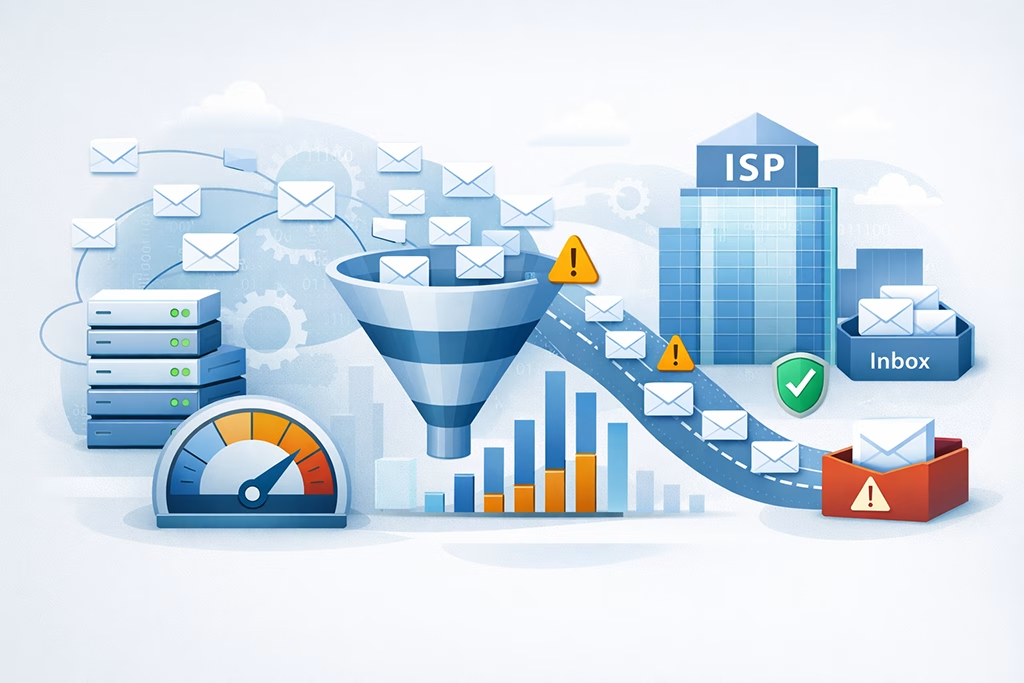
You cannot simply send an unlimited volume of emails and expect smooth delivery. ISPs impose limits and employ throttling mechanisms to prevent abuse and manage their server loads.
Gradual Ramping Up: The Warm-Up Process
For new sending IPs or domains, you cannot immediately send large volumes. ISPs view sudden spikes as suspicious. You must gradually increase your sending volume over several weeks or even months. This “warm-up” period allows ISPs to assess your sending patterns and build trust.
Starting Small and Slow
Begin by sending very small batches of emails to your most engaged subscribers. Then, slowly increase the volume and the variety of recipients. This demonstrates a legitimate sending pattern and helps establish a positive reputation from the outset. Rushing this process almost guarantees filtering issues.
Monitoring Performance Closely
During the warm-up, you must meticulously monitor your deliverability metrics. Keep an eye on open rates, click rates, bounce rates, and, crucially, complaint rates. Any signs of trouble require you to adjust your sending speed. If you encounter issues, slow down or even pause your sending.
Volume Caps and Sending Limits
Many ISPs have unstated daily or hourly volume caps. Exceeding these limits can trigger temporary blocks or deferrals. These limits are dynamic and depend on your overall sender reputation. A sender with a strong reputation will have higher limits than one with a poor reputation. You must segment your sends and distribute them over time, especially during peak periods.
Dynamic Limits Based on Reputation
Your sending volume limits are not static. They flex based on your real-time reputation. If your recent sends have generated positive engagement, ISPs may allow higher volume. Conversely, a streak of poor engagement or complaints will tighten these restrictions. Understanding this dynamic is crucial for effective volume management.
Strategies for High-Volume Senders
If you send massive volumes, you must have infrastructure capable of handling rate limiting and recipient-specific pacing. Utilizing multiple IPs, distributing your sends over extended periods, and dynamically adjusting sending speeds based on ISP feedback are essential strategies. This requires sophisticated email sending platforms.
The Role of Sender Scoring Systems

ISPs utilize complex, proprietary algorithms to assign a sender score to every entity sending emails to their users. You will never see these scores directly, but their impact is undeniable.
Internal Algorithms and Data Points
These scoring systems assimilate a vast array of data points to generate your reputation score. This goes beyond the basics you might configure.
Historical Sending Patterns
ISPs analyze your long-term sending history. Are your sending volumes consistent? Do you send at predictable intervals? Erratic or inconsistent sending can raise red flags. Consistent, predictable sending behavior helps build a reliable profile.
Spam Trap Hits
Spam traps are email addresses maintained by ISPs and anti-spam organizations specifically to identify senders who are not managing their lists appropriately. Hitting a spam trap is a severe reputation killer. It indicates you are sending to old, invalid, or scraped addresses. You must have robust list hygiene practices to avoid them.
Blacklists and Whitelists
Reputable anti-spam blacklists (like Spamhaus, URIBL) catalog IP addresses and domains associated with spam activity. If your IP or domain appears on these, delivery will suffer. Conversely, a whitelist is a list of approved senders; gaining a spot on an internal whitelist (often through consistent positive engagement) can ensure consistent inbox delivery. You should regularly check for blacklisting.
Feedback Loops: Direct Communication Channels
Feedback Loops (FBLs) are agreements between sending services and ISPs. When a recipient clicks the “report spam” button, an FBL sends a notification to you (or your email service provider). You must process these FBLs and immediately remove the complaining addresses from your mailing list. Failing to act on FBLs will quickly exacerbate your reputation issues. Ignoring these vital signals is detrimental to your ongoing deliverability.
Actionable Insights from Complaints
FBLs provide direct, actionable data. Each complaint is a clear signal that a specific subscriber does not want your emails. Process these diligently. Automated systems should handle opt-out requests generated via FBLs without delay.
Preventing Future Complaints
By processing FBLs promptly, you prevent continued sending to disengaged or aggravated recipients. This reduces your complaint rate and helps stabilize or improve your sender reputation. It’s a proactive measure that directly influences your long-term deliverability.
In the quest to enhance email deliverability, understanding ISP behavior is crucial for marketers. A related article that delves into the importance of data-driven strategies is available at Leveraging Data for High-Converting Segments, which discusses how segmentation can significantly impact engagement rates. By applying insights from both articles, marketers can improve their email campaigns and ensure better interactions with their audience.
Advanced ISP Defenses and Evolving Strategies
| ISP Behavior | Email Delivery Systems |
|---|---|
| Spam Filtering | Measures taken by ISPs to identify and filter out spam emails from reaching users’ inboxes. |
| Authentication Protocols | Methods used by email delivery systems to verify the authenticity of the sender’s domain and prevent email spoofing. |
| Feedback Loops | Mechanisms that allow ISPs to provide feedback to senders about user complaints and email delivery issues. |
| IP Reputation | Assessment of the sender’s IP address reputation to determine email deliverability. |
| Delivery Monitoring | Tracking and monitoring of email delivery metrics such as bounce rates, open rates, and click-through rates. |
ISPs are continually refining their defenses. Their methods are sophisticated and adaptive, meaning your sending strategies must also evolve.
AI and Machine Learning in Filtering
Modern spam filters increasingly rely on artificial intelligence and machine learning. These systems learn from vast amounts of data, identifying new spam patterns and adapting to sender tactics. This means filters are not static rule sets but dynamic, learning entities.
Behavioral Analysis
ISP filters analyze not only the content of your email but also the typical behavior of senders and recipients. Unusual sending patterns or recipient interaction anomalies can trigger stricter filtering. For example, a sudden deviation from your typical open rates might prompt closer scrutiny.
Predictive Modeling
AI models attempt to predict whether an email is spam or desired content before it even reaches the inbox. They use historical data to forecast the likelihood of a message being marked as spam or engaged with positively. Your consistency contributes to a positive predictive outcome.
Post-delivery Monitoring and Remediation
ISP involvement does not end once an email is delivered. They continue to monitor what happens after delivery.
Move to Junk Folder
If enough recipients move your email from their inbox to the junk folder, this provides a retroactive negative signal to the ISP. Subsequent emails from you may then be directed straight to the junk folder for those recipients, or even for an entire domain. Monitor these moves and adjust content or sending frequency.
Unsubscribe Rates
While not always a negative, a high unsubscribe rate indicates that your content is not resonating with a significant portion of your list. ISPs track these rates. While preferable to a spam complaint, sustained high unsubscribe rates might suggest issues with list quality, content relevance, or frequency. Optimize your content and targeting to reduce unsubscribes.
You must grasp the intricate web of factors that influence ISP behavior. Your email delivery success hinges on more than just sending correctly formatted messages. It requires a comprehensive approach to reputation management, strict adherence to authentication protocols, diligent list hygiene, strategic volume management, and a deep understanding of how user engagement shapes your sender identity. This ongoing effort is essential for your emails to consistently reach their intended destination.
FAQs
What is ISP behavior in email delivery systems?
ISP behavior in email delivery systems refers to the actions and decisions made by Internet Service Providers (ISPs) in handling incoming emails. This includes the filtering, routing, and delivery of emails to recipients’ inboxes or spam folders.
Why is understanding ISP behavior important for email marketers?
Understanding ISP behavior is crucial for email marketers because it directly impacts the deliverability of their email campaigns. By understanding how ISPs handle incoming emails, marketers can optimize their email content and practices to improve deliverability and avoid being marked as spam.
What factors influence ISP behavior in email delivery systems?
Several factors influence ISP behavior in email delivery systems, including sender reputation, email content, engagement metrics (such as open and click-through rates), authentication protocols (such as SPF, DKIM, and DMARC), and compliance with anti-spam regulations like CAN-SPAM and GDPR.
How can email senders improve their relationship with ISPs?
Email senders can improve their relationship with ISPs by following best practices for email marketing, maintaining a positive sender reputation, regularly monitoring and addressing deliverability issues, and adhering to email authentication protocols and anti-spam regulations.
What are some common challenges in dealing with ISP behavior in email delivery systems?
Some common challenges in dealing with ISP behavior include email deliverability issues, emails being marked as spam, low engagement rates, and the need to constantly adapt to changes in ISP filtering algorithms and policies. Marketers must stay informed and proactive to overcome these challenges.