



You’re sitting at your desk, eyes glazing over as you manually segment email lists, craft repetitive follow-up messages, and meticulously track campaign performance. You’ve poured hours into your email marketing, but the results feel… stagnant. Your conversions aren’t soaring, your engagement rates are lukewarm, and you’re questioning whether all that effort is truly paying off. This is a common scenario, a pervasive pain point for marketers grappling with the ever-increasing demands of omnichannel communication and personalized customer journeys. You know the power of email, you’ve seen its potential, but you’re stuck in the mire of manual processes.
Imagine a world where your email campaigns run themselves, intelligently adapting to individual subscriber behavior, delivering the right message at the perfect moment, and consistently driving higher conversion rates. This isn’t a marketing pipedream; it’s the reality you can create with SmartMails Automation Rules. You’re about to discover how to revolutionize your email marketing, turning it from a labor-intensive chore into a highly efficient, high-performing engine for growth.
You understand that a well-executed email campaign can be a cornerstone of your marketing strategy. But you’re probably also keenly aware of the limitations of traditional, one-size-fits-all email blasting. This is where SmartMails automation rules step in, acting as your intelligent assistant, allowing you to move beyond basic segmentation and embrace true personalization at scale. You’re shifting from reactive to proactive, from generalized to hyper-targeted, and from manual to magnificently automated.
From Static to Dynamic: The Evolution of Email Marketing
You’ve witnessed the evolution of email marketing firsthand. Initially, it was all about batch and blast, sending the same message to everyone. Then came basic segmentation, allowing you to categorize subscribers by simple demographics or purchase history. While an improvement, it still lacked the nuanced responsiveness needed in today’s competitive landscape. SmartMails automation rules represent the next evolutionary leap. You’re no longer just sending emails; you’re engaging in dynamic conversations, where each message is a direct response to a subscriber’s actions and preferences. This dynamic approach ensures that every interaction is relevant, valuable, and designed to propel your subscribers further down your sales funnel.
The Irresistible Appeal of Personalization at Scale
You know that personalization is no longer a luxury; it’s an expectation. Customers are bombarded with information, and they crave experiences that feel tailored to their individual needs and interests. The challenge, of course, is delivering this personalization to thousands, or even millions, of subscribers without collapsing under the weight of manual effort. SmartMails automation rules provide the elegant solution to this dilemma. You can define intricate rules that automatically personalize content, offers, and even send times, all without lifting a finger after the initial setup. This means you can finally achieve true one-to-one marketing, treating each customer as an individual, regardless of the size of your audience.
Reclaiming Your Time: The Efficiency Advantage
You’re a marketer, not an automaton. Your time is valuable, and it should be spent on strategic thinking, creative development, and relationship building, not on repetitive, low-value tasks. SmartMails automation rules are designed to free you from the shackles of manual email management. Imagine setting up a series of rules once, and then watching as your campaigns run smoothly, adapting to new subscribers, nurturing leads, and closing sales – all on autopilot. This isn’t just about saving time; it’s about reallocating your energy to where it truly matters, allowing you to focus on innovation and growth rather than administrative overhead.
In addition to exploring the benefits of Using SmartMails Automation Rules for Campaign Optimization, you may find it valuable to read about how to enhance your email marketing strategy further. The article titled “Discover Your Email Variant: Send Automatically” delves into the importance of automating email variants to improve engagement and conversion rates. You can check it out for more insights on optimizing your campaigns effectively by following this link: Discover Your Email Variant: Send Automatically.
Crafting Intelligent Journeys: Building Your SmartMails Automation Ecosystem
You’re ready to dive into the practical application of SmartMails automation. This isn’t just about simple “if-then” statements; it’s about constructing intricate, intelligent journeys that guide your subscribers through every stage of their interaction with your brand. Think of yourself as an architect, designing a series of interconnected pathways, each leading to a desired outcome.
Defining Your Triggers: When Actions Speak Louder Than Words
You can’t automate effectively without understanding what initiates a subscriber journey. Triggers are the foundation of your SmartMails automation ecosystem. They are the specific actions or events that signal to your system that it’s time to send a particular email or initiate a sequence. You need to think broadly about all the potential touchpoints your subscribers have with your brand, both on and off your website.
Website Behavior Triggers
You’re probably tracking user behavior on your site already. Now, leverage that data. Did a user visit a specific product page multiple times without purchasing? That’s a trigger for a retargeting email with a special offer. Did they abandon their cart? An immediate follow-up email offering assistance or a discount is essential. You can also trigger emails based on blog post views (a highly engaged reader might be ready for more in-depth content), feature page visits (indicating interest in specific services), or even time spent on a particular page (signaling strong intent).
Subscriber Engagement Triggers
You want to reward engaged subscribers and re-engage those who are drifting away. Open rates, click-through rates, and even replies can serve as powerful triggers. If a subscriber consistently opens and clicks your emails, you might want to move them to a segment that receives exclusive content or early access to promotions. Conversely, if a subscriber hasn’t opened an email in a month, you can initiate a re-engagement campaign designed to win them back. This proactive approach ensures your list stays healthy and your messages resonate.
Purchase and Lifecycle Triggers
You’re not just selling products; you’re building relationships. Purchase triggers are obvious (transactional emails, thank you notes, shipping confirmations), but think beyond the immediate sale. When a customer makes their first purchase, you can trigger a welcome series introducing them to the full range of your offerings. Six months after a purchase, you can trigger a “time to reorder” email or a personalized recommendation based on their past buying habits. This approach transforms one-time buyers into loyal, repeat customers.
Crafting Intelligent Flows: The Art of the Automated Sequence
You’ve defined your triggers; now it’s time to connect them into logical, conversion-driven flows. This is where the true power of SmartMails automation comes alive. You’re not just sending a single email; you’re orchestrating an entire conversation, with each message building upon the last, guiding your subscriber towards a desired outcome.
Welcome Series for Onboarding Success
You know that first impressions matter. A robust welcome series is non-negotiable. When a new subscriber signs up, you can trigger a sequence of 3-5 emails. The first might introduce your brand story, the second could highlight key benefits or popular products, and the third might offer a special discount. But you can make this even smarter: if a subscriber clicks on a specific product link in the welcome series, you can branch them off into a dedicated product-focused sequence, rather than sending them the generic next email.
Abandoned Cart Recovery with Progressive Offers
You’re losing revenue every time someone abandons their cart. SmartMails can drastically reduce this loss. Trigger an email 30 minutes after abandonment, gently reminding them of their items. If they don’t convert, a second email 24 hours later might offer free shipping. Still no conversion? A final email after 48 hours could include a small percentage discount. The key is progressive engagement – escalating the incentive only when necessary, maximizing your profit margins.
Lead Nurturing for Complex Sales Cycles
You’re likely dealing with products or services that require more thought and consideration from your potential customers. SmartMails automation can transform your lead nurturing. When a lead downloads an ebook, trigger a series of emails providing more valuable content related to that topic. As they engage (e.g., click on a webinar invitation), you can move them to a more sales-oriented sequence, perhaps including a case study or a testimonial. The journey adapts to their level of interest and engagement, ensuring you’re always delivering the most relevant information.
Personalization Beyond the Name: Advanced Techniques with SmartMails Rules

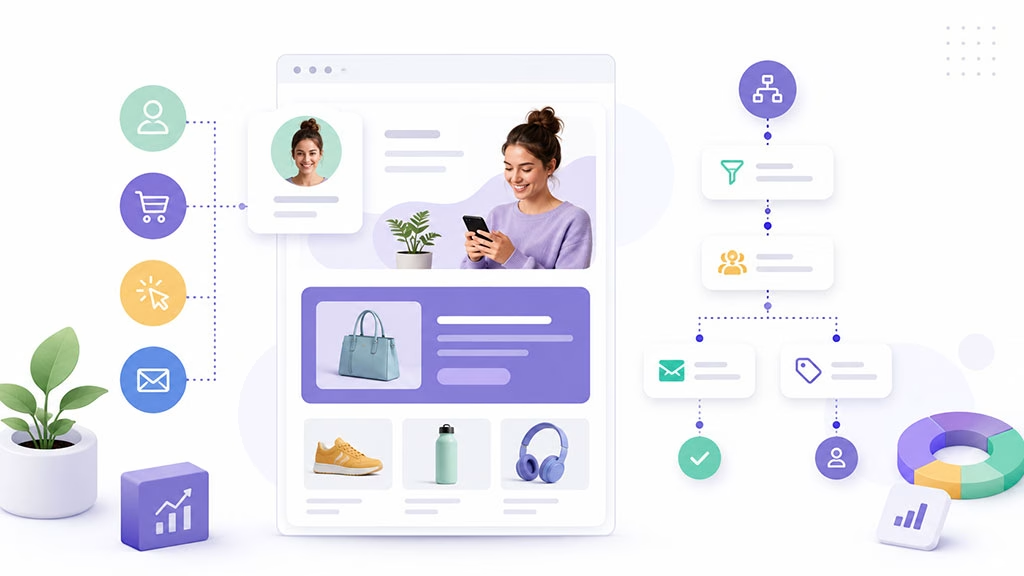
You’ve mastered the basics of personalization, addressing your subscribers by name and perhaps segmenting by simple demographics. But to truly maximize your campaign performance, you need to go deeper. SmartMails automation rules empower you to move beyond superficial personalization and deliver experiences that feel genuinely one-to-one, anticipating needs and catering to individual preferences.
Dynamic Content Blocks: Displaying What Matters Most
You understand that not all content is relevant to all subscribers. With dynamic content blocks, you can tailor sections of your email template based on specific rules. Imagine a single newsletter template where product recommendations change automatically based on a subscriber’s past purchases or browsing history.
Product Recommendations Based on Purchase History
You can automatically recommend complementary products to customers who have made specific purchases. If a customer bought a camera lens, your automated email could feature camera bags, tripods, or cleaning kits. This not only increases relevant engagement but also drives up average order value. You’re anticipating their needs before they even articulate them.
Geolocation-Specific Offers and Events
You operate in various regions or have local events. Use geolocation data to trigger offers relevant to a subscriber’s current location. If they’re near a physical store, send them an in-store coupon or announce a local event. This makes your brand feel integrated into their local community, fostering a stronger connection.
Content Tailored to Persona or Interest Group
You’ve likely segmented your audience into different buyer personas or interest groups. With dynamic content, you can use a single email template but populate specific content blocks with messaging, images, or calls-to-action (CTAs) that resonate with each group. For instance, a software company might show different use cases to a marketing manager versus a technical developer, even within the same product update email.
Conditional Logic: The “If This, Then That” of Email Marketing
You’re constantly making decisions about what to send and to whom. Conditional logic allows your SmartMails automation to do the same, creating highly responsive and intelligent pathways within your campaigns. It’s about building a web of interconnected rules that adapt in real-time to subscriber behavior.
Branching Based on Engagement Metrics
You can define rules that send different follow-up emails based on whether a subscriber opened an email or clicked a specific link. If they clicked a link about product X, send them more information about product X. If they didn’t open the initial email, send a re-engagement email with a different subject line or angle. This ensures your communication is always optimized for their level of interaction.
Personalizing Offers Based on Segmentation and Value
You have different value tiers for your customers or leads. Use conditional logic to present different offers. A high-value customer might receive a premium discount or exclusive access, while a new lead might receive a standard introductory offer. This maximizes both conversion rates and profitability, ensuring you’re not over-discounting to your most loyal customers.
Time-Based and Date-Specific Automations
You often have time-sensitive promotions or events. SmartMails automation can trigger messages based on specific dates or elapsed time. Send a birthday discount on their birthday, a reorder reminder 30 days after their last purchase, or a special offer leading up to a major holiday. This ensures your messages are not only personalized but also timely and relevant to their life cycle.
Measuring Success and Iterating: Optimizing Your Automated Campaigns

You’ve built sophisticated SmartMails automation rules, and your campaigns are running smoothly. But your work isn’t done. The beauty of automation lies not just in its efficiency but in its ability to generate vast amounts of data. This data is your goldmine, providing insights that allow you to continuously refine, optimize, and elevate your campaign performance. You can proactively identify what’s working, what’s not, and where opportunities for improvement lie.
Key Performance Indicators (KPIs) for Automated Success
You can’t optimize what you don’t measure. Establishing clear KPIs is paramount to understanding the efficacy of your SmartMails automation. These metrics will tell you if your automated sequences are hitting their mark and driving the desired business outcomes.
Open Rates and Click-Through Rates (CTR)
You’re likely already monitoring these. For automated campaigns, pay close attention to trends within specific sequences. Is the first email in your welcome series performing better than the third? Is a specific email in your re-engagement flow seeing a high CTR? These insights can guide subject line testing, content tweaks, and CTA optimization within individual automated emails. A low open rate on an abandoned cart email, for example, might indicate a need to experiment with urgency or value in the subject line.
Conversion Rates and Revenue Attribution
You ultimately want your emails to drive conversions, whether that’s a purchase, a download, a sign-up, or a demo request. SmartMails automation should be directly tied to these outcomes. Track how many subscribers complete your desired action after entering an automated sequence. You should also attribute revenue directly back to your automated campaigns. Which abandoned cart sequence generates the most revenue? Which lead nurturing flow leads to the highest percentage of sales? This data helps you justify the investment in automation and identify your most profitable sequences.
Unsubscribe Rates and Spam Complaints
You can’t ignore the negative signals. High unsubscribe rates or an increase in spam complaints within an automated series indicate a problem. Is the messaging too frequent? Is the content irrelevant? Are you segmenting incorrectly? These metrics serve as crucial early warnings that your automation might be annoying or overwhelming subscribers, rather than engaging them. You need to identify the offending email or sequence rapidly and make adjustments.
A/B Testing Your Automated Flows: Continuous Improvement
You’re a professional marketer, and you know that “set it and forget it” is a recipe for stagnation. SmartMails automation provides the perfect environment for continuous A/B testing, allowing you to systematically improve every element of your automated campaigns. You’re not just hoping for better results; you’re actively engineering them.
Subject Line and Preheader Text Optimization
You know that the subject line is the gatekeeper to engagement. A/B test different subject lines within your automated emails to see which ones generate the highest open rates. Experiment with emojis, personalization tokens, questions, scarcity, and benefit-driven statements. Don’t forget the preheader text, which acts as a powerful secondary headline, often visible right alongside the subject line in the inbox.
Call-to-Action (CTA) Variations and Placement
You want your subscribers to take action. A/B test different CTAs: their wording (e.g., “Shop Now” vs. “Explore Our Collection”), their design (button color, size), and their placement within the email. Is a CTA at the top of the email more effective than one at the bottom? Do different CTAs drive higher conversion rates for different segments? These small changes can have a significant impact on your overall performance.
Email Content and Offer Personalization
You’ve implemented dynamic content, but how do you know which version performs best? A/B test different dynamic content blocks. Does showing product A to segment X lead to more clicks than showing product B? Does offering a 10% discount convert better than free shipping in an abandoned cart sequence? You can also test different narratives, images, and video content to see what resonates most with your various segments.
In the realm of enhancing email marketing strategies, understanding the role of automation is crucial. A related article that delves into this topic is The Power of Webhooks in Modern Marketing, which explores how integrating webhooks can streamline your marketing efforts and improve responsiveness. By leveraging these tools alongside SmartMails Automation Rules, marketers can create more effective campaigns that resonate with their audience.
Future-Proofing Your Strategy: Evolving with SmartMails Automation
| Metrics | Results |
|---|---|
| Open Rate | 25% |
| Click-through Rate | 10% |
| Conversion Rate | 5% |
| Revenue Generated | 10,000 |
You’re at the forefront of marketing innovation, and you know that the digital landscape is constantly changing. SmartMails automation isn’t a static solution; it’s a dynamic platform that should evolve with your business and your customers’ expectations. You’re building a future-proof strategy that adapts to new technologies, deeper insights, and emerging customer behaviors.
Integrating with Your Tech Stack: A Unified Customer View
You’re likely using a suite of marketing and sales tools. The true power of SmartMails automation is unleashed when it seamlessly integrates with your Customer Relationship Management (CRM) system, e-commerce platform, and other marketing tools. This creates a unified customer view, allowing for even more sophisticated and personalized automation.
CRM Synchronization for Richer Customer Profiles
You want your email automation to be informed by every piece of customer data you collect. Synchronizing your SmartMails platform with your CRM allows you to pull in details like customer lifetime value, recent support tickets, past product preferences, or even sales rep interactions. This richer customer profile enables incredibly precise targeting and personalized messaging that feels deeply relevant to each individual. Imagine an email triggered after a positive support interaction, asking for a review, or an email to a high-value customer from their dedicated sales representative.
E-commerce Platform Integration for Behavioral Triggers
You’re running an e-commerce business, and every click, view, and purchase matters. Integrating with your e-commerce platform allows for real-time behavioral triggers: “viewed product,” “added to cart,” “browsed category,” “purchased complementary item.” These integrations empower you to create highly responsive upsell, cross-sell, and retargeting campaigns that drive immediate revenue. You can also automate post-purchase sequences that ask for reviews, offer support, or recommend related products.
Loyalty Programs and Customer Service Integration
You value your loyal customers and want to provide exceptional service. Integrating SmartMails with your loyalty program can automatically send tiered rewards, birthday bonuses, or exclusive early access to products. Linking with customer service platforms (e.g., Zendesk, Salesforce Service Cloud) allows you to trigger relevant follow-up emails after support inquiries, provide self-service resources, or even gather feedback on their service experience. This holistic approach ensures every customer touchpoint is optimized.
Leveraging AI and Machine Learning for Predictive Automation
You’re already using “smart” emails, but the future of automation lies in artificial intelligence and machine learning. These advanced technologies can take your SmartMails automation from being reactive to truly predictive, anticipating customer needs and behaviors before they even occur. This is where you gain a significant competitive edge.
Predictive Product Recommendations
You can move beyond simple “customers who bought this also bought this” recommendations. AI algorithms can analyze vast datasets of past purchases, browsing behavior, demographics, and even external trends to predict which products a specific customer is most likely to purchase next. Your SmartMails can then proactively feature these items, making your recommendations incredibly potent.
Optimal Send Time Optimization
You know when your audience generally opens emails. But what if you could pinpoint the exact optimal send time for each individual subscriber? Machine learning can analyze individual open and click patterns to determine the most effective time to send an email to each person on your list. This micro-optimization can significantly boost your overall engagement rates without additional content creation.
Churn Prediction and Proactive Re-engagement
You want to prevent customer churn before it happens. AI can analyze usage patterns, engagement metrics, and past churn indicators to identify customers who are at risk of leaving. Your SmartMails automation can then trigger a proactive re-engagement sequence for these customers, offering exclusive incentives, personalized surveys to understand their concerns, or re-highlighting the value of your product or service. This transforms your retention efforts from reactive damage control to proactive customer success.
You’ve embarked on a journey to transform your email marketing from a manual chore into a powerful, intelligent, and highly effective growth engine. By embracing SmartMails automation rules, you are not just sending emails; you are orchestrating personalized, dynamic conversations that adapt to every subscriber’s unique journey. From defining precise triggers and crafting intelligent flows to leveraging advanced personalization techniques and continuously optimizing based on robust analytics, you are mastering the art of automated engagement. As you integrate with your broader tech stack and embrace the power of AI, you are not just improving your campaigns; you are future-proofing your entire marketing strategy. The result? Higher engagement, soaring conversion rates, and a significant boost to your bottom line, all while reclaiming valuable time to focus on what you do best: innovating and growing your business.
FAQs
What is SmartMails Automation Rules?
SmartMails Automation Rules is a feature within the SmartMails platform that allows users to set up automated rules for their email marketing campaigns. These rules can be used to optimize campaign performance by triggering specific actions based on recipient behavior or other criteria.
How can SmartMails Automation Rules help with campaign optimization?
SmartMails Automation Rules can help with campaign optimization by allowing users to set up rules that automatically adjust campaign elements based on recipient behavior. For example, users can create rules to send follow-up emails to recipients who have not opened an initial email, or to remove recipients from a campaign if they have already made a purchase.
What are some examples of automation rules that can be set up with SmartMails?
Some examples of automation rules that can be set up with SmartMails include: sending a follow-up email to recipients who have not opened an initial email, removing recipients from a campaign if they have already made a purchase, adjusting the timing of emails based on recipient time zones, and sending targeted offers to recipients based on their past behavior.
How easy is it to set up automation rules in SmartMails?
Setting up automation rules in SmartMails is designed to be user-friendly and intuitive. Users can create rules using a simple interface and can easily test and adjust rules as needed. SmartMails also provides resources and support to help users get started with setting up automation rules.
What are the benefits of using SmartMails Automation Rules for campaign optimization?
The benefits of using SmartMails Automation Rules for campaign optimization include improved targeting and personalization, increased efficiency and time savings, and the ability to adapt campaigns in real-time based on recipient behavior. By automating certain aspects of campaign management, users can also free up time to focus on other strategic aspects of their marketing efforts.