


You’re intimately familiar with the daily deluge of emails, a constant hum of communication that powers your business and personal life. But have you ever paused to consider the intricate mechanisms working silently in the background to ensure those emails are legitimate and that your inbox isn’t overflowing with spam, phishing attempts, or malware? One of these vital, often overlooked, mechanisms is Reverse DNS, or rDNS. While it might sound technical, understanding its role is crucial for anyone involved in email administration, security, or even just as a regular email user. You’re about to delve into the fascinating world of reverse DNS and its indispensable contribution to robust email authentication.
You’ve probably encountered Domain Name System (DNS) many times, even if you don’t realize it. When you type a website address like “google.com” into your browser, DNS translates that human-readable name into a machine-readable IP address (like 172.217.160.142). This is called “forward DNS.” Reverse DNS, as the name suggests, does the opposite.
Forward vs. Reverse DNS: A Fundamental Distinction
Think of it like this: your phone book allows you to look up a person’s name and find their phone number (forward DNS). Reverse DNS is like a reverse phone book – you have a phone number, and you want to find out who it belongs to. In the digital realm, this means taking an IP address and resolving it back to a domain name.
How Reverse DNS Queries Work
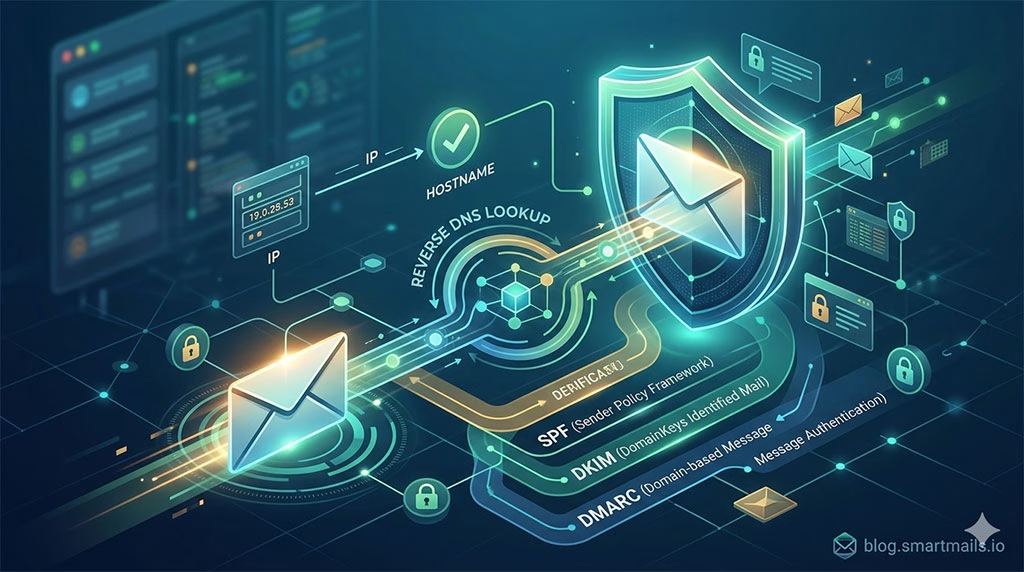
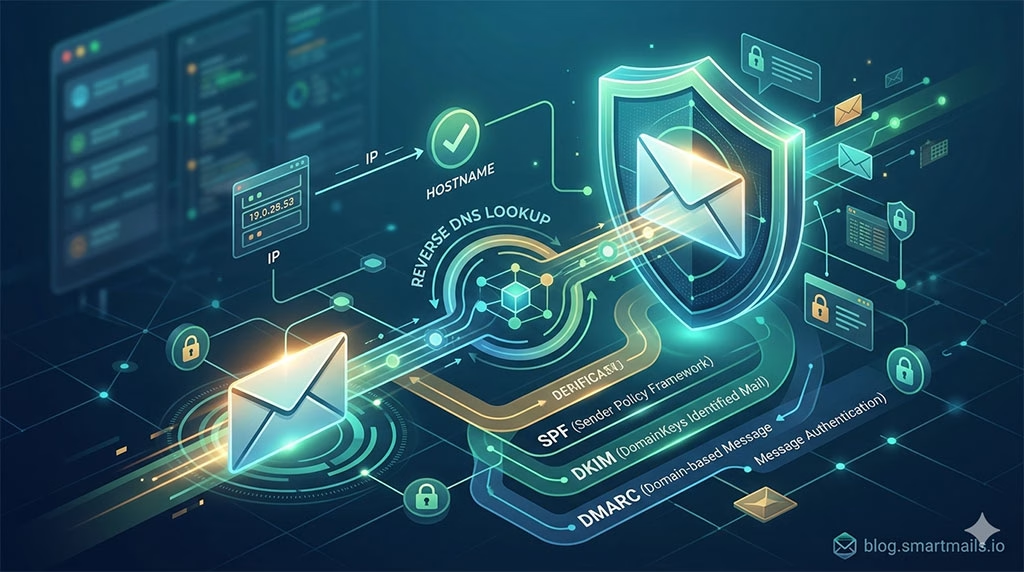
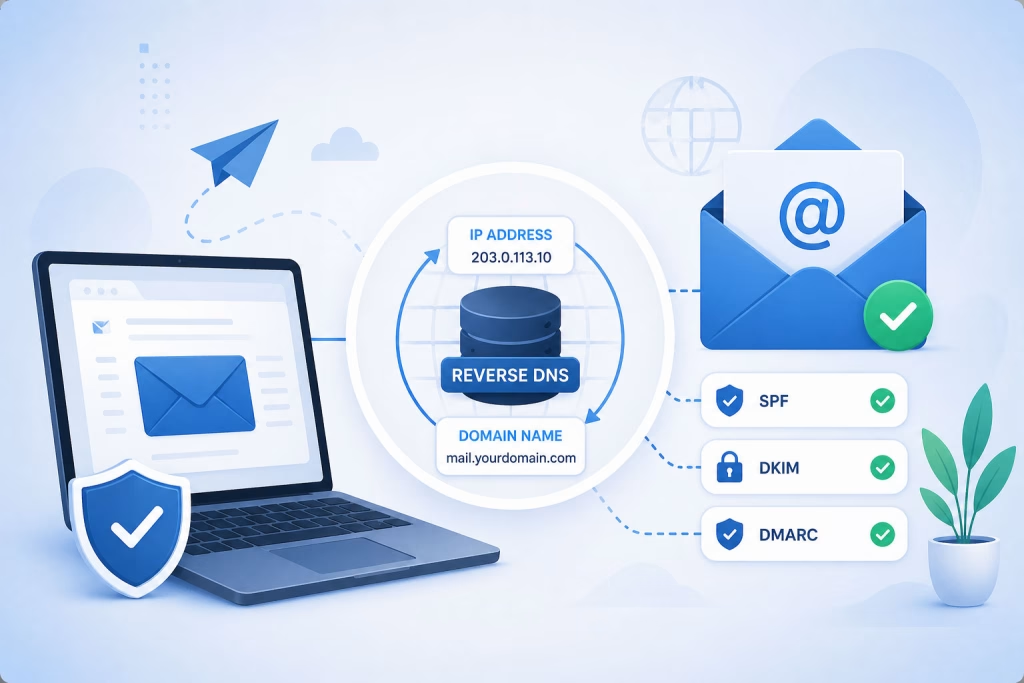
When an email server (let’s call it Server A) receives an email from another email server (Server B), Server A often performs a reverse DNS lookup on Server B’s IP address. Server A sends a query to the DNS system, asking, “Who owns this IP address?” The DNS system then searches its records and, if a corresponding PTR record exists, it returns the associated domain name. This seems simple, but its implications for email security are profound.
The PTR Record: The Heart of Reverse DNS
At the core of reverse DNS lies the Pointer Record (PTR record). This special type of DNS record maps an IP address to a hostname. Without a correctly configured PTR record, your email server’s IP address will fail reverse DNS lookups. For outgoing mail, this failure can have significant consequences for your email’s deliverability. For incoming mail, it acts as an early warning sign for potentially malicious senders.
Understanding the role of Reverse DNS in email authentication systems is crucial for ensuring the legitimacy of email communications. For further insights into optimizing email strategies, you can explore the article on crafting effective triggered emails, which discusses various aspects of email marketing and engagement. Check it out here: Crafting Effective Triggered Emails.
Why Reverse DNS is Crucial for Email Authentication
You might be thinking, “Why bother with this extra step? Isn’t the sender’s domain already listed in the ‘From’ address?” While that’s true, the ‘From’ address can be easily spoofed. Reverse DNS provides an independent, server-to-server verification mechanism that adds a critical layer of trust to the email ecosystem.
Preventing Email Spoofing and Phishing
One of the primary battlegrounds in email security is the fight against spoofing. Malicious actors frequently forge the ‘From’ address to impersonate legitimate organizations or individuals. By checking the reverse DNS, recipient mail servers can verify that the IP address sending the email corresponds to the domain name it claims to be from. If there’s a mismatch, it’s a big red flag.
Enhancing Sender Reputation
For legitimate senders, a properly configured reverse DNS is a badge of honor. It tells recipient mail servers that you are a legitimate entity, that your mail server is configured correctly, and that you are contributing to a more secure email environment. This, in turn, boosts your sender reputation, making it more likely that your emails will land in the inbox and not the spam folder.
Contributing to Anti-Spam Measures
Spammers often use compromised servers, botnets, or dynamically assigned IP addresses that lack proper reverse DNS records. Mail servers often reject or heavily score emails originating from IP addresses without valid reverse DNS. This isn’t a foolproof solution, but it’s a significant hurdle for large-scale spam campaigns. You’re effectively making it harder for the bad guys to blend in.
Providing Traceability and Accountability
When you receive an email, a successful reverse DNS lookup provides a clearer path back to the originating server. If problems arise (e.g., spam, malicious content), this traceability allows network administrators to identify and potentially block the source, improving accountability across the internet.
The Synergy: Reverse DNS and Other Email Authentication Protocols
You’ll rarely find a single security measure working in isolation. Email authentication is a multi-layered defense system, and reverse DNS plays a vital supporting role for other, more advanced protocols.
SPF (Sender Policy Framework) and Reverse DNS
SPF allows domain owners to publish a list of authorized mail servers that are permitted to send email on behalf of their domain. A recipient server checks if the sending server’s IP address is included in the SPF record. While SPF focuses on the sender’s domain name, reverse DNS can act as an initial filter. A server without a valid rDNS is often treated with suspicion even before an SPF check is performed, adding an extra layer of pre-screening.
DKIM (DomainKeys Identified Mail) and Reverse DNS
DKIM adds a digital signature to outgoing emails, allowing recipient servers to verify that the email hasn’t been altered in transit and that it genuinely originates from the domain it claims to be from. Like SPF, DKIM focuses on the domain itself. However, the absence of a valid reverse DNS can still undermine the overall trust placed in a DKIM-signed email, particularly if the DKIM validation fails as well. It’s about building a complete picture of legitimacy.
DMARC (Domain-based Message Authentication, Reporting & Conformance) and Reverse DNS
DMARC builds upon SPF and DKIM, providing instructions to recipient mail servers on how to handle messages that fail these authentication checks (e.g., quarantine, reject, or none). While DMARC policies are configured based on SPF and DKIM alignment, a missing or misconfigured reverse DNS can still negatively impact deliverability, even if SPF and DKIM pass. Why? Because many recipient mail servers use reverse DNS as a foundational trust indicator. If that foundation is shaky, the entire house of cards becomes suspect.
A Holistic View: Layered Security
You should view these protocols not as alternatives, but as complementary components. Reverse DNS provides an essential server-level identity check that complements the domain-level validation offered by SPF, DKIM, and DMARC. Together, they create a formidable barrier against email fraud and abuse, enhancing the overall trustworthiness of email communication.
Configuring and Managing Reverse DNS
Now that you understand why reverse DNS is so important, you might be wondering how it’s managed. For you, as an email administrator or even just a concerned email user, knowing the basics of configuration is empowering.
Who Controls Reverse DNS Records?
Unlike forward DNS records, which you usually manage through your domain registrar or DNS hosting provider, reverse DNS records are typically controlled by the owner of the IP address block. This is usually your Internet Service Provider (ISP), hosting provider, or cloud provider (e.g., AWS, Google Cloud, Azure). You don’t manage PTR records for your personal email client; this is for mail servers.
The Process of Setting Up a PTR Record
- Identify Your IP Address: You need to know the public IP address(es) that your mail server(s) use to send outgoing email.
- Contact Your Provider: Reach out to your ISP or hosting provider and request that they create a PTR record for your IP address, mapping it to your mail server’s fully qualified domain name (FQDN). For example, if your mail server’s IP is
192.0.2.1and its hostname ismail.yourdomain.com, you’d request a PTR record that resolves192.0.2.1tomail.yourdomain.com. - Ensure Consistency: The hostname specified in the PTR record should match the hostname your mail server uses to identify itself during the SMTP handover (the HELO/EHLO command). Inconsistencies here can also lead to deliverability issues.
Common Pitfalls and Troubleshooting
You’ll inevitably encounter challenges. Here are some common issues and how to approach them:
- Missing PTR Record: This is the most common problem. Many ISPs don’t automatically set up PTR records for their customers. You must request it.
- Mismatched PTR Record: The IP address resolves to a hostname (e.g.,
generic-server.isp.com) that doesn’t match your actual mail server’s domain. This can still trigger spam filters. - Stale PTR Record: If you change your mail server’s IP address or hostname, you need to update the PTR record accordingly.
- Generic PTR Records: Some providers assign generic PTR records (e.g.,
dynamic-ip-123-45-67-89.cable.isp.com). While technically a PTR record exists, it often carries less weight than a custom one and can still negatively impact sender reputation. Always aim for a custom, descriptive PTR record.
Tools for Checking Reverse DNS
| Role of Reverse DNS in Email Authentication Systems |
|---|
| 1. Reverse DNS (rDNS) helps in verifying the domain of the sender’s email server. |
| 2. It adds an extra layer of authentication to prevent email spoofing and phishing attacks. |
| 3. Email authentication systems like SPF and DKIM often require a valid rDNS entry for the sender’s domain. |
| 4. Properly configured rDNS can improve email deliverability and reduce the chances of emails being marked as spam. |
| 5. It helps in building trust between email servers and reduces the risk of false positives in spam filters. |
You don’t have to guess if your reverse DNS is configured correctly. Several online tools can help:
dig -x(Linux/macOS command line): This command directly queries DNS for the PTR record of an IP address.nslookup(Windows command line): Similar todig, this resolves the IP to its hostname.- Online Reverse DNS Lookup Tools: Websites like MXToolbox, WhatIsMyIP, and DNS Checker offer user-friendly interfaces for performing reverse DNS lookups. You simply enter your IP address, and they’ll show you the resolved hostname.
By regularly checking your reverse DNS, you can proactively identify and fix configuration issues before they impact your email deliverability.
Understanding the role of reverse DNS in email authentication systems is crucial for enhancing email deliverability and protecting against phishing attacks. For those interested in optimizing their email marketing strategies, a related article discusses how split testing can maximize ROI and streamline your efforts. You can read more about this effective approach to improving your campaigns by visiting this insightful article.
The Future of Reverse DNS in Email Security
You might think that as new and more sophisticated email authentication methods emerge, reverse DNS might become obsolete. However, its fundamental role as an initial server-to-server identity check ensures its continued relevance.
Enduring Relevance in a Dynamic Threat Landscape
While protocols like DMARC offer robust domain-level authentication, reverse DNS provides an underlying layer of trust at the network level. It’s like checking the driver’s license and the vehicle registration. Both are important for verifying identity and legitimacy. Attackers are constantly evolving their tactics, and email authentication systems must adapt. Reverse DNS remains a simple yet effective barrier against many common attack vectors.
The Role in IoT and Smart Devices
As more and more devices become IP-connected and capable of sending emails (e.g., security cameras, industrial sensors, smart home systems), ensuring they have proper reverse DNS becomes increasingly important. This helps prevent these devices from being easily compromised and turned into spam-sending bots.
Challenges and Adaptations
One ongoing challenge is the increasing use of dynamic IP addresses, especially in residential and mobile networks. These IPs often have generic or frequently changing reverse DNS records, making them less reliable for authentication. Mail services recognize this and apply additional scrutiny to emails originating from such networks.
Another adaptation is the move towards IPv6. While the principles of reverse DNS remain the same, managing PTR records for the vast number of IPv6 addresses presents a different scale of administrative challenge. However, the need for IP-to-hostname mapping for authentication purposes is just as strong for IPv6 as it is for IPv4.
Conclusion: Your Indispensable Ally
You now understand that reverse DNS isn’t just a technical detail; it’s an indispensable component of email authentication and a critical factor in ensuring your emails reach their intended recipients. By performing server-level identity verification, it helps combat spam, phishing, and spoofing, while simultaneously bolstering your sender reputation.
As an email administrator, configuring and maintaining correct PTR records should be a top priority. As a user, you benefit daily from the silent watch of reverse DNS working in conjunction with SPF, DKIM, and DMARC to protect your inbox. So, the next time you send an important email or check your spam folder, remember the invisible work of reverse DNS – a quiet guardian in the complex world of email communication, tirelessly verifying the identity behind the IP. Your secure email experience depends on it.
FAQs
What is Reverse DNS?
Reverse DNS (Domain Name System) is a process that maps IP addresses to domain names. It allows you to look up the domain name associated with a given IP address.
How does Reverse DNS relate to Email Authentication Systems?
Reverse DNS is used in email authentication systems to verify the identity of the sender’s domain. It helps to prevent email spoofing and phishing attacks by ensuring that the sender’s domain matches the IP address from which the email is sent.
What role does Reverse DNS play in preventing email fraud?
Reverse DNS helps prevent email fraud by allowing email servers to verify that the domain in the sender’s email address matches the domain associated with the IP address from which the email is sent. This helps to ensure the authenticity of the sender’s domain and reduces the risk of email fraud.
How does Reverse DNS impact email deliverability?
Reverse DNS can impact email deliverability because some email servers use reverse DNS lookups as part of their spam filtering process. If a sender’s domain does not have a valid reverse DNS record, it may be flagged as suspicious and the email may be rejected or marked as spam.
What are the best practices for implementing Reverse DNS in email authentication systems?
Best practices for implementing Reverse DNS in email authentication systems include ensuring that your domain has a valid reverse DNS record, using consistent naming conventions for your domain and IP addresses, and regularly monitoring and maintaining your reverse DNS records to ensure they are accurate and up to date.