



I’ve been wrestling with our email system lately. As the architect responsible for keeping our communication infrastructure humming, I’ve seen our user base grow, our email volume swell, and with it, the gnawing anxiety that our current setup might not withstand the strain. The truth is, while we’ve been busy innovating and expanding our core services, the humble email server, the lifeblood of our daily operations, has been teetering on the edge of overload. I’ve come to realize that simply adding more hardware isn’t the answer. We need a strategic, scalable approach to load balancing, a way to distribute the incoming deluge of emails so that no single component buckles. This article is my exploration of that journey, outlining the principles and practices I’m implementing to optimize our email system for the future, ensuring it remains robust and responsive no matter how much demand is placed upon it.
The first step in any optimization effort is to identify the pain points. I’ve spent countless hours poring over logs, monitoring network traffic, and observing system performance to pinpoint where our email system falters under pressure. It’s not a single monolithic entity, but rather a complex interplay of many moving parts, and any one of them can become a bottleneck.
The Inevitable Rise of the Inbox: Volume and Velocity
The most obvious culprit is sheer volume. Every day, thousands, then tens of thousands, then hundreds of thousands of emails flood our servers. This isn’t just about the size of individual messages; it’s about the sheer velocity at which they arrive. Incoming mail servers, outbound mail agents, spam filters, archiving processes – each of these components has to process every single message. When the volume spikes, especially during peak business hours or in response to major events, these processes can become saturated.
Decoding the Data: Identifying Peaks and Troughs
The initial challenge was to accurately measure this volume. I implemented granular logging across all our mail servers, not just for errors, but for successful message deliveries, failed attempts, and processing times. This allowed me to build a detailed profile of our email traffic. I learned about the predictable daily peaks, the quieter periods, and surprisingly, the sporadic, unpredicted surges. Understanding these patterns is crucial for anticipating and mitigating future issues.
The Spam Avalanche: A Constant Strain
Spam is another significant contributor to load. While our spam filters are generally effective, they themselves consume resources. The constant scanning, analysis, and quarantining of millions of unwanted messages put a perpetual strain on our processing power, especially when a large-scale spam campaign hits. The trick is to find a balance between aggressive filtering and efficient resource utilization.
The Interconnectivity Conundrum: Network Latency and Bandwidth
Beyond the mail servers themselves, the network infrastructure plays a critical role. Latency between servers, insufficient bandwidth, and inefficient routing can all contribute to delays and, ultimately, to the perception of an overloaded system. If an email takes too long to travel from one point to another, it can cause queues to back up and lead to timeouts.
The Silent Killer: Unseen Network Congestion
I’ve always believed in a visible problem, a server that’s pegged at 100% CPU. But I’ve learned that network congestion can be a silent killer. It’s often harder to detect because it doesn’t manifest as a single high-resource process. Instead, it’s a general sluggishness, a dropped packet here and there, a delay in DNS lookups. Diagnosing these issues requires a different set of tools and a keen eye for subtle anomalies.
Bandwidth Bottlenecks: The Arteries of Communication
Our bandwidth is like the arteries of our email system. If those arteries become too narrow, blood flow slows down, and essential functions are compromised. I’ve had to analyze our current bandwidth usage, forecast future needs based on growth projections, and ensure we have sufficient capacity to handle not just current traffic, but anticipated increases. This includes not only internet bandwidth but also internal network capacity between our data centers.
The Human Element: User Behavior and Application Interactions
It’s easy to focus solely on the technical aspects, but user behavior and the applications that interact with our email system also contribute significantly to the load. Large attachments, excessive forwarding, automated mailing lists, and poorly optimized client applications can all put undue stress on the servers.
The Attachment Dilemma: Large Files and Their Impact
Large attachments are a recurring headache. While convenient, they consume significant disk space and bandwidth. Moreover, scanning for malware and viruses on these large files is a computationally intensive task. I’ve been promoting policies around file sharing and looking into dedicated file transfer solutions for very large documents.
Automated Processes: The Unseen Workhorses
Automated processes, such as email marketing campaigns, system alerts, and integration scripts, can also generate significant email traffic. If not properly managed and throttled, these can overwhelm our servers, especially when combined with other traffic. I’ve been working with the development teams to ensure these processes are designed with scalability in mind, using staggered sends and rate limiting.
For those interested in exploring more about optimizing email systems, a related article that delves into the intricacies of enhancing email performance can be found at Smart Mails Blog. This resource provides valuable insights into various strategies and best practices that can complement the techniques discussed in Email System Load Balancing Techniques for Scalability, ensuring that your email infrastructure remains robust and efficient under varying loads.
Embracing Load Balancing: The Core Strategy for Scalability
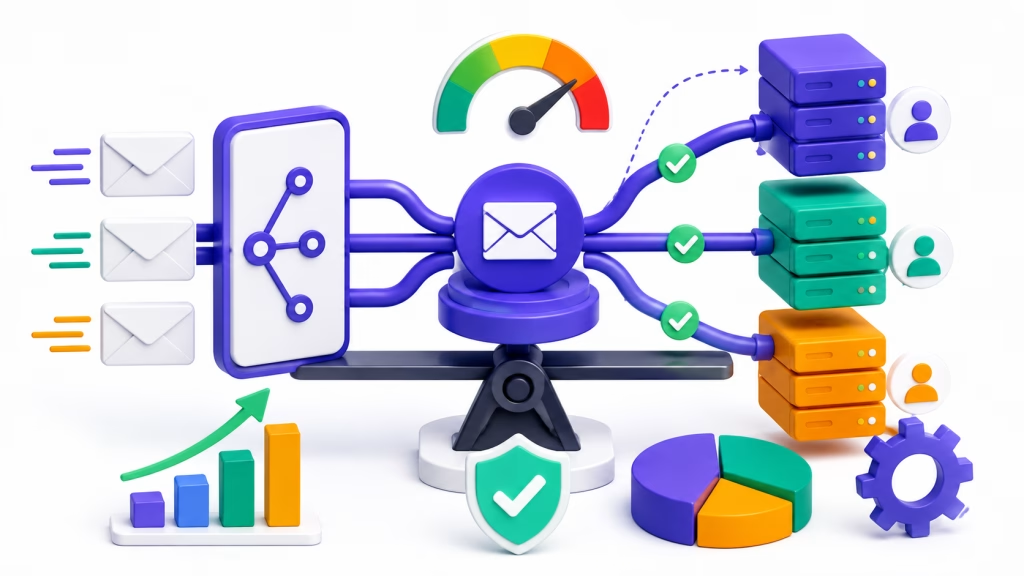
Once I had a clear understanding of the bottlenecks, the natural next step was to implement a robust load balancing strategy. Load balancing, in essence, is the art of distributing incoming network traffic across a group of backend servers. For our email system, this means ensuring that no single mail server is overwhelmed by requests, thereby improving performance, availability, and reliability.
The Foundation: Layered Load Balancing Approach
I’ve adopted a layered approach to load balancing because an email system isn’t a single service. It involves multiple distinct functions – receiving mail (MX records), routing mail (SMTP gateways), delivering mail to users (IMAP/POP servers), and filtering spam. Each layer requires its own load balancing strategy.
Incoming Mail (MX Record) Load Balancing: The First Gatekeepers
The first line of defense is distributing incoming mail. This is typically handled at the DNS level through MX (Mail Exchanger) records. By having multiple MX records with different priority values, we can direct incoming mail to different mail servers. However, simply setting multiple MX records isn’t enough. We need intelligent systems that can truly distribute the load.
Round Robin vs. Intelligent Load Distribution
While a simple round-robin DNS setup can distribute mail across servers, it doesn’t account for server health or current load. If one server is overloaded or down, it will still receive traffic, leading to delays or failures. I’ve moved towards using external load balancers that can perform health checks and dynamically direct traffic only to healthy and available servers.
SMTP Gateway Load Balancing: The Delivery Hubs
Once mail arrives, it needs to be processed by SMTP gateways, which handle routing and delivery. These gateways are often the prime candidates for load balancing as they handle a massive volume of inter-server communication.
Hardware vs. Software Load Balancers
The choice between hardware and software load balancers is a significant one. Hardware load balancers are typically more performant and offer dedicated features, but they are also more expensive. Software load balancers, on the other hand, are more flexible and cost-effective, running on standard servers. For our growing needs, I’ve opted for a combination, using dedicated hardware for the most critical public-facing entry points and software solutions for internal service distribution.
IMAP/POP Server Load Balancing: The User Access Points
Finally, delivering mail to end-users via IMAP or POP protocols also requires load balancing. This ensures that when users connect to check their email, they are directed to the least-loaded server, providing a smooth and responsive experience.
Session Persistence: The User Experience Imperative
A critical consideration for IMAP/POP load balancing is session persistence. When a user logs in, their session should ideally be maintained with the same server for its duration. If a user is disconnected and reconnected to a different server mid-session, it can cause a broken experience and force re-authentication. My load balancing configurations must account for this to ensure seamless user interaction.
High Availability and Failover: Ensuring Continuous Operation
Load balancing isn’t just about distributing traffic; it’s intrinsically linked to high availability. If one server fails, the load balancing mechanism should automatically redirect traffic to the remaining healthy servers, preventing any downtime.
Active-Passive vs. Active-Active Configurations
I’ve implemented both active-passive and active-active configurations. Active-passive setups have a primary server and a secondary that takes over only if the primary fails. Active-active configurations have all servers actively participating in handling traffic, offering better resource utilization and immediate failover. For critical email services, active-active is generally preferred.
Health Checks: The Sentinels of System Health
Robust health checks are fundamental to effective load balancing and failover. The load balancer continuously monitors the health of the backend servers. If a server becomes unresponsive, it’s immediately removed from the pool of available servers. This proactive approach prevents users from being directed to a failing server.
The Role of Load Balancers: Beyond Simple Traffic Distribution
Modern load balancers offer much more than just distributing traffic. They are sophisticated devices that can perform a multitude of functions that significantly enhance our email system’s performance and security.
SSL Termination: Reducing Server Overhead
Offloading SSL/TLS encryption and decryption from the mail servers to the load balancer significantly reduces the CPU overhead on those servers. This allows them to focus more on their primary task of handling email, thereby improving overall performance. I’ve found this to be a particularly impactful optimization.
Content Inspection and Filtering: A Deeper Layer of Security
Some advanced load balancers can perform content inspection, allowing for the implementation of more sophisticated filtering rules. This can include identifying and blocking malicious content or enforcing compliance policies before the email even reaches the mail servers.
Rate Limiting and Throttling: Protecting Against Abuse
To protect against denial-of-service attacks or simply to prevent accidental overload from misconfigured clients, rate limiting and throttling are essential. Load balancers can be configured to limit the number of connections or requests from a specific IP address or client, ensuring fair usage and system stability.
Implementing Advanced Load Balancing Techniques: Beyond the Basics
Once the foundational load balancing strategies are in place, it’s time to explore more advanced techniques to further optimize performance and scalability. These techniques often involve smarter algorithms and deeper integration with the underlying infrastructure.
Sticky Sessions (Session Affinity): The User’s Comfort Zone
As I mentioned earlier, for certain email protocols like IMAP and POP, maintaining a user’s session with a specific server is paramount for a smooth experience. This is achieved through “sticky sessions” or “session affinity.” The load balancer ensures that all requests from a particular user session are directed to the same backend server.
The Challenge of State: Maintaining User Context
The challenge with sticky sessions lies in managing state. If a backend server goes offline, the user’s session data associated with that server is lost, leading to disconnections and potential data corruption if not handled carefully. My goal is to implement sticky sessions without compromising rapid failover and resilience.
Choosing the Right Persistence Method
There are several methods for implementing session persistence, including using cookies, source IP addresses, or specific session IDs. The best method depends on the underlying application architecture and the communication protocols being used. For email, often session IDs provided by the authentication layer are the most reliable.
Global Server Load Balancing (GSLB): Spanning Geographies
For organizations with multiple data centers or geographically dispersed users, Global Server Load Balancing (GSLB) becomes essential. GSLB distributes traffic not just across servers within a single data center, but across multiple data centers.
Disaster Recovery and Business Continuity
GSLB is a cornerstone of disaster recovery and business continuity planning. If an entire data center becomes unavailable, GSLB can automatically redirect traffic to a healthy data center in another location, ensuring minimal disruption to email services for users globally.
DNS-Based GSLB vs. IP-Based GSLB
There are two primary approaches to GSLB: DNS-based and IP-based. DNS-based GSLB relies on dynamic DNS updates to direct users to the closest or best-performing data center. IP-based GSLB uses specialized network appliances to make these routing decisions. I’m leaning towards a hybrid approach to leverage the strengths of both.
Optimizing for Latency and Performance
Beyond just failover, GSLB can also be used to optimize for latency. By directing users to the geographically closest data center, GSLB can significantly reduce the time it takes for emails to be delivered and accessed, improving the overall user experience.
Content-Aware Load Balancing: Smarter Traffic Management
The most sophisticated load balancing techniques involve becoming “content-aware.” This means the load balancer understands the content of the traffic it’s handling and can make routing decisions based on that information.
Rule-Based Routing: Directing Traffic Natively
For an email system, this could mean routing specific types of traffic to specialized servers. For example, emails with large attachments might be routed to servers optimized for handling large files, while high-priority internal emails could be routed to a dedicated cluster of servers.
Leveraging Mail Server Features for Smarter Routing
Many modern mail server software packages offer advanced features that can be leveraged by content-aware load balancers. This might include identifying specific message headers, sender addresses, or even keywords within the email body to influence routing decisions.
Bot Detection and Mitigation: A Proactive Defense
Content-aware load balancing can also play a role in bot detection and mitigation. By analyzing traffic patterns and request characteristics, the load balancer can identify and block automated bots that might be attempting to overload the system or launch attacks, further enhancing security and stability.
Monitoring and Performance Tuning: The Continuous Journey of Optimization

Implementing load balancing is not a one-time fix. It’s an ongoing process of monitoring, analysis, and tuning to ensure that the system remains optimized as traffic patterns and system demands evolve.
Establishing Comprehensive Monitoring Metrics
Without proper monitoring, load balancing can quickly become ineffective. I’ve established a comprehensive set of monitoring metrics that provide real-time insights into the health and performance of our entire email infrastructure.
Key Performance Indicators (KPIs): What to Track
This includes metrics such as:
- Server Load: CPU utilization, memory usage, disk I/O for individual mail servers and load balancers.
- Network Throughput: Bandwidth utilization for incoming and outgoing traffic, latency between servers.
- Queue Sizes: The number of messages waiting in various queues (e.g., mail spooldirectory, spam quarantine).
- Delivery Latency: The time it takes for an email to be delivered from sender to recipient.
- Error Rates: The percentage of failed deliveries, connection errors, and authentication failures.
- Connection Counts: The number of active user connections to IMAP/POP servers.
Real-time Dashboards and Alerting
I’ve implemented real-time dashboards that provide an at-a-glance view of these KPIs. Crucially, I’ve also set up intelligent alerting systems that notify me and the team immediately when any metric exceeds predefined thresholds, allowing for proactive intervention.
Proactive Problem Detection: Catching Issues Before They Impact Users
The goal of monitoring isn’t just to react to problems, but to proactively detect them. By analyzing trends in the data, I can often identify potential issues before they become critical and impact users.
Trend Analysis: Spotting the Subtle Shifts
I spend time analyzing trends in our monitoring data. A gradual increase in queue sizes, a slight rise in delivery latency, or a minor increase in error rates might not trigger an immediate alert, but they can be early indicators of an impending problem. Addressing these subtle shifts early can prevent major outages.
Performance Baselines: Understanding Normal Behavior
Establishing performance baselines is critical. This involves understanding what “normal” behavior looks like for our email system during different times of the day, week, and year. Deviations from these baselines immediately draw attention.
Performance Tuning: Iterative Refinements for Peak Efficiency
The data gathered from monitoring informs our performance tuning efforts. This is an iterative process of making small, incremental changes and observing their impact.
Algorithm Selection: The Art of the Optimal Choice
The choice of load balancing algorithm (e.g., Round Robin, Least Connections, Weighted Least Connections, IP Hash) can have a significant impact on performance. I continuously experiment with different algorithms and monitor their effectiveness under varying load conditions to find the optimal choice for each layer of our email system.
Configuration Adjustments: Fine-Tuning the System
This also involves fine-tuning the configuration of the load balancers themselves. This might include adjusting health check intervals, connection timeout settings, or the number of backend servers registered in a pool.
Capacity Planning: Future-Proofing our Infrastructure
Finally, the insights gained from monitoring and performance tuning are invaluable for capacity planning. By understanding our current performance limits and projecting future growth, I can make informed decisions about when and where to scale our infrastructure, ensuring our email system remains robust and capable for years to come. This isn’t just about adding more servers; it’s about intelligently scaling our resources in alignment with our load balancing strategy.
In the realm of optimizing email systems, understanding load balancing techniques for scalability is crucial for maintaining performance and reliability. A related article that delves into enhancing digital marketing strategies is available at Maximizing Conversions with Retargeting Pixels, which explores how effective targeting can complement the efficiency of email communications. By integrating these strategies, businesses can ensure that their email systems not only handle increased traffic but also engage users more effectively.
Automation and Orchestration: Streamlining Management and Response
| Technique | Description |
|---|---|
| Round Robin | Distributes email traffic evenly across multiple servers in a rotating manner. |
| Weighted Round Robin | Allows assigning different weights to servers based on their capacity to handle email traffic. |
| Least Connections | Routes new email requests to the server with the fewest active connections to balance the load. |
| IP Hash | Uses the client’s IP address to consistently route email traffic to the same server, ensuring session persistence. |
As our email system grows in complexity and scale, manual management becomes increasingly challenging and error-prone. Automation and orchestration are the keys to streamlining operations, improving efficiency, and enabling rapid, consistent responses to changes and incidents.
Automating Load Balancer Deployments and Configurations
The initial setup and ongoing management of load balancers can be time-consuming. I’ve been investing in automating these processes to ensure consistency and reduce the risk of human error.
Infrastructure as Code (IaC): Defining Our Infrastructure Programmatically
Using Infrastructure as Code (IaC) tools like Terraform or Ansible allows me to define our load balancer configurations and deployments in code. This means that a specific setup can be replicated consistently across different environments, and any changes can be version-controlled and easily rolled back if necessary.
Template-Based Configurations for Consistency
I’ve developed templates for common load balancer configurations, such as those for SMTP gateways or IMAP/POP servers. These templates ensure that all load balancers deployed for similar purposes adhere to defined standards, simplifying management and troubleshooting.
Scripting for Routine Tasks: Reducing Manual Effort
Beyond full IaC, I’ve developed scripts to automate routine tasks such as adding or removing backend servers from load balancer pools, updating DNS records, and performing scheduled health checks. This frees up valuable time and reduces the potential for human error in repetitive operations.
Orchestrating Failover and Recovery Processes
In the event of a server failure or an unexpected outage, automated orchestration of failover and recovery processes is crucial for minimizing downtime.
Definable Playbooks for Incident Response
I’m developing “playbooks” – automated sequences of actions – that our systems can execute when specific incidents are detected. For example, if a mail server becomes unresponsive, the playbook might automatically:
- Remove the server from the load balancer pool.
- Attempt to restart the server.
- If the restart fails, trigger an alert to the operations team with detailed diagnostics.
Integrating with Monitoring and Alerting Systems
These playbooks are tightly integrated with our monitoring and alerting systems. When an alert is triggered, it can automatically initiate the relevant playbook, ensuring a rapid and standardized response.
Automated Scaling: Adjusting Resources on Demand
The ultimate goal of automation is to enable dynamic scaling. When traffic spikes, the system should be able to automatically provision additional resources (e.g., spin up new mail server instances) and integrate them into the load balancing pools. Conversely, during periods of low traffic, resources can be scaled down to optimize costs.
Cloud-Native Orchestration Tools
Leveraging cloud-native orchestration tools for services like Kubernetes or AWS Elastic Beanstalk allows for sophisticated automated scaling of our email infrastructure, ensuring that we always have the right amount of resources available to meet demand.
Simplifying Ongoing Maintenance and Management
Automation and orchestration don’t just improve reactive responses; they also simplify ongoing maintenance and management tasks, leading to a more stable and efficient system.
Automated Patching and Updates
Automated systems can schedule and execute software patching and updates for our mail servers and load balancers, ensuring that they are always running the latest, most secure versions without requiring significant manual intervention.
Reduced Downtime for Maintenance
By carefully scheduling and orchestrating these updates during periods of low traffic, we can further minimize any potential downtime associated with routine maintenance.
Centralized Management and Visibility
Orchestration platforms provide a centralized point of management and visibility for our entire email infrastructure. This means I can monitor the health and performance of all components, manage configurations, and deploy changes from a single interface, significantly improving operational efficiency. This holistic view is essential for understanding the overall health of our email system and making informed decisions about future optimizations.
FAQs
What is email system load balancing?
Email system load balancing is the process of distributing incoming email traffic across multiple servers to ensure optimal performance and prevent any single server from becoming overwhelmed.
Why is email system load balancing important for scalability?
Email system load balancing is important for scalability because it allows an organization to handle increasing email traffic without experiencing performance degradation or downtime. By distributing the load across multiple servers, the system can easily scale to accommodate growing email volumes.
What are some common email system load balancing techniques?
Common email system load balancing techniques include round-robin DNS, hardware load balancers, and software-based load balancing solutions. These techniques help evenly distribute incoming email traffic across multiple servers to ensure optimal performance and reliability.
How does round-robin DNS work for email system load balancing?
Round-robin DNS is a simple load balancing technique that involves rotating the order of IP addresses associated with a domain name in the DNS records. When a client requests the IP address for the domain, the DNS server returns the IP addresses in a different order each time, distributing the traffic across multiple servers.
What are the benefits of implementing email system load balancing techniques?
Implementing email system load balancing techniques can improve performance, reliability, and scalability of the email infrastructure. It can also help prevent downtime and ensure a seamless experience for users, even during periods of high email traffic.