


Streamlining Client Onboarding and Welcome Sequences
As an agency, the initial interactions with a new client set the tone for the entire partnership. A smooth, professional, and informative onboarding process can significantly reduce client anxiety, build trust, and ensure they feel valued from day one. Email automation becomes your invaluable ally in achieving this, allowing you to deliver a consistent, high-quality experience without requiring constant manual intervention from your team. You’re not just sending emails; you’re orchestrating a welcoming symphony that guides your new client through essential information and next steps.
Automating the Initial Welcome and Contract Signing
Immediately after a client agrees to work with you, a series of automated emails can kick off the process. The first email should be a warm welcome, expressing your excitement to collaborate. This isn’t just a formality; it reinforces their decision and starts the relationship on a positive note. Following this, you can automate the delivery of critical documents. Instead of manually attaching and sending contracts, service agreements, or NDAs, your automation platform can seamlessly send these with pre-filled details, reducing the risk of errors and expediting the signing process. Many platforms integrate with e-signature services, allowing clients to sign electronically directly from their inbox, which drastically cuts down on back-and-forth communication.
Delivering Essential Information and Resource Guides
Once the initial paperwork is handled, your new client will undoubtedly have questions about your processes, communication channels, and what to expect in the coming weeks. Anticipate these questions and address them proactively through automated email sequences. You can create a series of emails that introduce different aspects of your agency’s operations. This might include an email outlining your preferred communication methods (e.g., project management software, Slack channels), another detailing your billing cycle, and a third providing a link to a comprehensive client resource guide or FAQ section on your website. This approach empowers clients with information at their fingertips, reducing the number of repetitive queries your team has to answer. You’re essentially building a self-service knowledge base delivered directly to their inbox, saving both you and your client valuable time.
Setting Expectations and Project Kick-off Preparations
A crucial element of successful client relationships is managing expectations. Automated emails can play a vital role here by clearly outlining the next steps in their project journey. You can schedule emails that explain your project methodology, introduce key team members who will be working on their account, and provide a timeline for the initial stages of the project. For example, an email could go out a few days before their kick-off meeting, reminding them of the appointment, detailing the agenda, and listing any information they need to prepare beforehand (e.g., brand guidelines, target audience data). This proactive communication demonstrates professionalism and ensures everyone is on the same page, leading to more productive kick-off meetings and a smoother start to the actual campaign work.
In addition to exploring how agencies can leverage email automation to effectively manage client campaigns, it’s also beneficial to understand the role of advanced personalization in email marketing. A related article titled “Mastering Advanced Personalization with Spintags: Stop Sounding Like a Robot” provides valuable insights into how agencies can enhance their email content to create a more personalized experience for recipients. You can read the article [here](https://blog.smartmails.io/2025/11/18/mastering-advanced-personalization-with-spintags-stop-sounding-like-a-robot/).
Optimizing Campaign Performance and Reporting
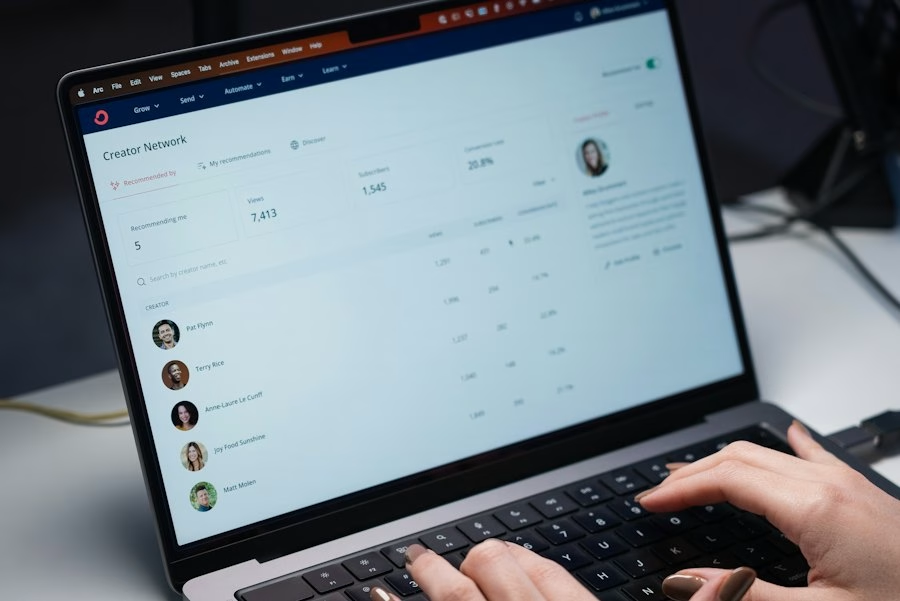
Once campaigns are live, the focus shifts to performance. Your clients expect to be kept informed about the progress and results of their investment. Manual reporting can be incredibly time-consuming and prone to human error, especially when managing multiple clients. Email automation transforms this process, enabling you to deliver timely, accurate, and insightful reports without dedicating countless hours to their creation and distribution. This allows your team to focus on strategic adjustments and campaign optimization rather than administrative tasks.
Automated Performance Summaries and Insights
Imagine a scenario where every client receives a personalized performance summary at the beginning of each week or month, without a single team member manually compiling data. With email automation, this becomes a reality. You can integrate your email platform with your campaign management tools (e.g., Google Analytics, advertising platforms, social media dashboards) to pull key metrics automatically. These metrics can then be dynamically inserted into pre-designed email templates. The emails aren’t just raw data dumps; they can include brief, digestible insights, highlighting positive trends, areas for improvement, and upcoming strategic initiatives. For example, an email might state, “Your website traffic increased by 15% last week, largely due to the success of our recent social media campaign. We’re now focusing on optimizing conversion rates on key landing pages.” This keeps clients informed and demonstrates your proactive approach.
Triggered Alerts for Key Milestones or Anomalies
Beyond regular reporting, certain events warrant immediate attention. Email automation can be configured to send triggered alerts to clients when specific milestones are reached or, more importantly, when anomalies occur. For instance, if a campaign’s cost-per-click suddenly spikes beyond a predefined threshold, or if website conversions drop significantly, an automated email can be dispatched to the client, informing them of the situation and outlining the immediate steps your team is taking to address it. Conversely, if a campaign achieves a particularly impressive result – perhaps reaching a conversion target ahead of schedule – an automated “success alert” can be sent, celebrating the win with your client. These real-time updates build trust and demonstrate your attentiveness to their campaign’s health, proving that you’re always on top of their performance.
Personalized Recommendations and Next Steps
Automated emails aren’t just for reporting past performance; they can also be used to propose future actions. Based on campaign data and predefined rules, your automation system can generate personalized recommendations for clients. For example, if a client’s social media engagement is consistently high on a particular platform, an automated email might suggest exploring paid advertising options on that platform. If a specific landing page is underperforming, the system could recommend A/B testing different headlines or calls to action. These recommendations, delivered in a digestible format, demonstrate your strategic thinking and commitment to continuous improvement. They can also serve as conversation starters for your account managers, providing a solid foundation for their regular check-ins and strategic discussions with clients.
Cultivating Client Relationships and Retention
Client retention is the lifeblood of any agency. Nurturing relationships and consistently providing value beyond just campaign performance is crucial for long-term success. Email automation, when used strategically, can be a powerful tool for building stronger bonds with your clients, demonstrating your expertise, and ensuring they feel supported and appreciated throughout your partnership. You’re not just a service provider; you’re a trusted advisor.
Sharing Industry Insights and Best Practices
Positioning your agency as a thought leader is an excellent way to add value and reinforce your expertise. Automated email newsletters or curated content drops can be used to share relevant industry news, emerging trends, and best practices with your clients. This isn’t about promoting your services directly; it’s about providing valuable information that helps them stay ahead in their own industries. You could curate a monthly email featuring articles about recent algorithm changes, new marketing technologies, or successful case studies from other businesses (without revealing client specifics, of course). By consistently providing this type of valuable content, you demonstrate your commitment to their success and position yourself as an invaluable resource, far beyond the scope of their immediate campaigns.
Proactive Check-ins and Feedback Requests
While your account managers will have regular calls, automated emails can supplement these interactions and ensure no client falls through the cracks. Schedule automated check-in emails that go out periodically, perhaps quarterly, to clients who might not have had recent direct contact with a team member. These emails can simply ask, “How are things going? Is there anything we can help you with?” or offer a quick link to schedule a call. Furthermore, automated feedback requests are crucial for continuous improvement. After a campaign milestone, project completion, or even annually, you can send automated surveys to gather client feedback on their experience with your agency. This not only provides valuable insights but also shows clients that their opinions are valued and that you’re committed to refining your services based on their input.
Celebrating Milestones and Anniversaries
Personal touches go a long way in strengthening relationships. Automated emails can help you celebrate important milestones with your clients. This could include sending a congratulatory email when they achieve a significant business milestone, acknowledging their company anniversary, or even celebrating the anniversary of your partnership with them. These emails don’t need to be lengthy or complex; a simple, heartfelt message that recognizes their success or the duration of your collaboration can make a big impact. It shows you’re paying attention and that you value the relationship beyond just the transactional aspect of campaign management. These small gestures can foster loyalty and make clients feel more connected to your agency.
Internal Communication and Workflow Optimization
Email automation isn’t solely for external client communication; it’s equally powerful for optimizing your agency’s internal workflows and ensuring seamless collaboration. By automating internal notifications, task assignments, and data sharing, you can reduce administrative overhead, minimize communication breakdowns, and free up your team to focus on high-value strategic work. This internal efficiency directly translates into better service delivery for your clients.
Automating Internal Notifications and Task Assignments
Imagine a scenario where your team members are instantly notified of crucial client updates, project statuses, or approaching deadlines without someone manually sending emails or updating spreadsheets. With email automation, you can set up triggers for a multitude of internal events. For example, when a new client contract is signed, an automated email can be sent to the onboarding team, the account manager, and the relevant project leads, informing them of the new project and automatically assigning initial tasks. When a client approves a creative asset, the system can notify the media buying team to proceed with implementation. This ensures that everyone involved is immediately aware of their responsibilities and the current status of each project, reducing delays and misunderstandings.
Streamlining Data Sharing and Reporting for Team Members
Consolidating client data and reporting across various internal departments can be a complex and time-consuming process. Email automation can simplify this significantly. You can configure automated reports that pull data from various sources (e.g., CRM, project management software, campaign dashboards) and distribute them to relevant internal teams on a scheduled basis. For instance, your media buying team might receive a daily summary of ad spend and performance, while your creative team receives weekly reports on content engagement. This ensures that all team members have access to the information they need to make informed decisions without having to manually request or pull data themselves. This shared visibility fosters better collaboration and ensures that everyone is working with the most up-to-date information, leading to more cohesive campaign strategies.
Facilitating Cross-Departmental Collaboration and Handoffs
Effective collaboration between different departments (e.g., sales, onboarding, creative, media buying, analytics) is essential for delivering integrated campaigns. Email automation can facilitate smoother handoffs and ensure information isn’t lost during transitions. For example, after a client’s onboarding is complete, an automated email can be sent to the assigned account manager with a summary of the client’s initial requirements, preferences, and any specific notes from the sales team. When a creative brief is finalized, an automated notification can be sent to the design team with all the necessary assets and guidelines. By formalizing these handoff points through automated emails, you create a clear, auditable trail of communication and ensure that every team member receives the precise information they need, exactly when they need it, reducing friction and improving overall project flow.
In the ever-evolving landscape of digital marketing, understanding the impact of email campaigns is crucial for agencies looking to enhance their client strategies. A related article that delves into this topic is about navigating email analytics after the iOS 15 update, which highlights essential metrics that agencies should focus on to optimize their email performance. You can read more about these insights in the article navigating email analytics. By combining email automation with a solid grasp of these metrics, agencies can significantly improve their campaign management and client satisfaction.
Leveraging Automation for Growth and Upselling
| Metric | Description | Benefit for Agencies | Example Value |
|---|---|---|---|
| Open Rate | Percentage of recipients who open the email | Measures engagement and effectiveness of subject lines | 25% – 35% |
| Click-Through Rate (CTR) | Percentage of recipients who click on links within the email | Indicates interest and interaction with campaign content | 3% – 10% |
| Conversion Rate | Percentage of recipients who complete a desired action | Measures campaign success in driving client goals | 1% – 5% |
| Unsubscribe Rate | Percentage of recipients who opt out of future emails | Helps monitor list health and content relevance | 0.1% – 0.5% |
| Automation Setup Time | Time required to create and launch automated campaigns | Reduces manual workload and speeds campaign deployment | 1 – 3 hours per campaign |
| Client Reporting Frequency | How often agencies provide campaign performance reports | Improves transparency and client communication | Weekly or Monthly |
| Lead Nurturing Efficiency | Effectiveness of automated sequences in moving leads through funnel | Enhances client ROI by timely and relevant messaging | Increase in qualified leads by 20%+ |
| Personalization Rate | Percentage of emails using dynamic content or segmentation | Boosts engagement and relevance for recipients | 70% – 90% |
Beyond managing existing campaigns, email automation can be a powerful engine for agency growth, helping you identify opportunities for upselling and cross-selling, and ultimately expanding your client relationships. By intelligently analyzing client data and behavior, you can deliver timely, relevant proposals that resonate with their evolving needs, fostering deeper partnerships and increasing your lifetime client value.
Identifying Upsell and Cross-Sell Opportunities
Your automation platform can be configured to monitor client campaign performance and identify potential opportunities for expanding your services. For instance, if a client’s organic search traffic is consistently growing but their conversion rates remain stagnant, an automated trigger could flag this, prompting an email to the account manager suggesting a proposal for conversion rate optimization (CRO) services. Similarly, if a client is excelling in one area (e.g., social media marketing) but has no presence in another (e.g., email marketing), the system could identify this as a cross-sell opportunity. The automated email might present case studies or relevant data highlighting the benefits of integrating email marketing with their existing social strategy. This proactive approach allows you to anticipate client needs and position your agency as a comprehensive solution provider.
Delivering Targeted Service Proposals and Case Studies
Once an upsell or cross-sell opportunity is identified, email automation can assist in delivering targeted and personalized proposals. Instead of generic sales pitches, your system can automatically pull specific data points relevant to the client’s current performance and weave them into a tailored proposal email. For example, if you’re proposing SEO services, the email could reference their current website ranking for key terms and project the potential traffic increase with your intervention. You can also automate the delivery of relevant case studies. If a client is in the SaaS industry and you’re proposing content marketing, the automation platform can automatically send them a case study detailing your success with another SaaS client’s content strategy. This level of personalization significantly increases the likelihood of engagement and conversion.
Nurturing Inactive Clients and Re-engagement Campaigns
Even your best clients can sometimes go quiet or reduce their service engagement. Email automation is excellent for re-engaging these “inactive” clients without demanding constant manual oversight. You can set up automated sequences that trigger after a certain period of inactivity or after a service contract concludes. These emails can offer valuable resources, share industry insights, or propose a no-obligation consultation to discuss their current business challenges. The goal isn’t always an immediate sale, but rather to re-establish communication and remind them of your agency’s value. For clients whose projects have ended, an automated follow-up email a few months later, checking in on their progress and offering further assistance, can reignite a dormant relationship and lead to new projects down the line. You’re subtly reminding them that you’re still a resource, ready to help when they need it most.
FAQs
1. How can agencies benefit from using email automation to manage client campaigns?
Agencies can benefit from email automation by saving time and resources, improving communication with clients, personalizing content, and increasing efficiency in managing multiple campaigns simultaneously.
2. What are some key features of email automation tools that agencies can utilize?
Key features of email automation tools include scheduling emails in advance, segmenting email lists based on client preferences, tracking campaign performance through analytics, and setting up triggered emails based on client interactions.
3. How can agencies ensure successful client campaigns through email automation?
Agencies can ensure successful client campaigns through email automation by setting clear campaign goals, creating engaging and relevant content, testing different email variations, and continuously optimizing campaigns based on performance data.
4. What are some best practices for agencies when implementing email automation for client campaigns?
Best practices for agencies when implementing email automation include maintaining a clean and updated email list, personalizing emails based on client data, avoiding spammy tactics, and providing valuable content that resonates with the target audience.
5. How can agencies measure the effectiveness of email automation in managing client campaigns?
Agencies can measure the effectiveness of email automation by tracking key performance indicators such as open rates, click-through rates, conversion rates, and overall campaign ROI. Additionally, agencies can gather feedback from clients to assess the impact of email automation on their campaigns.