


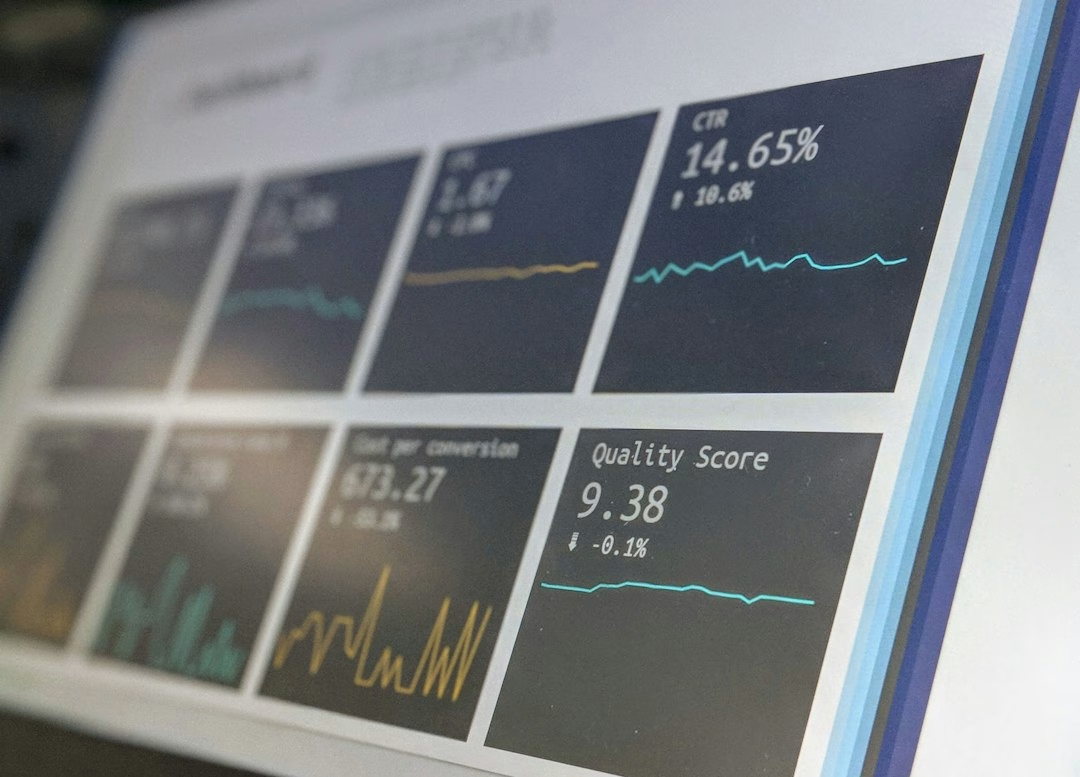
Defining Your Email Marketing Objectives and KPIs
Before you even think about numbers, you need to understand why you’re sending emails. Without clear objectives, your measurement framework will be a jumbled collection of data points with no coherent story. Think of it this way: if you don’t know where you’re going, how will you know if you’ve arrived? Your email marketing efforts must align with your broader business goals. Are you trying to increase brand awareness, drive sales, improve customer loyalty, or reduce customer churn? Each of these objectives will necessitate different key performance indicators (KPIs) to track.
Aligning Objectives with Business Goals
Every email you send should serve a purpose that contributes to your overarching business strategy. If your business goal is to increase online sales by 20% in the next quarter, then your email marketing objective might be to drive traffic to product pages and convert subscribers into customers. If your business aims to enhance customer retention, your email marketing objective could be to provide valuable content that fosters engagement and strengthens relationships. This top-down approach ensures that your email marketing isn’t an isolated activity but an integrated component of your overall strategy. Regularly review your business goals – perhaps quarterly or annually – and adjust your email marketing objectives accordingly. The digital landscape, and customer expectations, are constantly evolving, so a static approach will quickly become ineffective.
Identifying Key Performance Indicators (KPIs)
Once your objectives are crystal clear, you can select the most relevant KPIs. These aren’t just vanity metrics; they are quantifiable measures that directly reflect your progress towards your objectives. For instance, if your objective is to drive sales, then conversion rate (emails leading to purchases) is a critical KPI. If your objective is brand awareness, then open rate and click-through rate (CTR) on content-rich emails might be more indicative. It’s crucial to differentiate between metrics that are “nice to know” and those that are truly “need to know.” Focus your energy on tracking the KPIs that provide actionable insights and directly inform your strategy.
Core Email Marketing Metrics
Several fundamental metrics form the bedrock of any email marketing measurement framework. You’ll encounter these regardless of your specific objectives, but their interpretation and relative importance will vary.
- Open Rate: The percentage of subscribers who open your email. This can indicate the effectiveness of your subject lines, preheaders, and sender name. While often criticized as a vanity metric due to privacy changes (like Apple Mail Privacy Protection masking actual opens), it still offers directional insight and is valuable for A/B testing subject lines.
- Click-Through Rate (CTR): The percentage of subscribers who clicked on one or more links in your email. This is a powerful indicator of how engaging your email content is and how compelling your call to action (CTA) is. A high CTR suggests your content resonates with your audience and encourages them to take the next step.
- Conversion Rate: The percentage of subscribers who completed a desired action after clicking through from your email (e.g., made a purchase, filled out a form, downloaded an asset). This is often the ultimate measure of success for sales-driven or lead generation campaigns. It directly links email activity to tangible business outcomes.
- Bounce Rate: The percentage of emails that could not be delivered to the recipient’s inbox. This is divided into “hard bounces” (permanent delivery failures due to invalid email addresses) and “soft bounces” (temporary delivery failures due to full inboxes or server issues). High bounce rates can negatively impact your sender reputation, so proactive list cleaning is essential.
- Unsubscribe Rate: The percentage of subscribers who opted out of your email list after receiving a specific email. While you never want to see this number rise too high, a healthy unsubscribe rate can actually indicate that you’re segmenting your audience effectively and that those who remain are genuinely engaged. A sudden spike might signal a problem with your content, frequency, or targeting.
- List Growth Rate: The rate at which your email list is expanding. This is crucial for sustained long-term growth and audience reach. It’s calculated by subtracting unsubscribes and bounces from new subscribers, then dividing by the total list size.
Objective-Specific Metrics
Beyond the core metrics, you’ll delve into KPIs tailored to your specific email marketing objectives.
- For Brand Awareness:
- Open Rate & CTR: As mentioned, these provide a directional sense of initial engagement with your brand’s messaging.
- Forward Rate/Shares: How often your emails are shared by recipients, indicating content virality and organic reach.
- Social Shares from Email: If your email content includes links to share on social media, track clicks on those buttons.
- For Sales/Revenue Generation:
- Revenue Per Email: The total revenue generated by an email campaign divided by the number of emails sent. This is a powerful metric for understanding the direct financial impact of your emails.
- Average Order Value (AOV) from Email: The average amount spent by customers who made a purchase originating from an email.
- Return on Investment (ROI): The revenue generated from email campaigns compared to the cost of those campaigns (email platform fees, content creation, etc.). This is a critical metric for justifying your email marketing budget.
- For Customer Loyalty/Engagement:
- Retention Rate: How many customers acquired via email remain customers over time.
- Lifetime Value (LTV) of Email-Acquired Customers: The total revenue a customer is expected to generate over their relationship with your business, specifically for those acquired through email.
- Frequency of Engagement: How often subscribers open or click your emails over a period, indicating sustained interest.
- Survey Completion Rate: If you send surveys to gather feedback, this metric indicates engagement and willingness to contribute.
To effectively enhance your email marketing strategy, it’s essential to understand how to measure its success. A related article that delves into this topic is “Maximizing Customer Engagement with Lifecycle Marketing Triggers,” which provides insights on how to utilize lifecycle marketing to boost engagement and retention. You can read more about it here: Maximizing Customer Engagement with Lifecycle Marketing Triggers. This resource complements the discussion on creating an email marketing measurement framework by offering practical strategies to engage customers at various stages of their journey.
Setting Up Your Measurement Tools and Tracking

Having defined your objectives and identified your KPIs, the next crucial step is to ensure you have the right tools in place to collect the necessary data. This involves leveraging your email service provider (ESP), integrating with web analytics platforms, and potentially using advanced attribution models. Without robust tracking, your well-defined KPIs will remain theoretical.
Leveraging Your Email Service Provider (ESP)
Your ESP is the central hub for your email marketing efforts and, consequently, for much of your data collection. Most modern ESPs offer built-in reporting dashboards that track core metrics like open rates, CTRs, bounce rates, and unsubscribes.
Basic ESP Reporting Features
Familiarize yourself thoroughly with your ESP’s analytics capabilities. You should be able to:
- View campaign-level performance: See how individual email sends performed against key metrics.
- Track list performance: Monitor the growth and health of your email lists over time.
- Segment reporting: Analyze how different audience segments respond to your emails. This is critical for understanding who your most engaged subscribers are and tailoring future content.
- A/B test results: Your ESP should provide clear reports on which variations (subject lines, CTAs, content) performed better in your A/B tests.
Advanced ESP Features for Deeper Insights
Many ESPs offer more sophisticated features that can significantly enhance your measurement framework.
- Conversion Tracking Integration: Directly link email clicks to conversions on your website. This often involves placing a small piece of tracking code on your conversion pages (e.g., “thank you” pages after a purchase).
- Audience Segmentation and Tagging: Beyond basic demographics, use your ESP to tag subscribers based on their behavior (e.g., “opened welcome series,” “clicked on product X,” “made a purchase”). This behavioral data is invaluable for personalized messaging and precise measurement.
- Automation Workflow Analytics: If you use automation (e.g., welcome series, abandoned cart emails), your ESP should provide metrics on the performance of these specific sequences, including open rates, CTRs, and conversions at each stage of the journey.
Integrating with Web Analytics Platforms (e.g., Google Analytics)
While your ESP tells you what happened within the email, web analytics platforms like Google Analytics (GA) tell you what happened after the click. This integration is absolutely non-negotiable for understanding the full customer journey and attributing value accurately.
UTM Parameters for Campaign Tracking
The cornerstone of integrating your email marketing with web analytics is the consistent use of UTM (Urchin Tracking Module) parameters. These are small tags you add to the URLs in your emails that provide Google Analytics (or other web analytics tools) with information about the source, medium, and campaign that drove the traffic.
utm_source: Identifies the source of the traffic (e.g.,email).utm_medium: Identifies the marketing medium (e.g.,newsletter,promo).utm_campaign: Identifies the specific campaign (e.g.,holiday_sale_2026,welcome_series).utm_content(optional): Differentiates between different links within the same email (e.g.,hero_banner,text_link).utm_term(optional): Used for paid search to identify keywords, less common in email.
Consistently applying UTM parameters allows you to see exactly how much traffic your emails send to your website, what users do once they get there (pages viewed, time on site, bounce rate), and ultimately, what conversions they complete. There are numerous free UTM builders available online to help you construct these links correctly. Make it a standard operating procedure for every link in every email.
Setting Up Goals and E-commerce Tracking in GA
To accurately measure conversions from your email campaigns, you need to configure goals in Google Analytics.
- Destination Goals: Track when users reach a specific “thank you” page (e.g., after a purchase, form submission, or download).
- Event Goals: Track specific interactions on your site (e.g., clicking a video, adding an item to a cart, signing up for an account).
- E-commerce Tracking: If you run an online store, implement GA’s e-commerce tracking to measure sales, revenue, average order value, product performance, and more, all attributed back to your email campaigns via UTM parameters. This provides the deepest level of insight into the financial impact of your emails.
Attribution Modeling Considerations
Attribution modeling is about assigning credit to the various touchpoints a customer encounters on their journey to conversion. While your ESP and GA can tell you that an email contributed to a sale, attribution models help you understand how much credit to give that email compared to other channels (social media, paid search, direct traffic, etc.).
Understanding Different Attribution Models
No single attribution model is perfect for every business, and each has its pros and cons.
- Last-Click Attribution: 100% of the credit for a conversion goes to the very last touchpoint before the conversion. Simple to understand, but often undervalues earlier touchpoints (like an initial awareness-driving email).
- First-Click Attribution: 100% of the credit goes to the first touchpoint. Good for understanding awareness generation, but ignores subsequent influences.
- Linear Attribution: Credit is equally distributed across all touchpoints in the conversion path. Recognizes all interactions but might overvalue less impactful ones.
- Time Decay Attribution: Touchpoints closer in time to the conversion receive more credit. This often makes sense for shorter sales cycles.
- Position-Based (U-Shaped) Attribution: Gives 40% credit to the first interaction, 40% to the last interaction, and the remaining 20% is distributed evenly among middle interactions. Attempts to value both awareness and closing touchpoints.
- Data-Driven Attribution (DDA): Uses machine learning to algorithmically distribute credit based on your unique conversion data. This is often the most sophisticated and accurate, but requires sufficient data volume. (Available in Google Analytics 4 for applicable accounts).
Choosing and Implementing an Attribution Model
Start with a simple model (like last-click) to get a baseline, but aim to explore more sophisticated models as your data maturity grows. The key is to be consistent with the model you choose so you can compare performance over time. GA4 offers more flexible and data-driven attribution models than Universal Analytics, which is a significant advantage for a comprehensive email marketing measurement framework in 2026. This allows you to gain a more nuanced understanding of email’s role, not just as a conversion driver, but also as an influencer earlier in the customer journey.
Analyzing Your Data for Actionable Insights
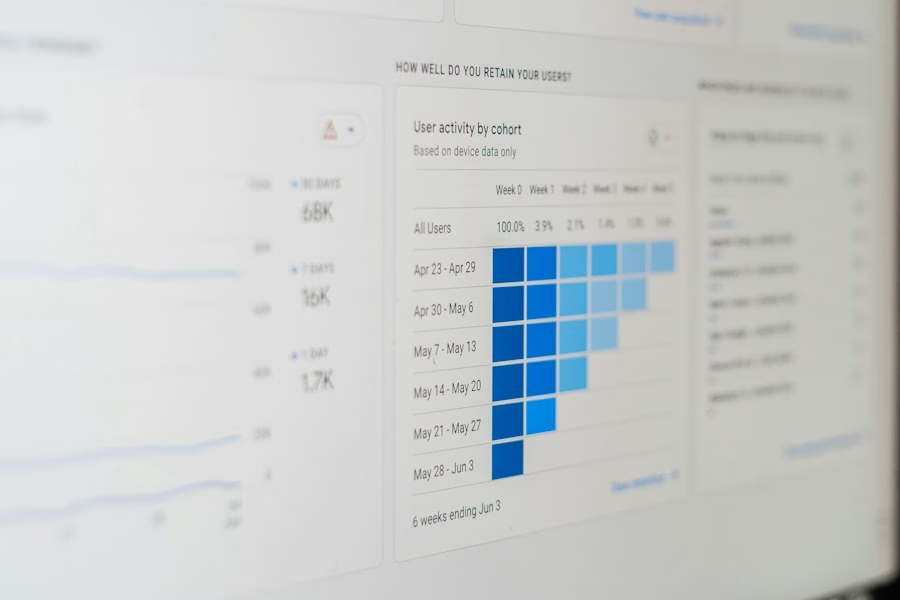
Collecting data is only half the battle; the real value lies in analyzing it to uncover actionable insights. This involves more than just looking at numbers; it requires critical thinking, pattern recognition, and the ability to translate data into strategic decisions. Your measurement framework isn’t static; it’s a living tool that should constantly inform and refine your email marketing strategy.
Identifying Trends and Anomalies
Regularly reviewing your email performance data allows you to spot trends – both positive and negative – and identify anomalies that warrant further investigation.
Spotting Performance Trends Over Time
Look for patterns in your KPIs over weeks, months, and even years. Are your open rates steadily declining? Is your CTR consistently higher on Tuesdays? Is the conversion rate for your abandoned cart series improving?
- Seasonal Fluctuations: Understand how holidays, specific seasons, or industry events impact your email performance. For instance, open rates might dip during major holiday periods when people are busy, but conversion rates might spike for promotional campaigns.
- Long-Term Growth/Decline: A consistent upward trend in list growth or revenue per email is a positive sign. A downward trend, however, signals a need for strategic intervention.
- Impact of Strategy Changes: When you implement a new segmentation strategy, change your sending frequency, or redesign your email templates, carefully monitor the KPIs to understand the impact of these changes. Did that new subject line strategy actually boost opens?
Investigating Significant Deviations
Anomalies are sudden, unexpected spikes or dips in your metrics. These are often indicators of something specific happening that requires your attention.
- Sudden Drop in Open Rates: Could indicate an issue with your sender reputation, a change in email client filtering, or a series of unengaging subject lines.
- Unusual Spike in Unsubscribes: Might point to an email that was poorly targeted, irrelevant, or sent with too high a frequency, causing audience fatigue. It could also indicate an issue with your unsubscribe link.
- Dramatic Increase in Bounce Rate: Often signals an issue with your email list hygiene or a problem with your ESP’s deliverability to certain domains.
- Unexpected Conversion Spike: While seemingly positive, it’s crucial to understand why this happened. Was it a particularly compelling offer? A highly segmented audience? Replicating success requires understanding its drivers.
Segmenting Your Data for Deeper Understanding
Blanket analysis of your entire email list often obscures valuable insights. Segmentation allows you to drill down and understand how different groups of subscribers interact with your emails, revealing what works best for whom.
Demographic Segmentation
Analyze performance based on demographic characteristics such as age, gender, location, or job title (if you collect this data).
- Geographic Performance: Do subscribers in different regions respond differently to certain promotions or content themes? This can inform localized campaigns.
- Role-Based Engagement (B2B): In a B2B context, do C-suite executives engage with different content than individual contributors? Tailoring content to specific roles can significantly improve relevance.
Behavioral Segmentation
This is often the most powerful form of segmentation, as it’s based on how subscribers interact with your brand and your emails.
- Engagement Level: Categorize subscribers as highly engaged (frequent opens/clicks), moderately engaged, or disengaged (rarely opens/clicks). You might use re-engagement campaigns for the latter or even consider removing them from your active list to protect sender reputation.
- Purchase History: Analyze performance for first-time buyers vs. repeat customers, or customers who purchased specific product categories. This is crucial for cross-selling, upselling, and loyalty programs.
- Website Activity: Based on their browsing behavior on your website (e.g., viewed product X, abandoned cart), you can tailor email content and offers.
- Email Interaction History: Track subscribers who clicked specific links, opened certain types of emails, or ignored others. This helps refine content preferences.
Campaign-Specific Segmentation
Analyze the performance of specific email series or campaign types.
- Welcome Series Performance: How effective is your onboarding automation in engaging new subscribers and driving initial conversions?
- Abandoned Cart Recovery: What’s the conversion rate for these critical emails? Are there opportunities to optimize timing or offers?
- Promotional vs. Content Emails: Compare the open rates, CTRs, and conversion rates of purely promotional emails versus value-driven, content-rich emails. This helps balance your content strategy.
Conducting A/B Testing for Continuous Optimization
A/B testing (also known as split testing) is a systematic approach to comparing two versions of an email element to see which performs better. It’s a cornerstone of data-driven optimization.
Key Elements to A/B Test
Almost any element of your email can be A/B tested, but focus on elements with the highest potential impact first.
- Subject Lines: This is arguably the most impactful element to test, as it directly influences open rates. Test length, emojis, personalization, urgency, questions, and different value propositions.
- Sender Name: Test variations of your sender name (e.g., “Company Name,” “Your Name from Company Name,” “Company Support”).
- Call-to-Action (CTA): Experiment with different button colors, text (e.g., “Shop Now,” “Learn More,” “Get Your Free Ebook”), placement, and size.
- Email Content: Test different headlines, body copy lengths, image choices, personalization levels, and content structures.
- Send Time/Day: While not strictly an A/B test on content, testing different send times can significantly impact open and click rates.
- Email Layout/Design: Test different visual hierarchies, column layouts, and mobile responsiveness.
Interpreting A/B Test Results
Don’t just look at which version had higher numbers; understand why it performed better.
- Statistical Significance: Ensure your test results are statistically significant, meaning the difference in performance is unlikely to be due to random chance. Many ESPs calculate this for you, or you can use online calculators. Don’t make strategic decisions based on inconclusive results.
- Actionable Insights: What did you learn from the test? If a subject line with urgency performed better, can you apply that learning to future campaigns? If a shorter email had a higher CTR, consider streamlining your content.
- Iterative Process: A/B testing is not a one-time event. It’s an ongoing, iterative process. Each test provides insights that inform the next, leading to continuous improvements in your email performance.
Reporting and Visualization for Stakeholders
Your data analysis is only valuable if you can effectively communicate your findings to relevant stakeholders. This requires clear, concise reporting and compelling data visualization. You need to tell a story with your data, highlighting key successes, challenges, and recommended actions. A well-designed report can justify your email marketing budget, secure resources for new initiatives, and ensure alignment across the organization.
Creating Effective Email Performance Dashboards
Dashboards provide a real-time or frequently updated overview of your most critical KPIs. They are invaluable for ongoing monitoring and quick comprehension.
Identifying Key Metrics for Dashboards
Your dashboard should only display the most essential metrics that directly align with your email marketing objectives and the interests of your stakeholders. Avoid clutter.
- Executive-Level Dashboards: Focus on high-level metrics like total revenue from email, ROI, conversion rates, and overall list growth. Executives often care about the bottom line and strategic impact.
- Marketing Team Dashboards: Include more granular operational metrics such as open rates, CTRs, unsubscribe rates, bounce rates, and perhaps detailed segment performance. This helps the team optimize day-to-day operations.
- Campaign-Specific Dashboards: For individual campaigns, show specific metrics relevant to that campaign’s goals, like registrations for a webinar email or product views for a new product launch.
Choosing the Right Visualization Techniques
Visualizations transform raw data into easily digestible insights.
- Line Charts: Excellent for showing trends over time (e.g., open rate month-over-month).
- Bar Charts: Ideal for comparing discrete categories (e.g., CTR across different campaign types).
- Pie Charts/Donut Charts: Useful for showing parts of a whole (e.g., breakdown of conversions by email segment, though be cautious with too many slices).
- Gauge Charts/Scorecards: Great for displaying progress towards a specific goal or target (e.g., “Current Conversion Rate: 2.5% vs. Target: 3.0%”).
- Tables with Conditional Formatting: Effective for displaying detailed numerical data while highlighting good/bad performance with color coding.
Consider using tools like Google Looker Studio (formerly Data Studio), Tableau, Power BI, or even advanced features in Excel to build interactive and dynamic dashboards.
Crafting Compelling Performance Reports
While dashboards offer a snapshot, detailed performance reports provide context, analysis, and recommendations. These are typically generated on a monthly, quarterly, or annual basis.
Structuring Your Reports
A well-structured report guides the reader through your findings logically.
- Executive Summary: A concise overview of the most important findings, achievements, and challenges. Start with the “what” and “so what.”
- Objectives Recap: Briefly remind stakeholders of the primary email marketing objectives. This grounds the report in strategy.
- Overall Performance Metrics: Present key KPIs for the reporting period, comparing them to previous periods or established benchmarks/targets.
- Segmented Performance Analysis: Highlight insights gained from different segments (e.g., “Our engaged segment generated 70% of email revenue this quarter”).
- Key Campaign Highlights: Showcase successful campaigns, explaining why they performed well and the lessons learned.
- Challenges and Opportunities: Address underperforming areas, explaining potential causes and outlining opportunities for improvement.
- Recommendations and Next Steps: This is the most critical section. Based on your analysis, propose concrete actions to optimize future campaigns, improve strategy, or address issues. These should be actionable and measurable.
- Appendices (Optional): Include raw data, detailed charts, or specific campaign breakdowns if necessary for deeper dives.
Storytelling with Data
Numbers alone rarely persuade. You need to tell a story that connects the data to business outcomes and strategic decisions.
- Contextualize: Don’t just present a number. Explain what it means. “Our open rate dipped to 20%, below our 25% target, largely due to a shift in subject line strategy that we are currently A/B testing.”
- Highlight Impact: Emphasize the business implications. “The improved conversion rate of our abandoned cart series contributed an additional $5,000 in revenue this month.”
- Propose Solutions: Always follow analysis with recommendations. “Given the high unsubscribe rate for our weekly digest, we recommend piloting a bi-weekly option for a segment of our audience.”
- Use Clear Language: Avoid excessive jargon. Make sure your report is understandable to anyone, regardless of their technical expertise.
Creating an effective email marketing measurement framework is essential for understanding the impact of your campaigns, and it can be greatly enhanced by insights from related topics. For instance, exploring the importance of a well-managed email list can provide valuable context on how to optimize your measurement strategies. You can read more about this in the article on the power of a well-managed email list, which highlights how maintaining a quality subscriber base is one of your top business assets. This knowledge can help you refine your metrics and ultimately improve your email marketing efforts.
Continuous Improvement and Optimization
| Metric | Description | Purpose | Example Measurement |
|---|---|---|---|
| Open Rate | Percentage of recipients who open the email | Measures subject line effectiveness and sender reputation | 25% |
| Click-Through Rate (CTR) | Percentage of recipients who clicked on links within the email | Assesses engagement and content relevance | 10% |
| Conversion Rate | Percentage of recipients who completed a desired action after clicking | Measures campaign effectiveness in driving goals | 5% |
| Bounce Rate | Percentage of emails not delivered to recipients | Indicates list quality and deliverability issues | 2% |
| Unsubscribe Rate | Percentage of recipients who opt out from the mailing list | Monitors content relevance and frequency tolerance | 0.5% |
| Spam Complaint Rate | Percentage of recipients marking the email as spam | Helps maintain sender reputation and compliance | 0.1% |
| List Growth Rate | Rate at which the email list is growing | Tracks audience expansion and lead generation | 3% monthly |
| Revenue per Email | Average revenue generated per email sent | Measures financial ROI of campaigns | 1.50 |
Creating an effective email marketing measurement framework is not a one-time project; it’s an ongoing commitment to continuous improvement. The digital landscape, your audience’s preferences, and your business goals will all evolve. Therefore, your framework must be dynamic, allowing you to adapt, refine, and consistently optimize your email marketing efforts.
Establishing Benchmarks and Goals
To know if you’re improving, you need something to measure against. Benchmarks and clearly defined goals provide that essential context.
Internal Benchmarking
Look at your own historical data to set internal benchmarks.
- Past Performance: What were your average open rates, CTRs, and conversion rates last quarter, or last year? Use these as your starting point.
- Campaign Type Performance: Establish benchmarks for different types of emails (e.g., promotional emails vs. newsletters vs. transactional emails) as their performance metrics will naturally differ.
- Segment Performance: Understand what constitutes “good” performance for your highly engaged segment versus your less active one.
Industry Benchmarking
While internal data is most relevant, industry benchmarks can provide a broader context and help you see how you stack up against competitors.
- Research Industry Averages: Look for reports from reputable email marketing platforms or research firms that publish average open rates, CTRs, and other metrics by industry.
- Context is Key: Remember that industry averages are just that – averages. Your specific audience, brand, and content strategy might lead to different (and potentially better) results. Don’t blindly chase industry averages if your internal data shows a different path to success.
Setting SMART Goals
Translate your objectives into Specific, Measurable, Achievable, Relevant, and Time-bound (SMART) goals.
- Specific: Instead of “improve open rates,” aim for “increase open rates for promotional emails.”
- Measurable: Define how you’ll quantify success. “Increase open rates for promotional emails by 5%.”
- Achievable: Set realistic targets based on your historical performance and available resources. A 50% increase might be unrealistic.
- Relevant: Ensure the goal aligns with your broader email marketing objectives and business goals.
- Time-bound: Give yourself a deadline. “Increase open rates for promotional emails by 5% in the next quarter (Q1 2027).”
Regular Review and Adjustment of the Framework
Your measurement framework itself needs periodic review to ensure it remains relevant and effective.
Quarterly/Annual Review of Objectives and KPIs
At least once a quarter, and certainly annually, revisit your email marketing objectives and the KPIs you’ve chosen to track.
- Business Goal Alignment: Have your overarching business goals shifted? If so, do your email marketing objectives still align?
- KPI Relevance: Are the KPIs you’re tracking still the most accurate indicators of success? For example, if you’ve shifted focus from brand awareness to direct sales, you might de-emphasize open rates and prioritize conversion rates and ROI.
- New Metrics: Are there new metrics that have become relevant due to changes in technology (e.g., dark mode opens) or audience behavior?
- Data Availability: Are you consistently able to collect data for all your chosen KPIs? If not, investigate tracking issues or consider alternative metrics.
Adapting to Platform Changes and Industry Trends
The email marketing landscape is dynamic. Your framework must be agile enough to adapt.
- ESP Updates: Your email service provider will regularly release new features and analytics capabilities. Stay informed and integrate relevant ones into your framework.
- Privacy Regulations: Evolving privacy laws (e.g., GDPR, CCPA, and similar legislation likely to emerge by 2026 and beyond) can impact how you collect and track data. Ensure your framework remains compliant. Changes like Apple Mail Privacy Protection, which impacts open rate data, require you to adjust how you interpret certain metrics.
- Technological Advancements: New technologies, such as increased AI integration in email platforms or evolving email client behaviors, might require new tracking methods or interpretations.
- Audience Behavior Shifts: Keep an eye on how your audience interacts with email. Are they increasingly mobile-first? Do they prefer shorter emails? These shifts might require adjustments in your content strategy and, consequently, your measurement.
Fostering a Culture of Data-Driven Decision-Making
Ultimately, the most effective measurement framework is one that is actively used to make informed decisions. This requires more than just tools and reports; it demands a shift in mindset.
Empowering Your Team with Data Access and Training
Ensure everyone involved in email marketing, from content creators to campaign managers, has access to the data they need and understands how to interpret it.
- Role-Specific Dashboards: Provide tailored dashboards that highlight the most relevant metrics for each team member’s role.
- Training and Workshops: Conduct regular training sessions on how to use reporting tools, understand KPIs, and translate data into actionable insights.
- Documentation: Create clear documentation explaining your measurement framework, definitions of KPIs, and reporting procedures.
Integrating Learnings into the Strategy Cycle
Make data analysis a core part of your email marketing strategy cycle, not an afterthought.
- Regular Reporting Meetings: Hold dedicated meetings to review performance reports, discuss findings, and collectively decide on next steps.
- Feedback Loops: Establish mechanisms for insights from data analysis to feed directly back into content planning, segmentation strategies, and A/B testing priorities.
- Test-Learn-Optimize: Embrace an iterative approach. Every email send is an opportunity to learn something new. Use that learning to optimize the next one. This continuous cycle of testing, learning, and optimizing is the hallmark of an effective, data-driven email marketing program. By consistently measuring, analyzing, and adapting, you can ensure your email marketing efforts are not just sending messages, but consistently driving measurable value for your business.
FAQs
What is an email marketing measurement framework?
An email marketing measurement framework is a structured approach that helps marketers assess the effectiveness of their email campaigns. It includes defining key performance indicators (KPIs), setting goals, and establishing methods for data collection and analysis to evaluate campaign performance and optimize future efforts.
Why is it important to have a measurement framework for email marketing?
A measurement framework is crucial because it provides clarity on what success looks like for email campaigns. It allows marketers to track performance against specific goals, identify areas for improvement, and make data-driven decisions to enhance engagement, conversion rates, and overall return on investment (ROI).
What key performance indicators (KPIs) should be included in an email marketing measurement framework?
Common KPIs to include are open rates, click-through rates (CTR), conversion rates, bounce rates, unsubscribe rates, and overall revenue generated from email campaigns. These metrics help gauge the effectiveness of email content, audience targeting, and overall campaign strategy.
How can I collect data for my email marketing measurement framework?
Data can be collected through various methods, including email marketing platforms that provide analytics, customer relationship management (CRM) systems, and web analytics tools. These platforms typically offer insights into user behavior, engagement metrics, and campaign performance, which can be used to inform the measurement framework.
How often should I review my email marketing measurement framework?
It is advisable to review your email marketing measurement framework regularly, ideally after each campaign or at least quarterly. This allows you to assess performance trends, adjust strategies based on insights gained, and ensure that your goals and KPIs remain aligned with your overall marketing objectives.