



Alt text, or alternative text, is a descriptive label for images that provides context and meaning when images cannot be displayed. This situation occurs for several reasons, including slow internet connections and email clients that block images by default. Including alt text ensures your message communicates effectively even when visual elements are unavailable.
Alt text is a fundamental component of digital communication rather than merely a technical requirement. Alt text functions as more than a placeholder and should be written with careful consideration to improve user experience. When composing alt text, you provide a narrative that supports your email’s content.
This narrative helps recipients understand the image’s purpose and its connection to your overall message. For example, in a promotional email introducing a new product, alt text should describe the product clearly and concisely, enabling readers to understand its importance without viewing the image.
Key Takeaways
- Alt text in email images is crucial for accessibility, helping visually impaired users understand content through screen readers.
- Properly written alt text ensures compliance with accessibility standards and reduces legal risks for businesses.
- Alt text enhances SEO in email marketing by improving image indexing and searchability.
- Best practices for alt text include being concise, descriptive, and relevant to the image context.
- Emerging trends focus on improving alt text automation and integrating advanced accessibility features in email platforms.
The Impact of Alt Text on Email Accessibility
Accessibility is a fundamental aspect of modern communication, and alt text plays a pivotal role in making your emails accessible to everyone. By incorporating alt text into your email images, you are taking a significant step toward inclusivity. This is particularly important for individuals with disabilities who rely on assistive technologies to access digital content.
When you prioritize accessibility, you not only comply with legal standards but also foster a more inclusive environment for all your recipients. Furthermore, the impact of alt text extends beyond just compliance; it enhances the overall user experience. When recipients encounter images with descriptive alt text, they can engage with your content more fully.
This engagement can lead to higher open rates and click-through rates, as recipients feel more connected to your message. By making your emails accessible through alt text, you are not only adhering to best practices but also improving your communication effectiveness.
How Alt Text Helps People with Visual Impairments

For individuals with visual impairments, alt text is a lifeline that bridges the gap between visual content and understanding. Screen readers, which are commonly used by people with vision loss, rely on alt text to convey information about images. When you include descriptive alt text in your emails, you empower these individuals to comprehend the visual elements of your message fully.
This means that they can participate in conversations and promotions that might otherwise be inaccessible to them. Additionally, alt text can provide context that enhances comprehension for those who may not be able to see the image at all. For example, if you’re sending an email about a charity event featuring a group photo, the alt text could describe not only who is in the photo but also the emotions and atmosphere captured in that moment.
This level of detail allows individuals with visual impairments to connect with your content on a deeper level, fostering a sense of inclusion and belonging.
The Role of Alt Text in Screen Readers
Screen readers are essential tools for individuals with visual impairments, converting written content into spoken words or braille output. Alt text plays a crucial role in this process by providing context for images that would otherwise be ignored by these technologies. When you include well-crafted alt text in your emails, you ensure that screen reader users receive a complete understanding of your message.
This is particularly important in marketing emails where visuals often play a significant role in conveying information. Moreover, the effectiveness of screen readers hinges on the quality of the alt text provided. If the alt text is vague or missing altogether, users may miss out on critical information that could influence their decisions.
For instance, if you’re promoting a new service with an accompanying image, clear and descriptive alt text can help users understand what the service entails and why it might be beneficial for them. By prioritizing quality alt text, you enhance the functionality of screen readers and improve accessibility for all users.
Best Practices for Writing Alt Text in Email Images
| Metric | Value | Explanation |
|---|---|---|
| Percentage of Emails with Alt Text | 45% | Only 45% of marketing emails include alt text for images, limiting accessibility. |
| Users Relying on Screen Readers | 15% of Internet Users | Approximately 15% of users depend on screen readers to access email content. |
| Increase in Engagement with Alt Text | 20% | Emails with descriptive alt text see a 20% higher engagement rate. |
| Emails Blocked Due to Missing Alt Text | 5% | Some email clients block images or mark emails as spam if alt text is missing. |
| Average Length of Effective Alt Text | 100 Characters | Optimal alt text length for clarity and conciseness in email images. |
Writing effective alt text requires careful consideration and attention to detail. One of the best practices is to keep it concise yet descriptive. Aim for a balance between brevity and clarity; typically, one or two sentences should suffice to convey the essential information about the image.
Avoid using phrases like “image of” or “picture of,” as screen readers already identify it as an image.
Instead, dive straight into what the image represents and its relevance to your email’s content.
Another important aspect is to tailor your alt text to the context of your email.
Consider what information is most relevant for your audience and what they need to know about the image. If an image serves a functional purpose—such as a button or link—make sure your alt text reflects that functionality clearly. For example, instead of simply stating “red button,” you could say “Sign up for our newsletter.” This approach not only informs but also guides recipients on how to interact with your content effectively.
Ensuring Compliance with Accessibility Standards
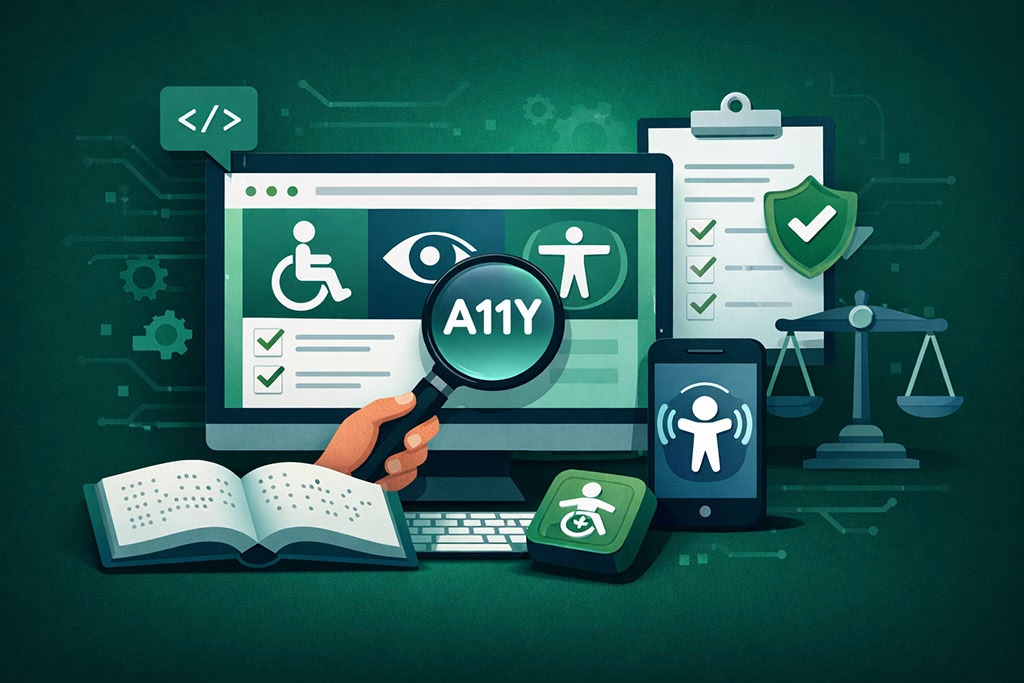
In today’s digital landscape, ensuring compliance with accessibility standards is more important than ever. Various guidelines exist to help organizations create accessible content, including the Web Content Accessibility Guidelines (WCAG). These guidelines emphasize the importance of providing alternative text for non-text content, including images in emails.
By adhering to these standards, you demonstrate your commitment to inclusivity and accessibility. Moreover, compliance with accessibility standards can protect your organization from potential legal repercussions. Many countries have enacted laws requiring digital accessibility for individuals with disabilities.
By implementing best practices for alt text and ensuring compliance with established guidelines, you mitigate risks associated with non-compliance while fostering an inclusive environment for all users.
The Legal Implications of Neglecting Alt Text in Email Images
Neglecting to include alt text in your email images can have serious legal implications. In many jurisdictions, failing to provide accessible content can lead to lawsuits and penalties under disability rights laws. Organizations are increasingly being held accountable for ensuring their digital communications are accessible to all individuals, regardless of their abilities.
By overlooking this critical aspect of email design, you expose your organization to potential legal challenges that could have been easily avoided. Additionally, beyond legal ramifications, neglecting alt text can damage your brand’s reputation. Consumers today are more aware of accessibility issues and expect organizations to prioritize inclusivity in their communications.
By failing to provide alt text, you risk alienating a segment of your audience and sending a message that their needs are not valued. In contrast, by embracing accessibility through thoughtful alt text implementation, you enhance your brand’s image as one that cares about all customers.
The Benefits of Alt Text for SEO in Email Marketing
While alt text is primarily associated with accessibility, it also offers significant benefits for search engine optimization (SEO) in email marketing. Search engines use various signals to determine the relevance and quality of content, including images within emails. By incorporating relevant keywords into your alt text, you can improve your chances of being indexed favorably by search engines when users search for related topics.
Furthermore, when recipients share your emails or forward them to others, search engines may index those images based on their alt text descriptions. This means that well-crafted alt text can enhance visibility beyond just the initial recipient list. By optimizing your email images with strategic keywords in the alt text, you increase the likelihood of reaching a broader audience and driving traffic back to your website or landing pages.
Tools and Resources for Creating Alt Text in Email Images
Creating effective alt text doesn’t have to be a daunting task; several tools and resources can assist you in this process. Many email marketing platforms offer built-in features that prompt you to add alt text when uploading images. Familiarizing yourself with these tools can streamline your workflow and ensure that you consistently include descriptive labels for all images.
Additionally, there are online resources and guides available that provide tips on writing effective alt text. These resources often include examples and best practices tailored specifically for email marketing contexts. By leveraging these tools and resources, you can enhance your skills in crafting meaningful alt text that resonates with all recipients while improving accessibility.
Case Studies: Successful Implementation of Alt Text in Email Marketing
Examining case studies of organizations that have successfully implemented alt text in their email marketing campaigns can provide valuable insights into best practices and strategies. For instance, a well-known nonprofit organization revamped its email communications by incorporating descriptive alt text into its images. As a result, they saw an increase in engagement from visually impaired recipients who felt more included in their messaging.
Another example involves an e-commerce brand that focused on optimizing its email campaigns for accessibility by adding alt text to product images. This initiative not only improved their compliance with accessibility standards but also led to higher conversion rates as visually impaired customers could better understand product offerings through descriptive labels. These case studies highlight how prioritizing alt text can yield tangible benefits while fostering inclusivity.
Future Trends in Alt Text and Email Accessibility
As technology continues to evolve, so too will the practices surrounding alt text and email accessibility. One emerging trend is the integration of artificial intelligence (AI) tools that can automatically generate alt text based on image recognition algorithms. While this technology holds promise for streamlining the process of creating descriptive labels, it’s essential to remember that human oversight will still be necessary to ensure accuracy and context.
Additionally, as awareness around digital accessibility grows, organizations will likely face increasing pressure from consumers and advocacy groups to prioritize inclusive practices like alt text implementation.
This shift will drive innovation in email marketing strategies as brands seek to enhance their communications while meeting evolving accessibility standards.
By staying informed about these trends and adapting accordingly, you can position yourself as a leader in accessible email marketing practices.
In conclusion, understanding and implementing alt text in email images is not just a technical requirement; it’s an essential component of effective communication and inclusivity in today’s digital landscape. By prioritizing accessibility through thoughtful alt text creation, you enhance user experience while complying with legal standards and improving SEO efforts. As technology advances and consumer expectations evolve, embracing these practices will ensure that your email marketing remains relevant and impactful for all audiences.
In addition to understanding the importance of alt text in email images for accessibility, marketers can also benefit from exploring effective strategies for lead capture. A related article, Mastering Lead Capture with High-Converting Web Forms, provides valuable insights on how to optimize web forms to enhance user engagement and conversion rates. By integrating these practices, businesses can create a more inclusive and effective email marketing strategy.
FAQs
What is alt text in email images?
Alt text, or alternative text, is a brief description added to an image’s HTML code that conveys the content or function of the image. It is displayed when the image cannot be loaded and is read aloud by screen readers for visually impaired users.
Why is alt text important for accessibility in emails?
Alt text ensures that visually impaired users can understand the content and purpose of images in emails through screen readers. It makes emails more inclusive by providing meaningful descriptions that convey the same information as the images.
How does alt text improve the user experience in emails?
Alt text improves user experience by providing context when images fail to load and by enabling screen reader users to access the information conveyed by images. This helps all recipients understand the email content fully.
Are there best practices for writing effective alt text?
Yes, effective alt text should be concise, descriptive, and relevant to the image’s purpose. It should avoid redundancy, such as phrases like “image of,” and focus on conveying the essential information or function of the image.
Does every image in an email require alt text?
Generally, all meaningful images should have alt text to ensure accessibility. Decorative images can have empty alt attributes (alt=””) so screen readers skip them, preventing unnecessary distractions.
Can alt text affect email deliverability or spam filters?
Proper use of alt text does not negatively impact email deliverability. In fact, well-coded emails with appropriate alt text can improve accessibility and user engagement, which may positively influence sender reputation.
How do screen readers use alt text in emails?
Screen readers read the alt text aloud to users when they encounter an image, allowing visually impaired users to understand the image’s content or purpose without seeing it.
Is alt text only useful for visually impaired users?
While alt text primarily benefits visually impaired users, it also helps when images fail to load due to technical issues or slow connections, providing all users with context about the missing images.
How can I add alt text to images in my email campaigns?
Alt text can be added by including the alt attribute within the image tag in the email’s HTML code, for example:  .
.
Are there legal requirements related to alt text in emails?
Many accessibility laws and guidelines, such as the Americans with Disabilities Act (ADA) and Web Content Accessibility Guidelines (WCAG), recommend or require providing alt text to ensure digital content is accessible to people with disabilities.