



You’re looking to harness the full power of SmartMail’s API for your email automation needs. This isn’t just about sending emails; it’s about crafting a sophisticated, efficient, and scalable system that streamlines your communication and drives engagement. The SmartMail API offers a robust set of tools that, when expertly utilized, can transform your email operations from a mundane task to a strategic advantage. Let’s delve into how you can maximize its potential.
Before you can truly maximize the SmartMail API, you need a foundational understanding of its architecture and capabilities. Think of it as learning the language and grammar of your email automation engine.
The Endpoint Landscape
SmartMail’s API is structured around various endpoints, each designed to handle specific tasks. You’ll encounter endpoints for sending emails, managing contact lists, retrieving campaign analytics, and interacting with user data. Familiarizing yourself with the primary endpoints will be your first step.
Sending and Transactional Emails
This is often the most immediate use case. You’ll need to understand the parameters involved in sending individual emails, such as recipient addresses, subject lines, and the email body. Critically, explore the nuances of transactional emails – those triggered by specific user actions (e.g., password resets, order confirmations). These require a specific approach to ensure timely and accurate delivery.
List and Contact Management
Efficient automation hinges on well-organized contact data. The API provides endpoints to create, update, and delete contacts, as well as to manage mailing lists. Understand how to segment your audience programmatically, which is crucial for targeted campaigns.
Campaign Management and Tracking
Beyond individual emails, SmartMail allows for campaign creation and management. You’ll want to explore endpoints related to campaign setup, scheduling, and crucially, retrieval of performance metrics. This data is the bedrock of optimizing your automation.
Authentication and Authorization
Securing your API interactions is paramount. SmartMail will employ authentication mechanisms to verify your identity and authorization levels to control what actions you can perform. Understanding these protocols ensures that your access is both secure and appropriate for your needs.
API Keys and Tokens
You’ll likely be issued API keys or tokens. Learn how to generate, manage, and securely store these credentials. Improper handling can lead to security breaches or unintended access.
Permissions and Scopes
Understand the different permission levels or scopes associated with your API access. This will dictate which endpoints you can interact with and what operations you are permitted to execute.
In the quest for effective email automation, understanding the differences between various email delivery methods is crucial. A related article that delves into this topic is titled “Email API vs SMTP: Choosing the Right Email Delivery Method,” which can be found at this link. This article provides valuable insights that can complement your knowledge of leveraging SmartMails API features for scalable email automation, helping you make informed decisions about the best approach for your email campaigns.
Designing for Scalability and Performance
Effective email automation isn’t a static affair; it needs to grow with your business and handle increasing volumes without compromising speed or reliability. The SmartMail API offers the building blocks for this scalability.
Asynchronous Operations and Queuing
Directly calling an API for every single email can become a bottleneck. Explore SmartMail’s support for asynchronous operations. This means initiating a task and then allowing it to be processed in the background.
Implementing Job Queues
For high-volume sending, you’ll want to implement a robust job queue system. Your application makes a request to the API to add an email to a queue, and SmartMail processes these queued items efficiently. This prevents your application from being tied up and allows for better error handling and retries.
Rate Limiting and Throttling
As your automation scales, it’s crucial to be aware of SmartMail’s rate limits – the maximum number of requests you can make within a given time period. Understanding and respecting these limits will prevent your requests from being rejected and ensure consistent service.
Batch Processing for Efficiency
Instead of sending individual requests for multiple similar actions, leverage batch processing capabilities. This can significantly reduce overhead and improve performance.
Bulk Contact Imports and Updates
When dealing with large datasets, use the API’s batch endpoints for importing or updating contacts. This is far more efficient than iterating and making individual calls for each contact.
Sending Batches of Emails
Investigate whether SmartMail offers batch sending functionality. If so, structuring your requests to send multiple emails in a single API call can be considerably faster and consume fewer resources.
Integrating SmartMail with Your Existing Infrastructure
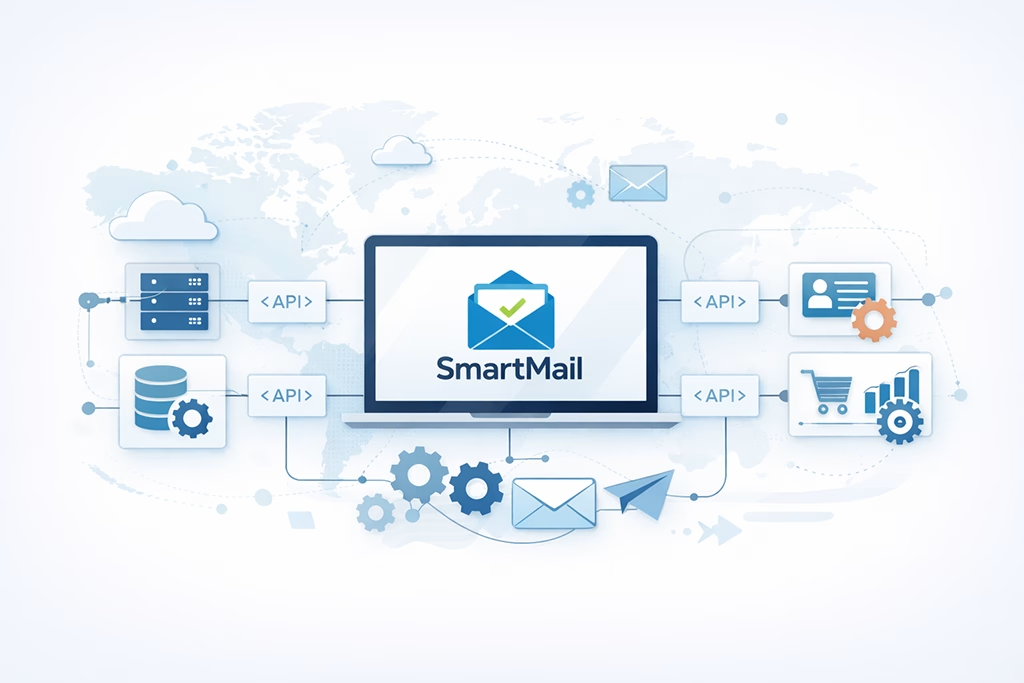
Your email automation likely doesn’t exist in a vacuum. Maximizing the SmartMail API involves seamless integration with your other systems to create a connected and intelligent workflow.
Webhooks for Real-Time Updates
Webhooks are a powerful mechanism for receiving real-time notifications from SmartMail. Instead of constantly polling for changes, SmartMail can proactively send updates to your application.
Event-Driven Architecture
Implement an event-driven architecture where your application reacts to events from SmartMail, such as email opens, clicks, bounces, or unsubscribes. This allows for dynamic adjustment of your automation logic.
Error and Delivery Status Notifications
Configure webhooks to receive immediate notifications about email delivery failures, bounces, or spam complaints. This allows you to quickly address issues and maintain sender reputation.
Data Synchronization and Bi-directional Flows
Ensure that the data in SmartMail is consistent with your other operational databases. This often involves bi-directional data synchronization.
CRM Integration
Connect your CRM to SmartMail to enrich contact data and trigger automated emails based on CRM activities. For instance, a new lead in your CRM could automatically trigger a welcome email series.
E-commerce Platform Integration
For e-commerce businesses, integrating with your platform is essential for order confirmations, shipping notifications, abandoned cart reminders, and personalized product recommendations.
API Versioning and Upgrades
As SmartMail evolves, its API will be updated. Understand how SmartMail handles API versioning and plan for potential upgrades to ensure continued compatibility.
Staying Informed about Deprecation
Be aware of any upcoming deprecation announcements for older API versions. Proactive planning for migration will prevent disruptions later on.
Advanced Strategies for Enhanced Automation

Once you have the fundamentals in place, you can explore more sophisticated strategies to truly leverage SmartMail’s API for advanced automation.
Dynamic Content Personalization
Go beyond simple merge tags. Use the API to dynamically insert content into your emails based on user data and behavior.
Conditional Logic in Emails
Implement logic within your email content that changes based on recipient attributes. For example, show different product recommendations based on past purchase history.
A/B Testing Integration
Utilize the API to set up and manage A/B tests for your email campaigns. Track performance metrics programmatically to identify the most effective subject lines, content, and calls to action.
Workflow Automation and Trigger Chains
Design complex automated workflows that chain together multiple actions and triggers.
Multi-step Email Drip Campaigns
Programmatically build and manage multi-step drip campaigns where each email in the sequence is triggered by a user’s action (or inaction) from the previous email.
Lead Nurturing Sequences
Develop sophisticated lead nurturing sequences that adapt based on a lead’s engagement level. This might involve sending different content or increasing the frequency of communication for highly engaged leads.
Segmentation and Targeting Mastery
Accurate segmentation is the key to relevant communication. Leverage the API to create and manage dynamic segments.
Behavioral Segmentation
Segment your audience based on their interactions with your emails, website, or products. This allows for highly targeted and timely campaigns.
Demographic and Psychographic Segmentation
Utilize available contact attributes to segment your audience based on demographics (age, location) or psychographics (interests, values).
In the quest for enhancing email automation, understanding the various features of SmartMails API can significantly streamline your processes. For those looking to delve deeper into optimizing their marketing strategies, a related article discusses how automated workflows and effective list management can maximize marketing efficiency. You can read more about it in this insightful piece on maximizing marketing efficiency. By leveraging these tools, businesses can achieve scalable solutions that cater to their unique needs.
Monitoring, Analytics, and Optimization
| API Feature | Description |
|---|---|
| Triggered Emails | Automatically send emails based on user actions or events |
| Dynamic Content | Personalize emails with dynamic content based on user data |
| Segmentation | Target specific groups of users with tailored email campaigns |
| Automation Workflows | Create complex email automation sequences based on user behavior |
| Reporting and Analytics | Track email performance and user engagement with detailed reports |
The ultimate goal of automation is improvement. Your SmartMail API interaction should be supported by robust monitoring and analytics.
Programmatic Access to Analytics
Don’t rely solely on manual dashboard checks. Use the API to pull campaign performance data for deeper analysis and integration into your reporting tools.
Key Performance Indicators (KPIs)
Identify and track essential metrics like open rates, click-through rates, conversion rates, bounce rates, and unsubscribe rates programmatically.
Trend Analysis and Reporting
Automate the generation of reports on campaign performance, identifying trends over time to inform future strategies.
Error Handling and Resilience
Building resilient automation means anticipating and handling errors gracefully.
Implementing Retry Mechanisms
For transient API errors or network issues, implement intelligent retry mechanisms to ensure messages are eventually sent.
Comprehensive Logging
Maintain detailed logs of your API interactions, including requests, responses, and any errors encountered. This is invaluable for debugging and auditing.
Continuous Improvement Loop
View your API integration as a living entity that requires continuous refinement.
Feedback Loops for Automation Logic
Use the insights gained from your analytics to refine your automation logic. If a particular campaign isn’t performing, adjust the triggers, content, or segmentation.
Performance Tuning
Regularly review your API usage and identify opportunities to optimize for better performance and cost efficiency, paying close attention to rate limits and batch processing.
By approaching SmartMail’s API with a strategic mindset, focusing on scalability, seamless integration, advanced automation techniques, and robust monitoring, you can move beyond basic email sending to build a powerful and efficient email automation engine that drives tangible business results.
FAQs
What is SmartMails API?
SmartMails API is a set of tools and protocols that allow developers to integrate email automation and management features into their applications or systems. It provides a way to programmatically send, receive, and manage emails, as well as access and manipulate email data.
What are the key features of SmartMails API for email automation?
SmartMails API offers a range of features for email automation, including the ability to send personalized and targeted emails, schedule email campaigns, track email delivery and engagement metrics, manage subscriber lists, and integrate with other marketing and CRM tools.
How can SmartMails API help with scalable email automation?
SmartMails API enables scalable email automation by allowing developers to build custom workflows and processes for managing large volumes of emails. It provides the flexibility to automate repetitive tasks, segment and target specific audiences, and optimize email delivery based on user behavior and preferences.
What programming languages are supported by SmartMails API?
SmartMails API supports a variety of programming languages, including JavaScript, Python, Ruby, PHP, and Java. It also provides client libraries and SDKs for popular development frameworks and platforms, making it easier for developers to integrate email automation features into their applications.
How can developers get started with leveraging SmartMails API for email automation?
Developers can get started with SmartMails API by signing up for an API key and accessing the documentation and resources provided by SmartMails. The documentation includes guides, tutorials, and code examples to help developers understand how to use the API features for email automation and integrate them into their applications.