



You’re looking to make your email marketing campaigns more powerful, more targeted, and ultimately, more effective. You’ve heard about SmartMails and their incredible potential, but how do you truly unlock that power? The answer lies in mastering the art of Contact Activity Filters. This isn’t just about sending emails; it’s about sending the right emails to the right people at the right time.
Understanding the Power of Granularity
Imagine having a conversation with a hundred people. You wouldn’t say the exact same thing to each of them, would you? You’d tailor your message based on their interests, their questions, and their past interactions with you. That’s precisely what SmartMails Contact Activity Filters allow you to do, but on a much larger, more automated scale. You move beyond broad segmentation and delve into the nuanced behaviors of your individual contacts, building a truly personalized communication experience. This level of granularity isn’t just a “nice-to-have”; it’s a “must-have” in today’s crowded digital landscape. Your audience expects relevance, and delivering it is key to building lasting relationships and driving conversions.
Before you can wield this powerful tool, you need to understand what it is and what it does. SmartMails Contact Activity Filters are essentially sophisticated rule-based systems that allow you to segment your email list based on specific actions (or inactions) your contacts have taken. Think of them as intelligent gatekeepers, ensuring only the most relevant contacts receive your carefully crafted messages.
What are Contact Activity Filters?
At its core, a Contact Activity Filter is a set of criteria you define that relates to how your contacts have engaged with your previous emails or other touchpoints within your ecosystem. Instead of simply sending an email to everyone on a “newsletter” list, you can tell SmartMails: “Send this email only to contacts who opened my last campaign, clicked on a specific link, and haven’t purchased in the last 30 days.” This level of specificity is what makes these filters so incredibly effective. You’re not just filtering by static demographic data; you’re filtering by dynamic, real-time behavior.
Beyond Basic Segmentation
You might already be familiar with basic email segmentation – dividing your list by demographics, interests, or lead source. While valuable, Contact Activity Filters take this to an entirely new level. They introduce behavioral segmentation, allowing you to react to your contacts’ latest moves. This proactive approach to communication is where you’ll see a significant uplift in engagement and conversion rates. You’re no longer guessing what your audience might want; you’re responding to what they’ve shown you they’re interested in.
The Data Journey: How Filters Work
Think of your SmartMails platform as a meticulous record-keeper. Every time a contact opens an email, clicks a link, fills out a form, or even visits a page on your website (if integrated), that activity is logged. Contact Activity Filters leverage this rich trove of data. When you set up a filter, you’re essentially querying this database of activity, pulling out only the contacts that match your specified conditions. This process is seamless and automated, meaning you can set it up once and benefit from its ongoing intelligence.
In addition to exploring the benefits of using SmartMails Contact Activity Filters for targeted campaigns, you may find it valuable to read about the importance of integrating your email platform with your entire martech stack. The article titled “Is Your Email Platform an Island? How to Connect Your Entire Martech Stack with an API” discusses how seamless integration can enhance your marketing efforts and improve overall campaign effectiveness. You can read the article here: Is Your Email Platform an Island?.
Crafting Focused Campaigns with Specific Activity
Now that you understand the mechanics, let’s explore how you can put these filters into practice to create highly focused and impactful campaigns. The beauty of SmartMails Contact Activity Filters lies in their versatility – you can combine multiple conditions to pinpoint your ideal audience for any given message.
Targeting Engaged Prospects
You’ve just launched a new product, and you want to ensure your most engaged prospects are the first to know.
- Opened Previous Product Announcement: You can filter for contacts who opened your last product announcement email but haven’t yet clicked a call to action. This indicates interest but not yet commitment.
- Clicked on Product Category Page: If you’ve integrated your website analytics, you can target users who recently visited a specific product category page on your site. This shows proactive interest beyond just email engagement.
- Didn’t Purchase from Previous Offer: Conversely, you might target those who opened previous promotional emails but didn’t convert, offering a subtly different incentive this time.
Re-engaging Dormant Subscribers
Every list has its share of subscribers who have gone quiet. Instead of letting them churn, you can use activity filters to bring them back into the fold.
- No Opens in Last X Days/Weeks/Months: This is your primary filter for identifying dormant users. You can segment by how long they’ve been inactive to tailor the urgency of your re-engagement message.
- No Clicks in Last X Campaigns: This offers an alternative perspective on inactivity, focusing on lack of interaction even if they theoretically “opened” (sometimes due to pixel loading in previews).
- Exclude Recent Purchases: You wouldn’t want to re-engage a customer who just bought from you! Always exclude recent purchasers from dormant re-engagement campaigns.
Nurturing Leads Down the Funnel
Your leads are at different stages of their journey. Your communication should reflect that.
- Downloaded Specific Whitepaper: If a contact downloaded content related to a particular solution, you can follow up with more advanced resources or a case study showcasing that solution.
- Attended a Webinar (but didn’t sign up for demo): This audience is highly engaged but needs a nudge. Send them a clear call to action for a demo, perhaps addressing common Q&A from the webinar.
- Visited Pricing Page Multiple Times: This is a clear indicator of purchase intent. Trigger an email with a limited-time offer or a direct invitation for a consultation.
Post-Purchase Engagement and Upselling/Cross-selling
The journey doesn’t end after a sale. SmartMails filters can optimize post-purchase communication.
- Purchased Product X (within a timeframe): Target these customers with an email introducing complementary products (cross-sell) or upgraded versions (upsell).
- Accessed Help Documentation Page (for a specific feature): This indicates a potential difficulty or advanced use. Follow up with a tutorial video or offer live support.
- Left a Review (Negative or Positive): Thank positive reviewers and consider reaching out personally to those who left negative feedback to address their concerns.
Advanced Strategies: Combining and Negating Filters
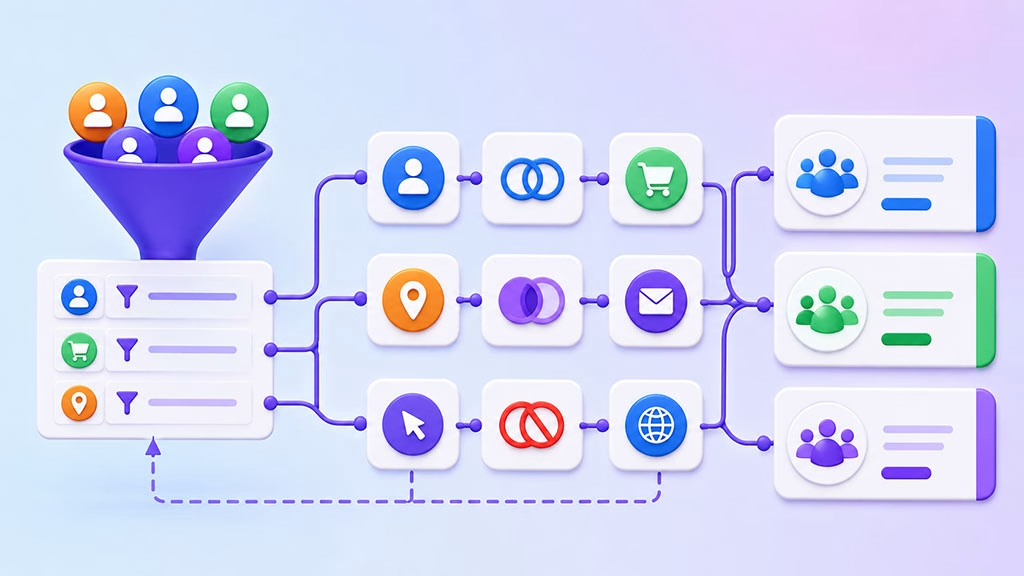
The true power of SmartMails Contact Activity Filters emerges when you go beyond single conditions and start combining and even negating them. This allows for incredibly precise audience targeting, ensuring your message lands exactly where it needs to.
The Power of “AND” and “OR”
Think of these as logical operators in your filtering system.
- “AND” for Precision: When you use “AND,” all conditions must be met for a contact to be included. For example: “Opened Campaign A AND Clicked Link B AND Hasn’t Purchased Product C.” This narrows your audience significantly to a very specific segment. Use “AND” when you need to be absolutely sure that your audience matches multiple specific criteria.
- “OR” for Breadth: When you use “OR,” a contact just needs to meet one of the specified conditions. For example: “Opened Campaign A OR Visited Product Page D OR Downloaded Whitepaper E.” This broadens your audience to include contacts who have shown interest through various, but equally valid, touchpoints. Use “OR” when there are multiple ways your audience might express interest in a similar topic or product.
Leveraging “Does Not Contain” and “Has Not Done”
These negative filters are just as crucial as positive ones. They allow you to exclude individuals who wouldn’t benefit from your message or who have already taken the desired action.
- Excluding Recent Purchasers: You almost always want to exclude customers who have recently bought the product you’re promoting. “Has Not Purchased Product X in Last 7 Days” is a lifesaver for avoiding redundant or annoying emails.
- Excluding Engaged with Previous Offer: If you’re sending a new offer, you might want to exclude those who clicked on your previous offer, assuming they’ve already moved forward in the funnel or aren’t interested. “Has Not Clicked Link Y in Campaign Z.”
- Ensuring Unique Content Delivery: Imagine you have two content pieces on the same topic. You can send the first one to everyone, then filter for “Has Not Read Article A” to send Article B only to those who haven’t yet engaged with the first piece.
Multi-Stage Nurture Sequences
Combining filters is essential for building sophisticated multi-stage nurture sequences.
- Stage 1: Initial Interest: Send an introductory email to contacts who downloaded a general lead magnet.
- Stage 2: Deeper Dive: One week later, filter for “Opened Stage 1 Email AND Clicked Link X AND Has Not Downloaded Case Study Y.” Send them the case study.
- Stage 3: Decision Stage: Another week later, filter for “Opened Stage 2 Email AND Downloaded Case Study Y AND Has Not Visited Pricing Page.” Send them a call-to-action for a demo or a limited-time offer.
This layered approach ensures that each email builds upon the previous interaction, guiding your contacts smoothly through their journey without overwhelming them with irrelevant information.
Best Practices for Implementing Contact Activity Filters
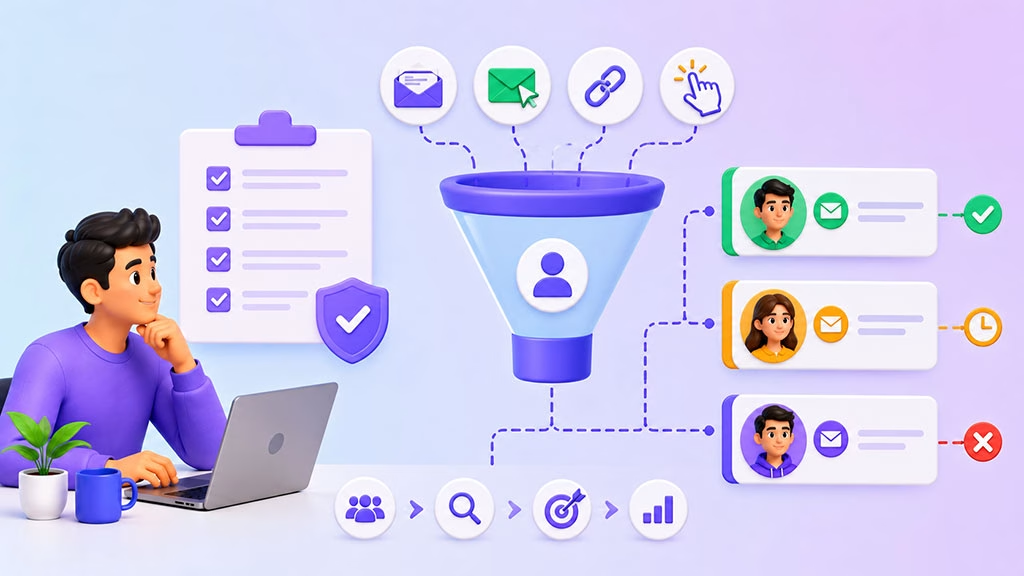
While the technical aspects are important, the strategy behind your filter implementation is what will truly drive results. Following these best practices will help you maximize your campaign effectiveness and avoid common pitfalls.
Define Clear Campaign Goals
Before you even touch the filter settings, clearly articulate what you want to achieve with each campaign. Are you aiming for:
- Lead generation?
- Sales conversions?
- Customer retention?
- Brand awareness?
Your goal will dictate which activities are most relevant to track and filter by. Without a clear goal, your filters become arbitrary.
Start Simple, Then Iterate
Don’t try to build the most complex, multi-layered filter on your first attempt. Begin with straightforward filters, such as “Opened Campaign X” or “Clicked Link Y.” Launch your campaign, analyze the results, and then refine your filters based on what you learn. Continuous iteration is key to optimizing your strategy.
Regularly Review and Update Filters
Your audience’s behavior isn’t static, and neither should your filters be.
- Campaign Lifecycle: A filter relevant for a product launch might not be suitable for a post-purchase follow-up.
- Seasonality: Be mindful of seasonal trends that might impact activity (e.g., holiday shoppers vs. off-season).
- New Products/Services: As your offerings evolve, so too should the behaviors you’re tracking.
Set a schedule to periodically review and update your filter criteria to ensure they remain relevant and effective.
A/B Test Your Filtered Segments
| Contact Activity | Filter Criteria | Benefits |
|---|---|---|
| Opened Email | Opened at least 1 email in the last 30 days | Target audience interested in your content |
| Clicked Link | Clicked on a specific link in the last 60 days | Engaged audience for targeted offers |
| Visited Website | Visited website in the last 90 days | Retargeting potential customers |
Even with sophisticated filtering, there’s always room for improvement.
- Compare different filter combinations: Send slightly different versions of an email to two segments created with subtly different filter criteria to see which performs better.
- Test message variations: Once you have a filtered segment, A/B test different subject lines, call-to-actions, or content within that segment to further optimize engagement.
Monitor and Analyze Performance Metrics
The success of your filtered campaigns can only be measured by carefully analyzing the results. Pay close attention to:
- Open Rates: Are your targeted campaigns getting more attention?
- Click-Through Rates (CTR): Are more people engaging with your content?
- Conversion Rates: Are your carefully targeted messages leading to more sales, sign-ups, or desired actions?
- Unsubscribe Rates: Highly relevant emails should, in theory, lead to lower unsubscribe rates – if you see an spike, your targeting might be off.
Use these metrics to understand what’s working, what’s not, and how to continuously improve your SmartMails strategy.
In the realm of enhancing email marketing strategies, understanding user engagement is crucial. A related article discusses how to unlock real-time insights with webhooks, which can significantly improve your ability to track customer interactions. By integrating these insights, you can refine your approach to using SmartMails contact activity filters for targeted campaigns. To explore this topic further, check out the article on real-time insights with webhooks.
Common Pitfalls to Avoid
Even with the best intentions, it’s easy to stumble when implementing advanced features like Contact Activity Filters. Being aware of these common pitfalls will help you navigate potential challenges and ensure your campaigns remain effective.
Over-Segmenting Your Audience
While precision is valuable, there’s a point where you can become too precise.
- Tiny Segments: If your filters result in segments of only a handful of contacts, the effort involved in crafting a unique message for them might not justify the potential return.
- Lack of Data for Analysis: Very small segments can also make it difficult to draw statistically significant conclusions from your A/B tests and performance analysis.
- Lost Opportunities: Overly restrictive filters might exclude a broader group of potentially interested contacts who don’t fit your exact criteria but would still benefit from your message.
Strive for segments that are meaningful in size while still being clearly defined by behavior.
Neglecting the Customer Journey
Don’t view each filter as an isolated event. Your filters should align with the overall customer journey you’ve mapped out.
- Disconnected Messaging: Sending messages that don’t logically follow previous interactions or lead naturally to the next stage can create a disjointed experience for your contacts.
- Repetitive Content: Avoid sending the same message or very similar content to a contact who has already seen it, even if they fit different filter criteria.
- Missing Key Stages: Ensure your filters cover all crucial stages of the customer lifecycle, from initial awareness to post-purchase engagement.
Always keep the broader context of your contacts’ interaction with your brand in mind when designing your filtered campaigns.
Not Cleaning Your Data Regularly
The effectiveness of Contact Activity Filters is directly tied to the quality of your data.
- Stale Data: Outdated contact information, bounced email addresses, and inactive subscribers can skew your analytics and lead to wasted effort.
- Incomplete Activity Tracking: If your SmartMails platform isn’t properly integrated with other systems (e.g., CRM, e-commerce platform), you might be missing crucial activity data, leading to incomplete or inaccurate filtering.
- Inaccurate Labels/Tags: If your tagging system for contact properties or product interests is inconsistent, your filters based on these won’t be reliable.
Regularly audit your email list, remove unresponsive contacts, and ensure all your data sources are accurately feeding into your SmartMails platform.
Forgetting the “Why”
It’s easy to get caught up in the technical wizardry of building complex filters. But always ask yourself: “Why am I sending this email to this specific group?”
- Lack of Personalization: Even with advanced filtering, if the content of your email isn’t genuinely personalized or relevant to the filtered segment, it won’t resonate.
- Sending for the Sake of Sending: Don’t create campaigns just because you can filter deeply. Every email should have a valid purpose and provide value to the recipient.
Always return to the core principle: deliver the right message to the right person at the right time. Your filters are the mechanics, but your overall strategy and content are the heart of effective email marketing.
By embracing the sophistication of SmartMails Contact Activity Filters and adhering to these best practices, you are not just sending emails; you are orchestrating a highly personalized, intelligently targeted communication strategy that drives engagement, nurtures relationships, and ultimately, maximizes your campaign effectiveness. This is how you elevate your email marketing from good to extraordinary.
FAQs
What is SmartMails Contact Activity Filters?
SmartMails Contact Activity Filters are a feature within the SmartMails email marketing platform that allows users to segment their contact lists based on specific activities or behaviors, such as email opens, link clicks, and website visits.
How can Contact Activity Filters be used for targeted campaigns?
Contact Activity Filters can be used to create targeted campaigns by allowing users to identify and segment contacts who have engaged with previous campaigns in specific ways. For example, users can create a segment of contacts who have opened a certain email or clicked on a specific link, and then tailor a new campaign specifically for that segment.
What are the benefits of using Contact Activity Filters for targeted campaigns?
Using Contact Activity Filters for targeted campaigns allows for more personalized and relevant messaging, which can lead to higher engagement and conversion rates. It also helps users to better understand their contacts’ behaviors and preferences, allowing for more effective campaign planning and execution.
How can users set up Contact Activity Filters in SmartMails?
To set up Contact Activity Filters in SmartMails, users can navigate to the contact management or segmentation section of the platform and select the desired activity or behavior to filter by. They can then save the segment for future use in targeted campaigns.
Are there any limitations to using Contact Activity Filters for targeted campaigns?
While Contact Activity Filters can be a powerful tool for targeted campaigns, it’s important to note that they rely on accurate tracking and data collection. If contacts are not accurately tracked or if data is incomplete, the effectiveness of using Contact Activity Filters may be limited. Additionally, it’s important to ensure that targeted campaigns are still relevant and valuable to the segmented contacts to avoid potential disengagement.