



Email serves as a fundamental communication channel in both personal and professional contexts. With the average professional receiving dozens of emails daily, creating messages that capture attention in crowded inboxes has become increasingly important. Email templates provide a structured solution for streamlining communication processes while maintaining consistent formatting and professional presentation.
Email templates offer significant advantages for business marketing initiatives. These standardized frameworks can be customized for different campaign types, including newsletters, promotional announcements, and customer follow-up communications. Templates enable organizations to maintain brand consistency across all email communications, creating a unified experience for recipients.
Research indicates that consistent branding can increase revenue by up to 23%, making template standardization a valuable business practice. Effective email templates incorporate several key elements: clear subject lines, responsive design for mobile compatibility, strategic use of white space, and compelling call-to-action buttons. Templates also reduce production time, with studies showing that businesses using email templates can decrease message creation time by 40-60% compared to creating emails from scratch.
This efficiency allows marketing teams to allocate more resources to content strategy and audience targeting rather than design and formatting tasks.
Key Takeaways
- Email templates should be clear, concise, and easy to understand.
- Personalization enhances engagement and improves recipient response.
- Maintaining brand consistency strengthens recognition and trust.
- Mobile responsiveness ensures emails display well on all devices.
- Testing, analytics, and legal compliance are essential for effective and secure email campaigns.
Clarity and Conciseness
When it comes to email communication, clarity and conciseness are paramount. You want your recipients to grasp your message quickly without wading through unnecessary jargon or lengthy paragraphs. By focusing on clear language and straightforward messaging, you can ensure that your emails are easily understood.
This is especially important in a business context, where time is often of the essence. A well-structured email template allows you to present your ideas succinctly, making it easier for your audience to digest the information. To achieve clarity, consider using bullet points or numbered lists within your template.
These formatting techniques can break down complex information into digestible chunks, allowing your readers to scan the content effortlessly. Additionally, aim for short sentences and simple vocabulary to enhance readability. Remember, the goal is to communicate your message effectively without overwhelming your audience.
By prioritizing clarity and conciseness in your email templates, you can foster better engagement and response rates.
Personalization and Customization
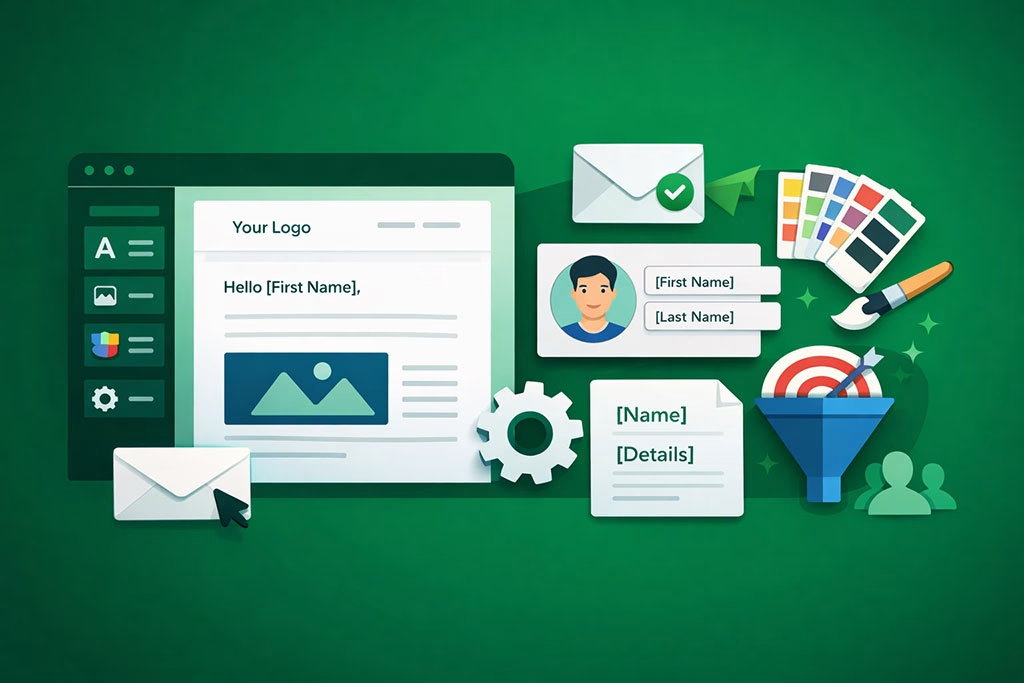
In an age where consumers are bombarded with generic marketing messages, personalization has become a key differentiator. You have the opportunity to make your emails feel more relevant and engaging by customizing them for each recipient. This can be as simple as addressing the recipient by their first name or tailoring the content based on their previous interactions with your brand.
By incorporating personalization into your email templates, you can create a more meaningful connection with your audience. Customization goes beyond just inserting names; it involves understanding your audience’s preferences and behaviors. You might consider segmenting your email list based on demographics or past purchases to deliver targeted content that resonates with specific groups.
This level of personalization not only enhances the user experience but also increases the likelihood of conversions. When recipients feel that an email speaks directly to them, they are more inclined to take action, whether that means clicking a link or making a purchase.
Brand Consistency
Maintaining brand consistency across all communication channels is crucial for building trust and recognition among your audience. Your email templates should reflect your brand’s identity, including its colors, fonts, and overall tone. When recipients see a familiar design in their inbox, it reinforces their connection to your brand and enhances their overall experience.
Consistency in branding helps establish credibility and makes your emails instantly recognizable. To achieve brand consistency in your email templates, start by creating a style guide that outlines your brand’s visual elements and messaging guidelines. This will serve as a reference point when designing your templates, ensuring that every email aligns with your brand’s identity.
Additionally, consider incorporating your logo and other branding elements prominently within the template design. By doing so, you create a cohesive look that strengthens brand recall and fosters loyalty among your audience.
Call to Action
| Drag-and-Drop Editor | Allows users to easily add and arrange elements without coding. | High | Speeds up template creation and reduces technical barriers. |
| Responsive Design | Ensures emails look good on all devices including mobiles and tablets. | High | Improves user experience and engagement across platforms. |
| Pre-built Templates | Offers ready-made designs to jumpstart email creation. | Medium | Saves time and provides inspiration for professional layouts. |
| Customizable Fonts and Colors | Enables brand consistency by adjusting typography and color schemes. | High | Enhances brand recognition and visual appeal. |
| Image and Media Integration | Supports adding images, GIFs, and videos to enrich content. | Medium | Increases engagement and message effectiveness. |
| HTML Code Editing | Allows advanced users to customize templates with code. | Low | Provides flexibility for unique design needs. |
| Preview and Testing Tools | Enables viewing emails in different clients and devices before sending. | High | Reduces errors and ensures consistent appearance. |
| Integration with Email Marketing Platforms | Seamlessly connects templates with marketing tools for campaigns. | High | Streamlines workflow and improves campaign management. |
| Undo/Redo Functionality | Allows easy correction of mistakes during design. | Medium | Enhances user experience and reduces frustration. |
| Content Blocks | Modular sections like text, buttons, and dividers for flexible layouts. | High | Facilitates quick customization and consistent structure. |
A compelling call to action (CTA) is essential for driving engagement and conversions in your emails. You want to guide your recipients toward a specific action, whether it’s clicking a link, signing up for a webinar, or making a purchase. Your email template should prominently feature CTAs that are clear, concise, and visually appealing.
The placement of these buttons or links can significantly impact their effectiveness; consider positioning them above the fold for maximum visibility. When crafting CTAs within your email templates, use action-oriented language that creates a sense of urgency or excitement. Phrases like “Get Started Now,” “Limited Time Offer,” or “Join Us Today” can motivate recipients to take immediate action.
Additionally, ensure that the design of your CTA stands out from the rest of the email content; using contrasting colors or bold fonts can draw attention to these critical elements. By strategically incorporating effective CTAs into your email templates, you can significantly enhance engagement and drive desired outcomes.
Mobile Responsiveness

With an increasing number of people accessing their emails on mobile devices, ensuring that your email templates are mobile-responsive is no longer optional—it’s essential. A significant portion of your audience may read emails on smartphones or tablets, so it’s crucial that your templates adapt seamlessly to different screen sizes. A mobile-responsive design enhances user experience and ensures that your message is conveyed effectively regardless of the device being used.
To create mobile-responsive email templates, consider using a single-column layout that simplifies navigation on smaller screens.
Additionally, ensure that images are optimized for quick loading times and that text remains legible without excessive zooming or scrolling.
Testing your templates across various devices and email clients will help you identify any issues before sending them out to your audience.
By prioritizing mobile responsiveness in your email design, you can reach a broader audience and improve overall engagement rates.
Legal Compliance
In today’s digital landscape, legal compliance is a critical aspect of email marketing that you cannot afford to overlook. Regulations such as the General Data Protection Regulation (GDPR) and the CAN-SPAM Act set forth guidelines for how businesses must handle personal data and communicate with their audiences. Ensuring that your email templates comply with these regulations not only protects your business from potential legal repercussions but also builds trust with your subscribers.
To maintain legal compliance in your email templates, include clear opt-in options for subscribers and provide an easy way for them to unsubscribe if they choose to do so. Additionally, be transparent about how you collect and use personal data within your communications. Incorporating these elements into your email design demonstrates respect for your audience’s privacy and fosters a positive relationship with them.
By prioritizing legal compliance in your email marketing efforts, you can create a responsible and trustworthy brand image.
A/B Testing and Analytics
To optimize the effectiveness of your email campaigns, A/B testing is an invaluable strategy that allows you to compare different versions of your emails to determine what resonates best with your audience.
By testing various elements—such as subject lines, images, CTAs, or even layout—you can gain insights into what drives engagement and conversions.
This data-driven approach enables you to refine your email templates over time for maximum impact.
Analytics play a crucial role in this process as well. By tracking metrics such as open rates, click-through rates, and conversion rates, you can assess the performance of each email campaign and identify areas for improvement. Incorporating analytics tools into your email marketing strategy will provide you with valuable insights into subscriber behavior and preferences.
As you gather data from A/B testing and analytics, you’ll be better equipped to make informed decisions about future campaigns and continuously enhance the effectiveness of your email templates.
Accessibility
Creating accessible email templates is essential for ensuring that all recipients can engage with your content effectively, regardless of their abilities or disabilities. Accessibility considerations should be integrated into every aspect of your email design—from color contrast to font size—to ensure inclusivity for all users. By prioritizing accessibility in your emails, you not only comply with legal standards but also demonstrate a commitment to serving diverse audiences.
To enhance accessibility in your email templates, use descriptive alt text for images so that visually impaired recipients using screen readers can understand the content being conveyed. Additionally, ensure that color choices provide sufficient contrast for readability and avoid relying solely on color to convey important information. By implementing these practices in your email design process, you create an inclusive experience that resonates with all members of your audience.
Security Features
In an era where data breaches are increasingly common, incorporating security features into your email templates is vital for protecting both your business and your subscribers’ information. Ensuring that sensitive data is handled securely builds trust with your audience and reinforces their confidence in engaging with your brand. Implementing security measures such as encryption and secure sign-up forms can help safeguard personal information from unauthorized access.
Additionally, consider including clear privacy policies within your emails that outline how subscriber data will be used and protected. Transparency regarding data handling practices fosters trust among recipients and encourages them to engage more freely with your communications. By prioritizing security features in your email templates, you not only protect sensitive information but also enhance the overall credibility of your brand.
Conclusion and Next Steps
In conclusion, mastering the art of effective email templates is essential for successful communication in today’s digital landscape. By focusing on clarity and conciseness, personalization and customization, brand consistency, compelling calls to action, mobile responsiveness, legal compliance, A/B testing and analytics, accessibility, and security features, you can create impactful emails that resonate with your audience. As you move forward in refining your email marketing strategy, take the time to evaluate each aspect discussed in this article critically.
Consider conducting A/B tests on different elements of your templates to identify what works best for your audience while continuously analyzing performance metrics to inform future campaigns. By implementing these strategies thoughtfully, you’ll be well on your way to creating effective email communications that drive engagement and foster lasting relationships with your subscribers.
When designing professional email templates, it’s essential to consider not only the aesthetics but also the effectiveness of your email marketing strategy. A related article that delves into this topic is 10 Winning Strategies to Generate Warm Leads Through Email Marketing, which provides valuable insights on how to engage your audience and convert leads through well-crafted emails. By combining essential email builder features with effective marketing strategies, you can enhance your email campaigns and achieve better results.
FAQs
What is an email builder?
An email builder is a software tool or platform that allows users to create, design, and customize email templates without needing advanced coding skills. It typically offers drag-and-drop functionality, pre-designed templates, and various customization options.
Why are email builder features important for designing professional templates?
Email builder features are important because they enable users to create visually appealing, responsive, and effective email templates that align with their brand identity. These features help ensure emails look professional across different devices and email clients, improving engagement and deliverability.
What are some essential features to look for in an email builder?
Essential features include drag-and-drop editing, responsive design capabilities, customizable templates, image and media integration, personalization options, testing and preview tools, compatibility with various email clients, and analytics integration.
How does responsive design benefit email templates?
Responsive design ensures that email templates automatically adjust their layout and content to fit different screen sizes and devices, such as smartphones, tablets, and desktops. This improves readability and user experience, leading to higher engagement rates.
Can email builders help with email personalization?
Yes, many email builders offer personalization features that allow users to insert dynamic content such as the recipient’s name, location, or past purchase behavior. Personalization can increase open rates and click-through rates by making emails more relevant to the recipient.
Is coding knowledge required to use an email builder?
Most modern email builders are designed to be user-friendly and do not require coding knowledge. They provide drag-and-drop interfaces and pre-built modules. However, some builders also offer advanced options for users who want to add custom HTML or CSS.
How can I test my email templates before sending them?
Email builders often include preview and testing tools that allow users to see how their emails will appear on different devices and email clients. Some platforms also offer spam testing and inbox placement previews to ensure deliverability.
Are there any limitations to using email builders?
While email builders simplify the design process, they may have limitations in terms of customization compared to hand-coded emails. Additionally, some builders might produce code that is not fully optimized for all email clients, so testing is essential.
Can email builders integrate with other marketing tools?
Many email builders can integrate with customer relationship management (CRM) systems, marketing automation platforms, and analytics tools. This integration helps streamline campaign management and track performance metrics effectively.
What should I consider when choosing an email builder for professional templates?
Consider factors such as ease of use, available templates, customization options, responsiveness, integration capabilities, testing features, pricing, and customer support to ensure the email builder meets your professional needs.