


Crafting Your Foundation: Understanding Permission and Strategy
You’re stepping into the critical world of email marketing, and at its heart lies a single, powerful concept: permission. Forget the days of bulk buying email lists or scraping addresses from the web. Those tactics are not only ineffective but also detrimental to your brand’s reputation and deliverability. Instead, you’re going to focus on building a permission-based email list, a collection of individuals who have explicitly given you consent to send them marketing communications. This isn’t just a legal requirement (think GDPR and CAN-SPAM); it’s the bedrock of a healthy, engaged subscriber base. When people opt-in, they’re signaling interest, and that interest translates into higher open rates, click-through rates, and ultimately, conversions.
Your strategy for building this list isn’t a one-time setup; it’s an ongoing process of refinement and optimization. Before you even think about designing a web form, you need to understand why someone would want to join your list and what value you promise to deliver. Are you offering exclusive content, early access to products, valuable industry insights, or just a discount? The clearer you are about your value proposition, the more compelling your web forms will become. Think about your target audience: what are their pain points? What information do they crave? How can your emails solve their problems or enrich their lives? Answering these questions will inform not only the content you create for your emails but also the language you use on your web forms and the incentives you offer for signing up. Remember, you’re not just collecting email addresses; you’re building relationships with potential customers.
The Nuance of Explicit Consent
When we talk about permission, you need to be precise. Implicit consent, where a user’s action might suggest they want to receive emails but they haven’t explicitly said so, is a risky path. You’re aiming for explicit consent, which means a clear, affirmative action from the user. This typically involves them actively checking a box that states something like, “Yes, I would like to receive email updates and promotions from [Your Company Name].” Pre-checked boxes are a no-go; they undermine the explicit nature of the consent and can lead to frustrated subscribers who feel they’ve been tricked into signing up. Your goal is transparency and trust.
Defining Your Value Proposition
Before you design a single form field, sit down and articulate your unique value proposition for email subscribers. What makes your email list worth joining? Is it exclusive content that isn’t available anywhere else? Perhaps it’s early bird access to new products or services. Maybe you offer practical tips, industry news, or behind-the-scenes glimpses that resonate with your audience. Your value proposition needs to be clear, concise, and compelling. Don’t just say “sign up for our newsletter”; explain what that newsletter does for them. For example, instead of “Join our mailing list,” you might say, “Get weekly insights on sustainable living delivered directly to your inbox – exclusive tips, product reviews, and community stories.” This distinction is crucial; it sets expectations and immediately demonstrates the benefit to the potential subscriber.
To effectively build a permission-based list using web forms, it’s essential to understand the importance of segmentation in your marketing strategy. A related article that delves deeper into this topic is “Maximizing Conversions with Hyper-Targeted Segments,” which provides valuable insights on how to tailor your messaging and offers to specific audience segments. You can read it here: Maximizing Conversions with Hyper-Targeted Segments. This resource complements the strategies discussed in “How to Use Web Forms to Build a Permission Based List” by emphasizing the role of targeted communication in enhancing engagement and conversion rates.
Designing Effective Web Forms
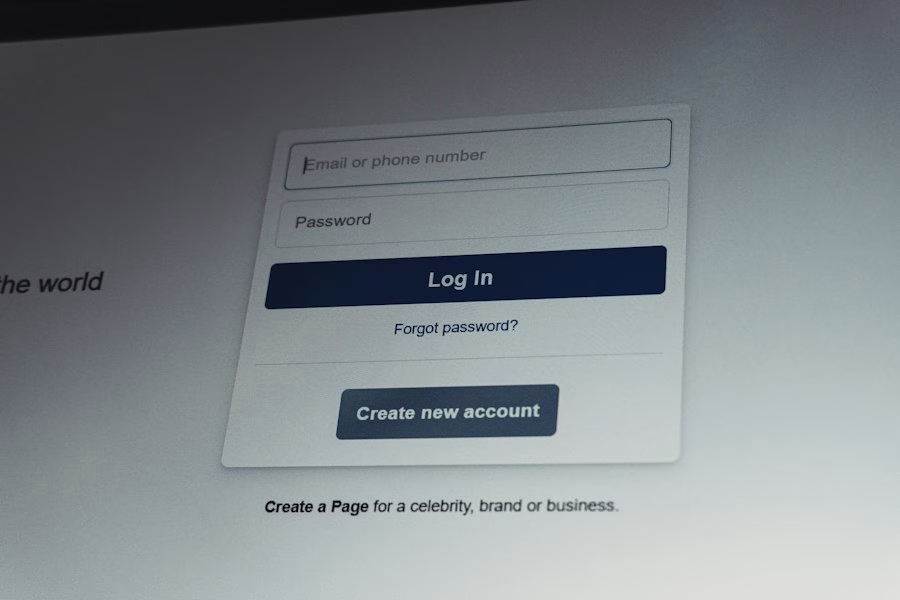
Now that you understand the strategic importance of permission, let’s turn our attention to the actual web forms themselves. These are your digital gatekeepers, the touchpoints where potential subscribers make the decision to join your list. Their design, placement, and content are paramount to your success. You want your forms to be inviting, easy to understand, and frictionless. Any element that introduces confusion or unnecessary effort will result in a lower conversion rate. Think of your web forms as mini sales pitches – they need to clearly communicate the value of joining your list and make it incredibly easy for users to take that final step.
Opt-in Form Placement and Visibility
Where you place your web forms significantly impacts their effectiveness. You need to strategically position them where they are visible to your target audience without being overly intrusive. Common and effective placements include:
- Homepage: A prominent but not overwhelming form on your homepage is a must. Consider placing it in the header, footer, or a sidebar.
- Blog Posts: If you publish content regularly, embedding an opt-in form within or at the end of relevant blog posts is highly effective. People reading your content are already engaged with your brand and more likely to want more.
- Dedicated Landing Pages: For specific campaigns or offers, a dedicated landing page solely focused on list building, with a clear form, can yield excellent results.
- Pop-ups and Slide-ins: While sometimes controversial, pop-ups (exit-intent, scroll-triggered) and slide-ins can be very effective when used tastefully and with good timing. Ensure they are easy to close and don’t disrupt the user experience too much.
- “About Us” or Contact Pages: People visiting these pages are often looking for more information about your brand, making them good candidates for subscription.
- Social Media Profiles: Link directly to a dedicated sign-up page or use platform-specific features to encourage sign-ups.
The key is variety and testing. Don’t rely on just one placement; experiment to see what works best for your audience and website traffic patterns.
Crafting Compelling Form Copy
The words you use on your web form are just as important as its design. Your copy needs to be concise, benefit-driven, and action-oriented.
- Catchy Headline: Grab attention immediately. Instead of “Sign Up,” try “Unlock Exclusive Deals,” “Get Weekly Marketing Tips,” or “Join Our Community of Innovators.”
- Benefit-Oriented Subtext: Directly below the headline, explain what the subscriber will gain. Focus on benefits, not features. “Receive our curated list of top industry trends every Monday morning, so you can stay ahead of the curve.”
- Clear Call to Action (CTA): Your button text should be unambiguous and encouraging. Avoid generic “Submit.” Instead, use “Get My Free Guide,” “Join Now,” “Subscribe for Updates,” or “Start Receiving Tips.”
- Privacy Assurance: A short line reassuring users about their privacy (e.g., “We respect your privacy. No spam ever.”) can significantly boost trust and conversions. Link to your full privacy policy if space allows.
Remember, every word should contribute to persuading the user to complete the form. Eliminate jargon and be as clear as possible.
Minimizing Form Fields for Maximum Conversions
One of the biggest mistakes you can make is asking for too much information upfront. Every additional field you add to your form creates more friction and lowers your conversion rate. In the initial stage of list building, your primary goal is to get the email address.
- The Golden Rule: Email Address Only: For a general newsletter or content updates, start with just the email address field. This is the lowest barrier to entry.
- Consider First Name (Optional): If you plan to personalize your emails with the subscriber’s first name, then including a “First Name” field might be worthwhile. However, be aware that it will likely decrease your conversion rate slightly. Weigh the benefits of personalization against the potential drop in sign-ups.
- Avoid Unnecessary Information: Do you really need their phone number, company size, or postal code for a simple newsletter? Probably not. You can always gather more information later through progressive profiling once they’re already a subscriber and engaged.
- Progressive Profiling: As subscribers interact with your emails and content, you can subtly ask for more information over time. For example, a click on a specific category of content could trigger an email asking about their interests, which you can then use to segment them further.
The less work a user has to do, the more likely they are to complete the form. Simplicity is your friend.
Implementing Double Opt-in and Confirmation
You’ve successfully designed a compelling web form and attracted initial sign-ups. Now, you’re going to solidify that permission and ensure the quality of your list by implementing double opt-in. This isn’t just a best practice; it’s a critical step that significantly enhances your email marketing efforts. Double opt-in means that after a user submits your web form, they receive an email asking them to confirm their subscription by clicking a link. Only after they click that link are they officially added to your list.
Why Double Opt-in is Non-Negotiable
While it might seem like an extra step that could reduce your subscriber count, the benefits of double opt-in far outweigh any perceived drawbacks:
- Confirms Intent: It verifies that the subscriber genuinely wants to receive your emails and didn’t accidentally sign up or use a fake email address.
- Reduces Spam Complaints: People who intentionally confirm their subscription are far less likely to mark your emails as spam, which is crucial for your sender reputation.
- Improves Deliverability: ISPs (Internet Service Providers) like Gmail and Outlook view confirmed subscribers as more engaged, leading to better inbox placement for your emails.
- Eliminates Typo Errors: Users often make typos when entering their email address. Double opt-in ensures that only valid, deliverable addresses make it onto your list.
- Compliance with Regulations: Many data privacy regulations (like GDPR) explicitly or implicitly favor double opt-in as proof of explicit consent.
- Higher Engagement: Subscribers who take the extra step to confirm their subscription are generally more engaged and valuable to your list. They open more emails, click more links, and are more likely to convert.
You are investing in a higher-quality list, even if it means a slightly smaller quantity of subscribers. Quality over quantity is always the wise choice in permission-based email marketing.
Crafting the Confirmation Email
Your confirmation email is another vital touchpoint. It needs to be clear, concise, and encourage action.
- Clear Subject Line: Something like “Please Confirm Your Subscription to [Your Company Name]” or “Action Required: Confirm Your Email Address.” Make it immediately obvious what the email is about.
- Reinforce Value: Briefly remind them why they signed up. “Thanks for showing interest in our weekly marketing insights! To start receiving our exclusive content, please click the button below.”
- Prominent Call to Action: A clear, clickable button or link that says “Confirm My Subscription” or “Yes, I Want Updates.”
- Simple Instructions: Keep the body text short and to the point. Avoid distractions.
- What Happens Next: Briefly tell them what to expect after they confirm. “Once confirmed, you’ll receive your first [newsletter/resource/email] shortly!”
- Branding: Use your company logo and consistent branding to reassure them it’s from you.
- No-Reply Address: While tempting, it’s often better to use an address that can receive replies, even if you don’t actively monitor it for general queries. This adds to trust.
Remember to instruct your email service provider (ESP) to automatically send this confirmation email immediately after someone fills out your web form.
The Confirmation Success Page
Once a user clicks the confirmation link in the email, you should redirect them to a confirmation success page on your website. This page is another opportunity to strengthen the relationship.
- Thank You Message: A warm “Thank You for Confirming!” is essential.
- Reiterate Value: Remind them again of the benefits they’ll receive.
- What to Expect: Tell them when their first email will arrive and what kind of content to look forward to.
- Next Steps/Immediate Value: Don’t let this be a dead end. Offer immediate value or suggest next steps:
- “Check out our latest blog post on [topic].”
- “Follow us on social media for daily updates.”
- “Browse our product catalog.”
- If you promised a lead magnet (e.g., a free e-book), provide the download link here.
- Whitelist Request (Optional but Recommended): Gently ask them to add your email address to their safe sender list or contacts to ensure your emails always land in their inbox. Provide simple instructions.
This success page is not merely a technical step; it’s part of the ongoing communication and trust-building process with your new subscriber.
Leveraging Incentives and Lead Magnets
You’ve got your foundation, designed your forms, and implemented double opt-in. Now, let’s talk about accelerating your list growth by offering compelling incentives. While some people will sign up purely for the value of your ongoing communication, many others need an extra nudge – something tangible and immediate in exchange for their email address. This is where lead magnets come into play. A lead magnet is a valuable piece of content or an offer that you give away for free in exchange for a user’s contact information.
Types of Effective Lead Magnets
The best lead magnets are highly relevant to your target audience’s interests and problems, providing immediate value. They should also align with your overall business goals and what you eventually want to sell. Here are several effective types:
- E-books and Guides: In-depth resources on a specific topic that solves a particular problem or provides comprehensive information.
- Checklists and Templates: Practical tools that help users accomplish a task or streamline a process (e.g., a “Blog Post SEO Checklist” or a “Social Media Content Calendar Template”).
- Webinars and Online Courses (Free Chapters/Previews): Offer access to a valuable learning experience, either live or on-demand. Even a free introductory chapter or lesson can be a powerful magnet.
- Exclusive Content (e.g., Whitepapers, Case Studies): High-value research, data, or real-world examples that demonstrate your expertise.
- Free Trials or Demos: For software or service-based businesses, a limited-time free trial or a personalized demo can be a strong incentive.
- Discount Codes or Coupons: A straightforward way to attract potential customers, especially in e-commerce. “Get 10% off your first order!”
- Toolkits or Resource Libraries: A collection of useful links, tools, and downloadable assets related to a specific niche.
- Quizzes or Assessments: Interactive content that provides personalized results or recommendations, often requiring an email to receive the outcome.
When choosing your lead magnet, consider your audience’s needs and the stage they are at in their buyer’s journey. A beginner might prefer a checklist, while a more advanced user might seek a detailed whitepaper.
Aligning Lead Magnets with Your Audience’s Needs
Your lead magnet’s effectiveness hinges on its relevance. You need to deeply understand your target audience and their pain points.
- Identify Core Problems: What challenges do your ideal customers face that your business can help solve? Your lead magnet should offer a solution or a step towards one.
- Speak Their Language: Use the terminology your audience understands and is looking for.
- Quality over Quantity: A short, highly impactful checklist is often more valuable than a lengthy, generic e-book. Focus on delivering tangible value.
- Immediate Gratification: People appreciate getting value quickly. Your lead magnet should be easily consumable and deliver on its promise without too much effort from the subscriber.
- Preview Value: On your web form, clearly describe what the lead magnet is and the specific benefits it offers. Use enticing language. “Download our ‘5-Step Guide to Boosting Your Website Traffic’ and start seeing results today!”
An effectively designed and promoted lead magnet can significantly increase your opt-in rates, bringing in more qualified leads who are interested in what you have to offer.
Delivering Your Lead Magnet Effectively
Once someone has signed up (and ideally confirmed their double opt-in), you need to deliver the lead magnet promptly and smoothly.
- Instant Delivery: The best practice is to deliver the lead magnet immediately after the confirmation. This can be done via:
- Confirmation Success Page: Provide a direct download link on the “Thank You for Confirming” page. This offers instant gratification.
- Welcome Email: Include the download link within your initial welcome email (which should follow the double opt-in confirmation). This ensures they get it even if they close the success page.
- Clear Instructions: Ensure the download process is straightforward. Avoid requiring additional steps or sign-ups to access the magnet.
- File Format: Use common, easily accessible file formats like PDF for documents, or standard video/audio formats.
- Track Downloads: If possible, track who downloads your lead magnet. This can provide valuable insights into what content resonates with your audience.
- Follow-up Sequence: The lead magnet delivery isn’t the end of the journey. It’s the beginning. Plan a short email sequence (e.g., 2-3 emails over a week) that further nurtures these new subscribers, provides additional value related to the lead magnet, and eventually introduces your core offerings.
By providing a valuable lead magnet and delivering it efficiently, you reinforce trust and set the stage for a positive long-term relationship with your new subscribers.
When exploring effective methods to engage your audience, understanding how to use web forms to build a permission-based list is crucial. A related article that delves into enhancing your email marketing efforts is available at 10 Email Marketing Strategies for Sure Success in 2023, which provides valuable insights on strategies that can complement your web form initiatives and boost your overall marketing success.
Maintaining and Growing Your Permission-Based List
| Step | Action | Purpose | Key Metrics | Best Practices |
|---|---|---|---|---|
| 1 | Create Web Form | Collect user information and permissions | Form completion rate (%) | Keep form simple and mobile-friendly |
| 2 | Include Permission Checkbox | Obtain explicit consent for communications | Permission opt-in rate (%) | Use clear, concise language for consent |
| 3 | Implement Double Opt-In | Verify user consent and reduce spam complaints | Double opt-in confirmation rate (%) | Send confirmation email promptly |
| 4 | Store Data Securely | Protect user information and comply with regulations | Data breach incidents (count) | Use encrypted databases and access controls |
| 5 | Segment List Based on Permissions | Send targeted and relevant communications | Engagement rate by segment (%) | Regularly update and clean the list |
| 6 | Provide Easy Unsubscribe Option | Respect user preferences and maintain list quality | Unsubscribe rate (%) | Make unsubscribe link visible and simple |
Building your permission-based email list is an ongoing process, not a one-time task. Once you’ve successfully brought in new subscribers through effective web forms and lead magnets, your focus shifts to maintaining the quality of your list, keeping subscribers engaged, and continuously finding new ways to grow your audience. This involves strategic email content, regular list hygiene, and continuous optimization of your acquisition channels.
Consistent Value Delivery
The most crucial aspect of retaining subscribers and keeping them engaged is consistently delivering on the promise you made when they signed up.
- Regular, Relevant Content: Send emails consistently (e.g., weekly, bi-weekly) and ensure the content is valuable, informative, or entertaining. Don’t send emails just to send emails; every message should have a purpose and offer something worthwhile.
- Segmentation and Personalization: As your list grows, segment your subscribers based on their interests, demographics, purchase history, or how they signed up. This allows you to send more targeted, relevant emails. Personalize emails with their name and tailor content to their specific preferences.
- Surveys and Feedback: Periodically ask your subscribers what kind of content they’d like to receive or what problems they need help solving. This not only provides valuable insights but also makes them feel heard and valued.
- Exclusive Offers: Reward your loyal subscribers with exclusive discounts, early access to new products, or special content that isn’t available to non-subscribers.
If your emails stop providing value, subscribers will either become disengaged or, worse, unsubscribe or mark you as spam. Keep your promises.
List Hygiene and Re-engagement Strategies
Even with the best practices, some subscribers will inevitably become inactive. Regular list hygiene is essential for maintaining a healthy and high-performing email list.
- Monitor Engagement Metrics: Regularly track open rates, click-through rates, and unsubscribe rates. Identify subscribers who haven’t opened or clicked an email in a significant period (e.g., 3-6 months).
- Re-engagement Campaigns: For inactive subscribers, launch a targeted re-engagement campaign. Send a series of emails (e.g., 2-3) designed to pique their interest again.
- Subject Line: Use catchy subject lines like “We Miss You!” or “Is This Goodbye?”
- Content: Remind them of the value they’re missing, offer an exclusive incentive, or ask them directly if they still want to receive your emails.
- Clear Opt-out: Always provide an easy way for them to unsubscribe if they’re no longer interested.
- Remove Unengaged Subscribers: If a re-engagement campaign doesn’t work after a certain period (e.g., a month), it’s often best to remove these subscribers from your active list. While it might seem counterintuitive to remove subscribers, sending to unengaged individuals harms your sender reputation and wastes resources. A smaller, highly engaged list is always better than a large, disengaged one.
- Automated Unsubscribe Process: Ensure your unsubscribe process is straightforward and one-click. Don’t make it difficult for people to leave your list; frustrated users are more likely to report you as spam.
Regular list hygiene ensures your deliverability remains high and your engagement metrics accurately reflect the health of your list.
Continuous Optimization of Acquisition Channels
Your work on web forms and lead magnets isn’t done after the initial setup. You need to continuously optimize your acquisition channels to ensure you’re getting the best possible results.
- A/B Testing Forms: Experiment with different elements of your web forms:
- Headlines and CTAs: Test variations to see which resonate most.
- Form Placement: Does a pop-up perform better than a static sidebar form?
- Number of Fields: Does asking for a first name significantly impact conversions?
- Colors and Design: Small aesthetic changes can sometimes make a difference.
- Images/Videos: Does adding a relevant image or short video increase sign-ups?
- Test Lead Magnet Offers: Try different types of lead magnets to see which one generates the most qualified leads. What content truly solves their immediate problems?
- Traffic Source Analysis: Understand where your sign-ups are coming from. Are certain traffic sources (e.g., organic search, social media, paid ads) leading to more engaged subscribers? Allocate your resources accordingly.
- User Behavior Analytics: Use tools like Google Analytics or heat mapping software to understand how users interact with your forms and website pages. Are they getting stuck? Is the form visible?
- Feedback Loops: Pay attention to comments, support tickets, and social media mentions related to your opt-in process. User feedback can highlight areas for improvement.
By consistently testing, analyzing, and refining your web forms and acquisition strategies, you’ll ensure your permission-based email list continues to grow with high-quality, engaged subscribers who are eager to hear from you. This iterative approach is key to sustained success in email marketing.
FAQs
What is a permission-based list?
A permission-based list is a collection of email addresses or contact information that has been obtained with the explicit consent of the individuals on the list. This means that they have willingly opted in to receive communications from you.
Why is it important to build a permission-based list?
Building a permission-based list is crucial for maintaining good sender reputation and ensuring compliance with anti-spam laws. It also leads to higher engagement rates, as the individuals on the list have already expressed interest in receiving information from you.
How can web forms help in building a permission-based list?
Web forms can be used to collect contact information from visitors to your website. By creating opt-in forms that clearly explain what type of content subscribers will receive and obtaining their consent, you can build a permission-based list.
What are some best practices for using web forms to build a permission-based list?
Some best practices include making the opt-in process clear and transparent, providing options for subscribers to choose the type and frequency of emails they receive, and ensuring that subscribers can easily unsubscribe if they no longer wish to receive communications.
How can I ensure that my permission-based list stays compliant with regulations?
To ensure compliance, make sure to keep detailed records of how and when individuals opted in to your list, provide a clear privacy policy outlining how their information will be used, and regularly clean your list by removing inactive or unsubscribed contacts.