


When you send an email, you expect it to arrive promptly. A delay, even a small one, can feel like a digital snail crossing a vast continent. This is a frustrating experience, particularly when you’re relying on email for business communications, marketing campaigns, or even just personal connections. The good news is that you have significant control over how quickly your emails reach their destination. This isn’t a matter of magic or luck; it’s about scientific optimization of your email server. You are the architect of your email’s journey, and by understanding and implementing server optimization techniques, you can turn that snail into a swift messenger.
Understanding the Email Delivery Pipeline: More Than Just a Click
You might envision sending an email as a simple act: you type, you click send, and it’s there. However, the reality is a complex, multi-stage process. Your email doesn’t magically teleport. It embarks on a journey through various networks and servers. Understanding this pipeline is the first step in optimizing it.
The Initial Hop: Your Server and the Internet
When you hit send, your email client (like Outlook or Gmail) transmits the message to your outgoing mail server. This server then acts as your email’s first ambassador. It needs to be robust, efficient, and capable of handling the volume of messages you send. If your server is sluggish or misconfigured, your email’s journey begins with a crawl. This initial phase is like a car with a sputtering engine; it will eventually get going, but not with any impressive speed.
The Network Relay: Navigating the Interconnected Web
From your outgoing server, your email travels across the internet. This is a vast interconnected network of routers and switches. Each hop your email makes can introduce latency. Think of it like a package being shipped: the more stops it makes, the longer it takes to arrive. However, unlike a physical package, your email can often find multiple paths to its destination. Optimizing your server can influence the selection of these paths, and sometimes, the routes taken.
The Recipient’s Gateway: The Delivery Point
Finally, your email reaches the recipient’s mail server. This server is responsible for accepting the message and making it available in the recipient’s inbox. Factors at this end, such as the recipient server’s load and configuration, are beyond your direct control. However, by ensuring your outgoing emails are well-formed, properly authenticated, and not flagged as spam, you significantly increase the chances of a smooth acceptance.
For those interested in enhancing email delivery through server level optimization, it’s also beneficial to explore related strategies that can improve overall marketing effectiveness. A great resource on this topic is an article discussing how to maximize landing page leads using A/B testing. You can read more about it here: Maximizing Landing Page Leads with A/B Testing. This article provides insights that can complement your email strategies by ensuring that your landing pages are equally optimized for conversions.
Core Server Configuration: The Foundation of Speed
Before diving into advanced techniques, you must ensure your server’s fundamental configuration is sound. This is akin to laying a strong foundation for a building; without it, any subsequent construction will be unstable and less effective.
Mail Transfer Agent (MTA) Tuning: The Engine Room
Your Mail Transfer Agent (MTA) is the software responsible for sending and receiving emails. Popular MTAs include Postfix, Sendmail, and Exim. The configuration of your MTA is paramount.
Connection Limits and Throttling: Preventing Overload
One of the most critical aspects is managing connection limits and throttling. If your server attempts to open too many simultaneous connections to recipient servers, or if a recipient server is overwhelmed, you can experience significant delays.
- Simultaneous Connection Caps: You can configure your MTA to limit the number of concurrent outgoing connections it makes. This prevents your server from being a digital bull in a china shop, overwhelming recipient servers and potentially getting temporarily blocked. Setting an appropriate cap based on your server’s resources and typical outbound volume is crucial.
- Throttling by Recipient Domain: For larger recipients or known slow servers, you can implement throttling policies. This means your MTA will deliberately slow down its sending rate to a particular domain. This shows respect for their infrastructure and can prevent your emails from being rejected outright due to perceived abuse. It’s like politely waiting in line rather than trying to barge through.
- Recipient Server Reputation Monitoring: Advanced configurations can include monitoring the responsiveness of recipient servers. If a particular domain consistently responds slowly, your MTA can automatically adjust its sending rate to that domain. This is a proactive approach to avoid bottlenecks.
Queue Management: Organizing the Mailbag
Your MTA maintains a queue of emails waiting to be sent. How this queue is managed directly impacts delivery speed.
- Queue Size Limits: While you want enough buffer for bursts of email, an excessively large queue can indicate underlying issues. Monitoring queue depth and investigating sustained high queue lengths is essential. It might mean your sending rate is too low, or recipient servers are rejecting your mail.
- Priority Queues: Some MTAs allow for priority queues. Urgent emails (e.g., transactional emails like password resets) can be given higher priority than bulk marketing emails. This ensures critical messages aren’t held up behind less time-sensitive ones.
- Queue Purging and Archiving: Regularly purging old, undeliverable emails from the queue frees up resources and prevents the queue from becoming a digital graveyard. Archiving successful deliveries can also be useful for logging and auditing.
DNS Resolution Optimization: The Address Book of the Internet
Before your server can send an email to example.com, it needs to find the IP address of example.com‘s mail server. This is done through the Domain Name System (DNS). Slow or inefficient DNS resolution can add frustrating seconds, or even minutes, to delivery times.
Recursive DNS Server Choice: The Fastest Post Office
Your server needs to query a DNS resolver to find the IP address. Choosing a fast and reliable recursive DNS server is vital.
- Public DNS Providers: Providers like Google DNS (8.8.8.8, 8.8.4.4) or Cloudflare DNS (1.1.1.1, 1.0.0.1) are generally very fast and reliable.
- Local Caching DNS Server: Running your own caching DNS server on your network can significantly speed up repeated lookups for frequently visited domains. Your server will query this local cache first.
- Monitoring DNS Latency: Regularly test the latency of your chosen DNS resolvers. If a provider starts performing poorly, switch to a more efficient one.
DNS Record Caching: Remembering Addresses
Your server caches DNS records to avoid repeated lookups. Proper cache configuration is important.
- TTL (Time To Live) Management: While you can’t directly control the TTL set by other domains, understanding it helps. A shorter TTL means changes propagate faster but can increase DNS query load.
- Local Cache Size: Ensure your local DNS caching server or MTA’s caching mechanism has sufficient memory allocated to store a good number of resolved records.
Network Bandwidth and Latency: The Digital Highways

The speed at which your emails travel across the internet is heavily influenced by network factors. Think of your server’s connection as a highway. A wide, well-maintained highway with no traffic will allow your emails (cars) to reach their destination quickly.
Bandwidth Allocation: Ensuring Enough Lane Space
Bandwidth is the capacity of your internet connection. If your server is trying to push a large volume of emails through a narrow pipe, it will inevitably lead to congestion.
- Prioritizing Mail Traffic: In a business environment, you might consider prioritizing email traffic over less critical data transfers. This ensures that email can utilize available bandwidth without being choked by other network activities. This is like setting up a dedicated lane for express mail.
- Monitoring Bandwidth Usage: Regularly monitor your server’s bandwidth consumption. If you’re consistently hitting your limits during peak sending times, you may need to upgrade your internet connection.
- ISP Performance: The performance of your Internet Service Provider (ISP) is a critical link. Research and choose an ISP known for reliable, high-bandwidth connections.
Latency: The Time it Takes to Travel
Latency, or ping, is the time it takes for a data packet to travel from one point to another and back. High latency can add delays to every interaction between your server and recipient servers.
- Server Location: The physical distance between your server and the recipient’s servers can influence latency. If you’re sending a large volume of emails to a specific geographic region, consider hosting your mail server closer to that region if feasible.
- Network Routing: While you have limited control over the exact routing of your emails across the internet, robust network hardware and good peering arrangements by your ISP can help minimize hops and optimize paths.
- Connection Quality: Ensure your server’s network interface cards (NICs) and cabling are in good condition. Faulty network hardware can introduce subtle delays.
IP Reputation and Authentication: Building Trust with Recipient Servers
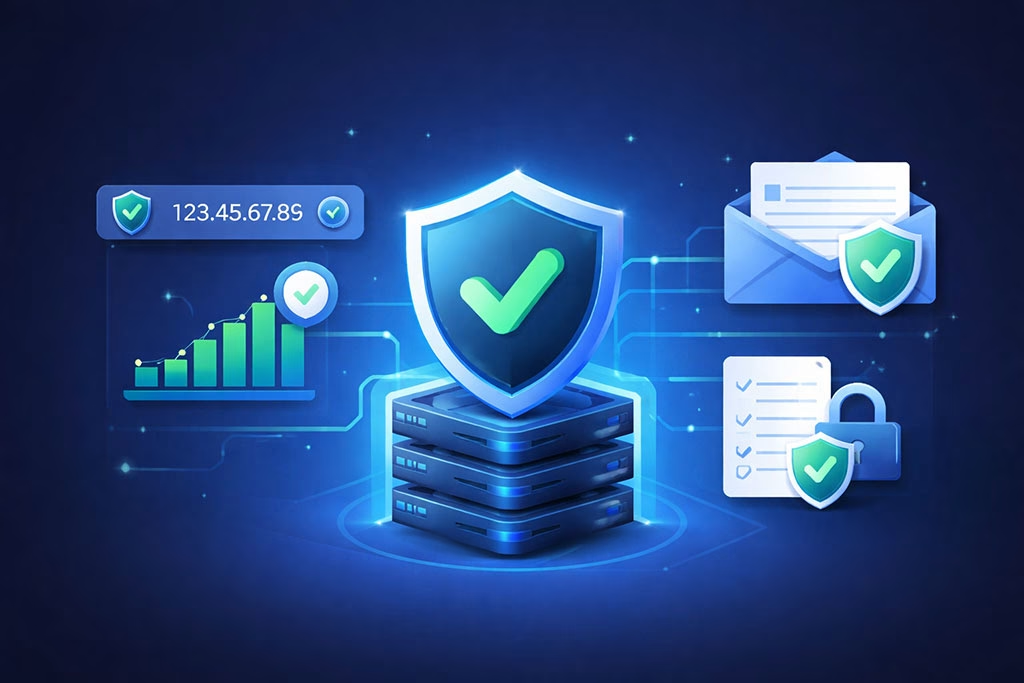
Recipient mail servers are constantly on guard against spam and malicious actors. The reputation of your sending IP address and the proper authentication of your emails are crucial for bypassing these defenses and ensuring swift delivery. Without these, your emails are like unmarked packages, viewed with suspicion.
IP Address Reputation: Your Server’s Digital Footprint
Your sending IP address has a reputation, much like a person. If that IP has a history of sending spam, phishing emails, or exhibiting other undesirable behavior, recipient servers will be wary and may delay or reject your mail.
- Dedicated IP vs. Shared IP: If you’re using a shared IP address with many other users, your reputation can be tarnished by others. A dedicated IP address gives you full control over your sending reputation.
- Monitoring IP Blacklists: Regularly check if your IP address has been added to any global blacklists (e.g., Spamhaus, SORBS). If it is, take immediate action to get delisted.
- Feedback Loops (FBLs): Register for Feedback Loops with major ISPs. This allows you to receive notifications when users mark your emails as spam, enabling you to investigate and rectify the issue.
- Warming Up New IPs: If you’re using a new IP address, don’t start sending massive volumes immediately. Gradually increase your sending volume over days or weeks to build a positive reputation. This is like introducing yourself to a new community slowly and politely.
Email Authentication Protocols: Proving Your Identity
These protocols are digital credentials that prove your emails are legitimate and haven’t been forged.
- SPF (Sender Policy Framework): SPF helps prevent email spoofing by allowing domain owners to specify which mail servers are authorized to send email on behalf of their domain. A correctly configured SPF record tells recipient servers, “Yes, this server is allowed to send mail from this domain.”
- DKIM (DomainKeys Identified Mail): DKIM adds a digital signature to your emails, allowing the recipient server to verify that the email hasn’t been tampered with in transit and that it originated from your domain. Think of it as a verifiable seal on your letter.
- DMARC (Domain-based Message Authentication, Reporting & Conformance): DMARC builds upon SPF and DKIM, providing a policy for how recipient servers should handle emails that fail SPF or DKIM checks. It also provides reporting capabilities, giving you visibility into potential email authentication issues.
Server Level Optimization for Faster Email Delivery is crucial for enhancing the overall efficiency of email marketing campaigns. By fine-tuning server settings and configurations, businesses can significantly reduce latency and improve deliverability rates. For those looking to dive deeper into the intricacies of email marketing strategies, a related article discusses the importance of hyper-targeted segments in maximizing conversions. You can read more about it in this insightful piece on maximizing conversions. Understanding these concepts together can lead to a more effective email strategy.
Server Resource Management: The Engine’s Maintenance
Even with perfect configurations, a server struggling with insufficient resources will be slow. Think of a finely tuned race car that’s out of fuel; its potential is wasted.
CPU and Memory Allocation: The Brain and Muscles
Your mail server requires sufficient CPU power and RAM to process emails efficiently.
- Monitoring Resource Utilization: Regularly monitor your server’s CPU and memory usage during peak sending times. Consistent high utilization indicates a bottleneck.
- Sufficient RAM for Queues and Processes: Email queues and the MTA processes themselves consume memory. Ensure you have enough RAM to handle the load without excessive swapping to disk, which is dramatically slower.
- CPU for Encryption and Processing: If you’re using TLS encryption for outgoing mail, or if your MTA performs complex content filtering, this requires CPU cycles.
Disk I/O Performance: The Speed of Storage
Emails are written to disk as they are processed and queued. Slow disk performance can significantly impact delivery speed, especially with large volumes.
- SSD Storage: Using Solid State Drives (SSDs) for your MTA’s queue directory and log files can provide a dramatic performance boost over traditional Hard Disk Drives (HDDs).
- RAID Configurations: For reliability and performance, consider RAID configurations that optimize for read/write speeds.
- Separate Storage for Logs and Queues: In high-volume environments, consider placing queue files and log files on separate, fast storage devices to minimize I/O contention.
Advanced Optimization Techniques: Fine-Tuning for Peak Performance
Once the fundamentals are in place, you can explore more advanced techniques to squeeze every bit of speed from your email delivery.
Load Balancing and Clustering: Distributing the Effort
For very high-volume sending, a single server might become a bottleneck.
- Multiple Outgoing Servers: Employing multiple outgoing mail servers can distribute the sending load. This allows you to send more emails concurrently without overwhelming any single server.
- Load Balancers: A load balancer sits in front of your mail servers, distributing incoming connections and outgoing requests across your cluster. This ensures no single server is overloaded and provides redundancy.
- Sharding Queues: In very large deployments, you might even shard the email queue across multiple storage devices or servers.
Connection Pooling and Keep-Alive: Reducing Overhead
Establishing a connection to a recipient server isn’t instantaneous. Minimizing the overhead of connection establishment can save valuable time.
- MTA Connection Pooling: Configure your MTA to maintain a pool of open connections to frequently contacted recipient servers. This allows for immediate sending when a new email arrives in the queue for that server, rather than having to establish a new connection each time.
- HTTP Keep-Alive Principles: While not directly applicable to SMTP in the same way, the principle of re-using established connections to reduce handshake overhead is a core optimization.
Monitoring and Alerting: The Dashboard for Your Email Highway
You can’t optimize what you don’t measure. Robust monitoring is essential for understanding your server’s performance and identifying issues before they impact delivery.
- Real-time Delivery Metrics: Implement tools that track key metrics like average delivery time, queue length, bounce rates, and successful delivery rates.
- Automated Alerts: Set up alerts for critical thresholds, such as queue depth exceeding a certain limit, IP address being blacklisted, or high resource utilization. This allows you to react proactively.
- Log Analysis: Regularly analyze your mail server logs. They are a treasure trove of information about delivery attempts, rejections, and potential problems. Specialized log analysis tools can help identify patterns and anomalies.
By approaching your email server not as a black box, but as a system you can actively tune and optimize, you transform the act of sending an email from a gamble into a controlled, efficient process. You’re no longer at the mercy of unpredictable delays; you’re the conductor of a well-orchestrated digital symphony, ensuring your messages arrive not just reliably, but swiftly. Consistent effort in understanding and implementing these optimization techniques will ultimately allow you to maximize your email delivery speed, ensuring your messages reach their destination with the efficiency they deserve.
FAQs
What is server level optimization for email delivery?
Server level optimization for email delivery involves configuring and fine-tuning the email server settings and infrastructure to ensure faster and more reliable sending and receiving of emails. This can include adjustments to server hardware, software, network settings, and email protocols.
Why is server level optimization important for faster email delivery?
Optimizing the server at the system level reduces delays in processing and transmitting emails, minimizes bottlenecks, and improves overall email throughput. This leads to quicker delivery times, better user experience, and higher email deliverability rates.
What are common techniques used in server level optimization for email?
Common techniques include optimizing DNS settings (such as SPF, DKIM, and DMARC records), configuring SMTP server parameters, managing queue sizes, enabling connection pooling, upgrading hardware resources, and implementing load balancing and caching mechanisms.
How does server level optimization affect email deliverability?
Proper server optimization helps maintain a good sender reputation by reducing bounce rates and avoiding spam filters. It ensures that emails are sent promptly and comply with email authentication standards, which increases the likelihood that emails reach recipients’ inboxes rather than being marked as spam.
Can server level optimization be done on any email server?
Yes, server level optimization can be applied to most email servers, whether they are on-premises or cloud-based. However, the specific optimization steps may vary depending on the server software, hosting environment, and organizational requirements.